Nikon D780 DSLR Camera (Body Only) User Manual
Page 382
Advertising
336
Other Shooting Options
•
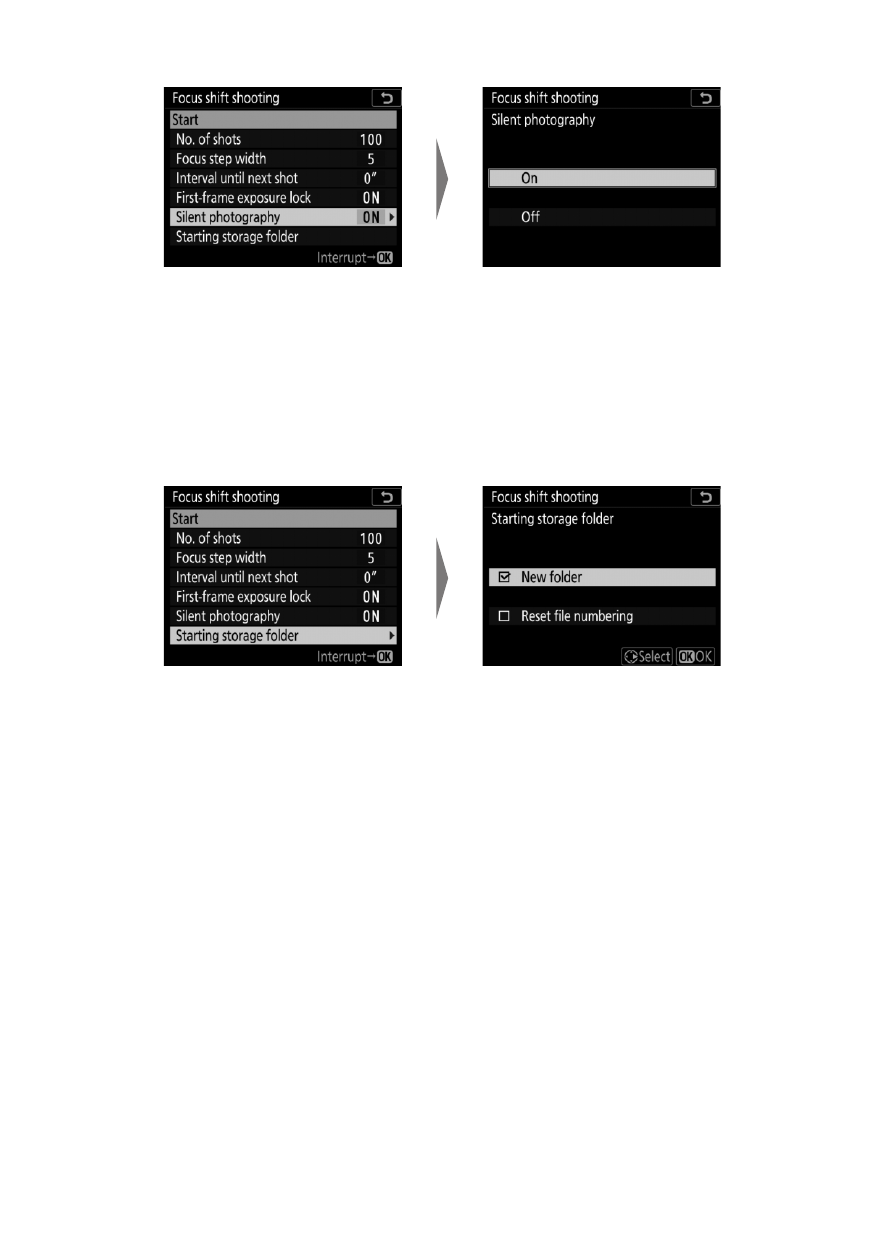
To enable or disable silent photography
:
- If [
On
] is selected, the only time the sound of the shutter
or mirror will be heard is when the mirror is raised or
lowered at the start and end of shooting.
•
Choose start folder options
:
- Select [
New folder
] to create a new folder for each new
sequence, [
Reset file numbering
] to reset file numbering
to 0001 whenever a new folder is created.
Highlight [
Silent
photography
] and press
2
.
Highlight an option and
press
J
.
Highlight [
Starting storage
folder
] and press
2
.
Highlight options and press
2
to select or deselect. Press
J
to proceed.
Advertising