Canon imagePROGRAF GP-4000 User Manual
Page 364
Advertising
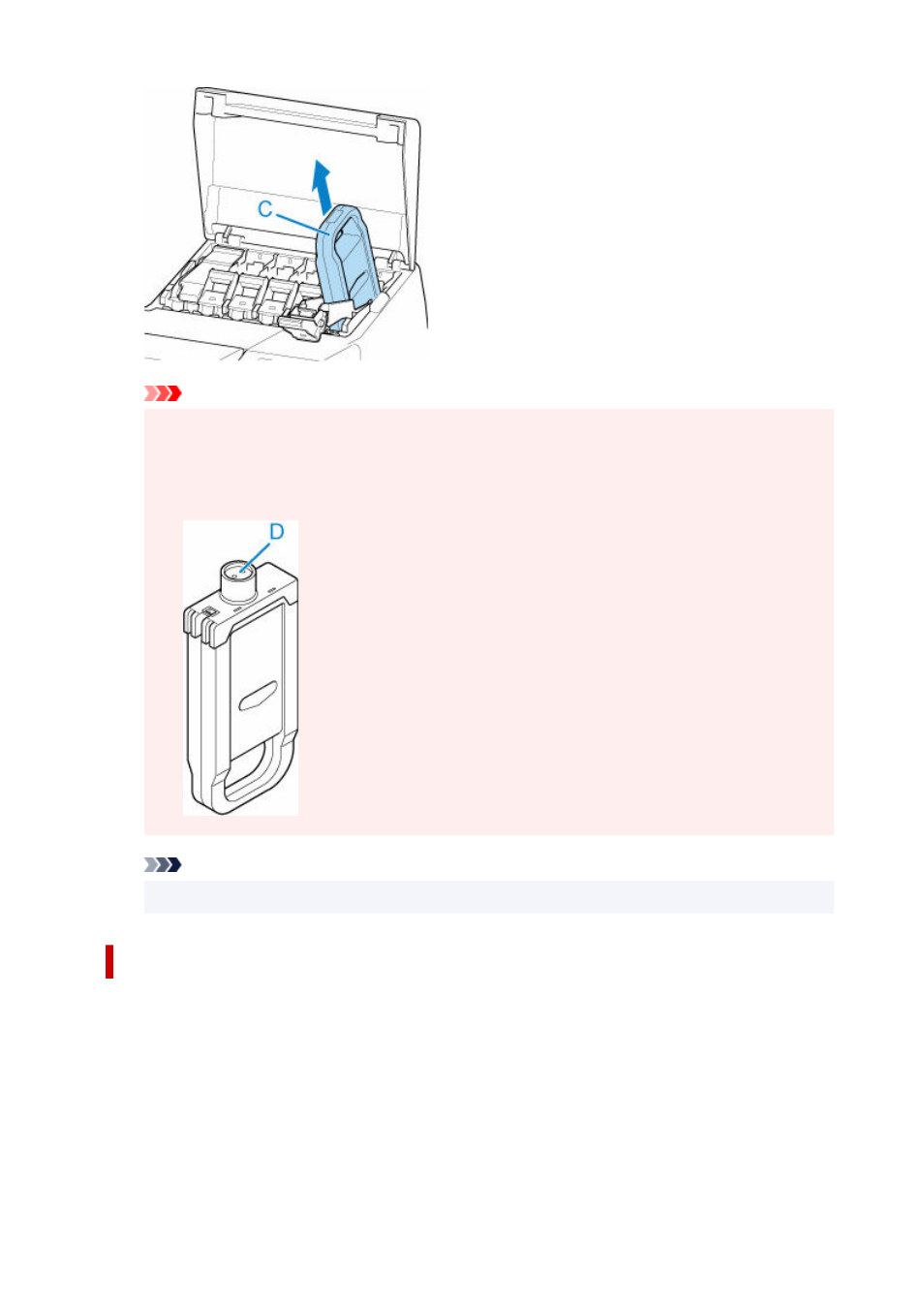
Important
• Do not turn off the power of the printer with the ink tank removed except in the case of the
•
preparation for transportation. Otherwise, inside of the ink tank cover may be stained.
• Store the removed ink tank with ink remaining in the box with the ink holes (D) facing up.
•
Otherwise, ink may leak and cause stains.
Note
• Dispose of the used ink tank in accordance with local regulations.
Loading ink tank (5.4 fl oz (160 ml) / 11.2 fl oz (330 ml))
1.
Before opening the pouch, tilt the ink tank to the left and right gently seven or eight times.
1.
364
Advertising
See also other documents in the category Canon Printers:
- mx860 (997 pages)
- mp620 (815 pages)
- mp495 (759 pages)
- PIXMA iP2600 (72 pages)
- Pixma MP 190 (396 pages)
- PIXMA iX6520 (300 pages)
- PIXMA iX6540 (339 pages)
- PIXMA iX6540 (335 pages)
- BJC-3000 (350 pages)
- BJC-3000 (80 pages)
- BJC-50 (141 pages)
- BJC-55 (181 pages)
- BJC-6200 (281 pages)
- BJC-8200 (85 pages)
- BJC-8500 (13 pages)
- BJC-8500 (159 pages)
- i475D (2 pages)
- i80 (1 page)
- i850 (2 pages)
- CP-100 (110 pages)
- SELPHY CP750 (50 pages)
- CP 300 (53 pages)
- CP100 (62 pages)
- C70 (421 pages)
- W8200 (196 pages)
- H12157 (359 pages)
- ImageCLASS MF4570dw (61 pages)
- i 350 (9 pages)
- C560 (2 pages)
- C2880 Series (16 pages)
- Color imageRUNNER C3080 (4 pages)
- BJ-30 (183 pages)
- CDI-M113-010 (154 pages)
- imagerunner 7095 (14 pages)
- C3200 (563 pages)
- Direct Print (109 pages)
- IMAGERUNNER ADVANCE C5030 (12 pages)
- IMAGERUNNER 3530 (352 pages)
- IMAGERUNNER 3530 (6 pages)
- IMAGERUNNER ADVANCE C7065 (12 pages)
- BJC-4400 (106 pages)
- IMAGERUNNER 2525 (3 pages)
- ImageCLASS 2300 (104 pages)
- IMAGECLASS D440 (177 pages)
- ImageCLASS MF7280 (4 pages)