Dialog two: folder settings – HP MFP M528f Monochrome Laser Printer User Manual
Page 109
Advertising
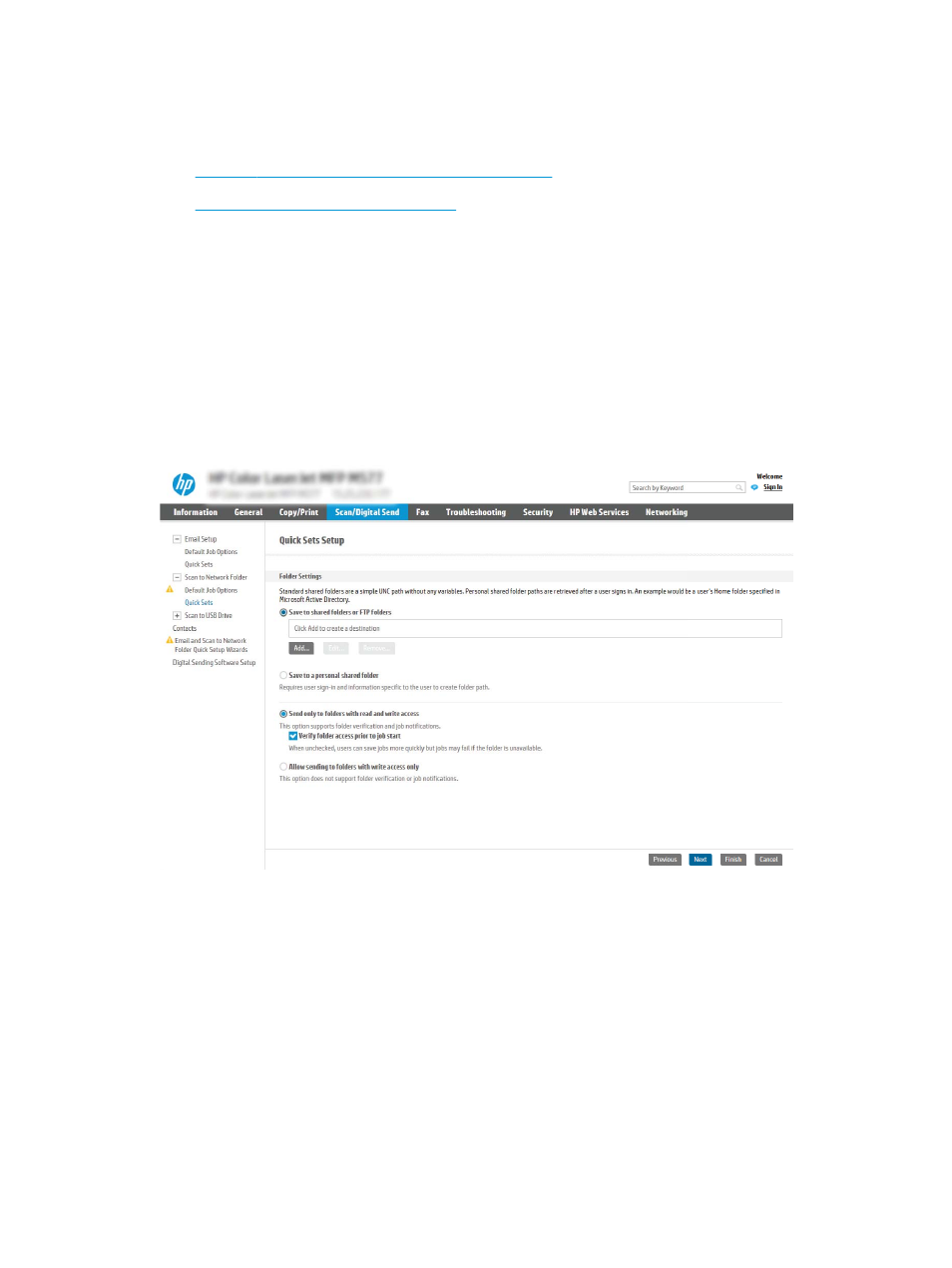
Dialog two: Folder Settings
Use the Folder Settings dialog to configure the types of folders the printer sends scanned documents to.
●
Configure the destination folder for scanned documents
●
Select the destination folder permissions
There are two types of destination folders to select from:
●
Shared folders or FTP folders
●
Personal shared folders
There are two types of folder permissions to select from:
●
Read and write access
●
Write access only
The following information describes how to configure the folder settings.
ENWW
Set up Scan to Network Folder
95
Advertising
See also other documents in the category HP Printers:
- Laserjet p1606dn (152 pages)
- LaserJet 1320 (9 pages)
- LaserJet 1320 (184 pages)
- LaserJet 1320 (4 pages)
- LaserJet 1320 (2 pages)
- Deskjet 6940 (150 pages)
- LaserJet P2035n (148 pages)
- LaserJet 4250 (304 pages)
- LaserJet P2055dn (176 pages)
- Deskjet 5650 (165 pages)
- LASERJET PRO P1102w (158 pages)
- LaserJet P2015 (158 pages)
- DesignJet 500 (268 pages)
- DesignJet 500 (16 pages)
- Officejet Pro 8000 - A809 (140 pages)
- Officejet 6100 (138 pages)
- Officejet 6000 (168 pages)
- LASERJET PRO P1102w (2 pages)
- 2500c Pro Printer series (66 pages)
- 4100 mfp (164 pages)
- 3600 Series (6 pages)
- 3392 (10 pages)
- LASERJET 3800 (18 pages)
- 3500 Series (4 pages)
- Photosmart 7515 e-All-in-One Printer - C311a (62 pages)
- PSC-500 (40 pages)
- 2500C/CM (65 pages)
- QMS 4060 (232 pages)
- 2280 (2 pages)
- 2430dtn (4 pages)
- 1500 (13 pages)
- 1000 Series (1 page)
- TOWERFEED 8000 (36 pages)
- Deskjet 3848 Color Inkjet Printer (95 pages)
- 2100 TN (184 pages)
- B209 (24 pages)
- Designjet 100 Printer series (1 page)
- QM2-111 (35 pages)
- 2100 (5 pages)
- 2000CP series (2 pages)
- 2300L (4 pages)
- 35000 (2 pages)
- 3015 (2 pages)
- Color LaserJet CM3530 Multifunction Printer series (302 pages)
- StudioJet (71 pages)