Creating web photo galleries, About web photo galleries – Adobe Photoshop CS4 User Manual
Page 650
643
USING PHOTOSHOP CS4
Optional plug-ins
Last updated 1/10/2010
•
Select Use Auto-Spacing to let Photoshop automatically space the thumbnails in the contact sheet. If you deselect
Use Auto-Spacing, you can specify the vertical and horizontal space around the thumbnails. The contact sheet
preview in the dialog box is automatically updated as you specify the spacing.
•
Select Rotate For Best Fit to rotate the images, regardless of their orientation, so they fit efficiently on a contact
sheet.
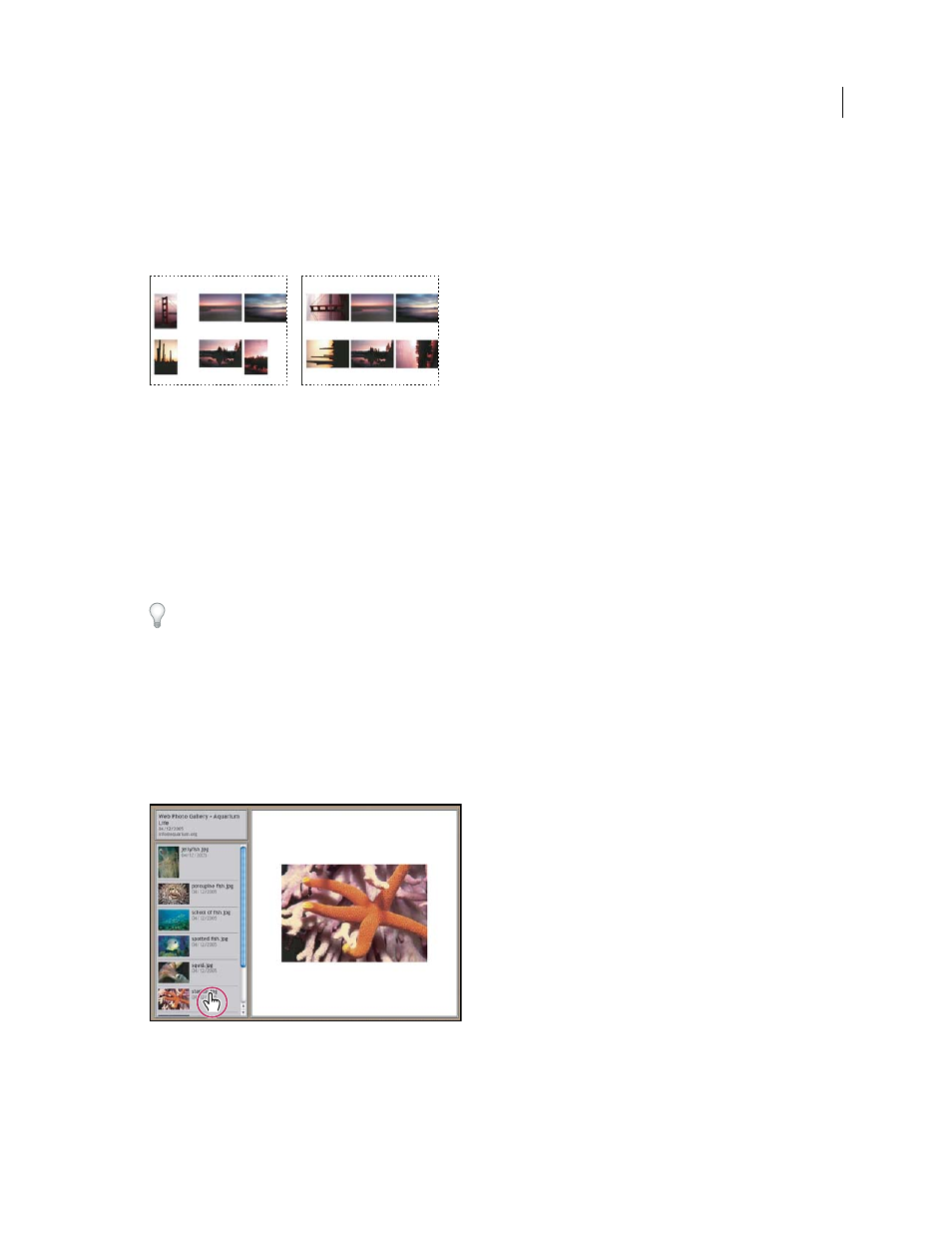
When Rotate For Best Fit is deselected, thumbnails appear in their correct orientation (left). When it is selected, the pictures are rotated to
achieve the best fit (right).
5
Select Use Filename As Caption to label the thumbnails using their source image filenames. Use the menu to specify
a caption font and font size.
6
Click OK.
Creating web photo galleries
To create more effective web galleries, use the Adobe Output Module in Adobe Bridge. For more information, see
below, download it for
.
About web photo galleries
A web photo gallery is a web site that features a home page with thumbnail images and gallery pages with full-size
images. Each page contains links that allow visitors to navigate the site. For example, when a visitor clicks a thumbnail
image on the home page, the associated full-size image is loaded into a gallery page. You use the Web Photo Gallery
command to automatically generate a web photo gallery from a set of images.
Web photo gallery home page
Photoshop provides a variety of styles for your gallery, which you can select using the Web Photo Gallery command.
If you are an advanced user who knows HTML, you can create a new style or customize a style by editing a set of HTML
template files.