Grass Valley Kayenne XL Package v.7.0.4 User Manual
Page 360
358
Kayenne XL Package — User Manual
Section 4 — Sidepanel Menu Summaries
•
Update Device
Software update.
•
Config Device
Setting up IP addresses.
•
Set IP Address
•
Set NetMask
•
Set Gateway
•
Reset Device
Reset the device kernel.
•
Rescan
The network will be scanned and all devices (CP=panels, MF=video
processor frame) are listed with device name, IP address and software
version installed.
•
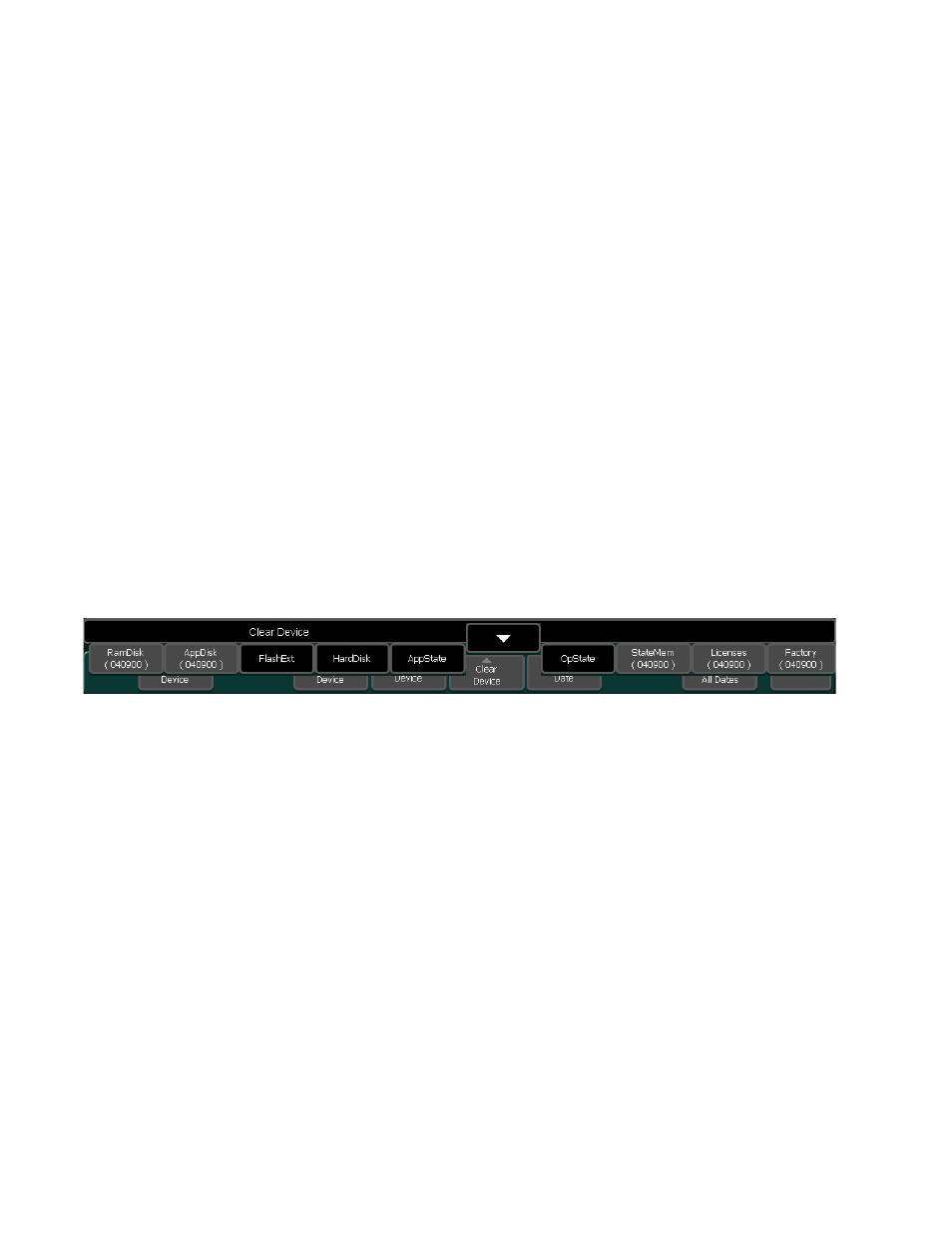
Clear Device
Note
As a protection against unintended use The reset and clear function buttons
are inactive (gray). Please enter the dedicated menu number in order to
enable the button.
Figure 297. Install Device Control
•
Re-initialize the RAM disk area on the flash (Clear RamDisk)
•
Re-initialize the Application disk area on the flash (Clear AppDisk)
•
Re-initialize the DPM FX disk area on the flash (Clear FlashExt)
•
Re-initialize the hard disk (Clear HardDisk)
•
Deleting the Application State (Clear AppState)
•
Deleting the Operational State (Clear OpState)
•
Re-initialize the State Memory Partition (Clear StateMem)
•
Deleting the Licenses (Clear Licenses)
•
Reset to the factory stat (Factory Clear)