Grass Valley Kayenne XL Package v.7.0.4 User Manual
Page 514
Advertising
512
Kayenne XL Package — User Manual
Section 4 — Sidepanel Menu Summaries
•
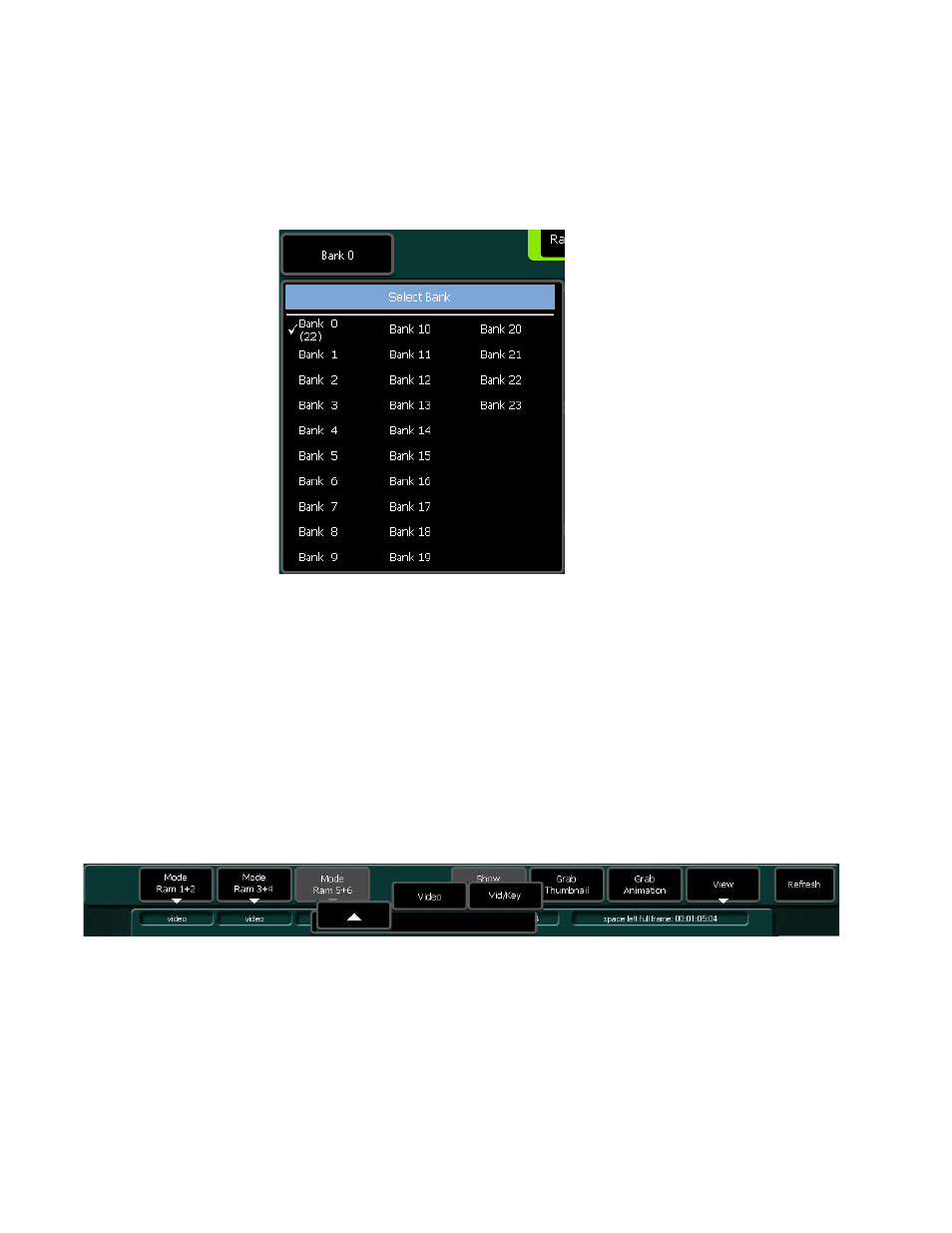
Bank Selection
Press the Bank button to select the desired bank.
Figure 424. RamRecorder - Select Bank
•
Mode Selection
The following modes can be selected:
•
Video: Only video signal.
•
Video/Key: When the Vid/Key button is active, each video signal will
have an associated key signal stored too. At recall, the key signal
will only be recalled if the Vid/Key button is active. RAM 1 uses
RAM2 as its associated key channel for record and recall, while
RAM3 uses RAM4, and RAM5 uses RAM6.
Figure 425. RamRecorder Mode Selection
•
Show Run Control
Activating the toggle button Show Run Control changes the 8 button row
control buttons to become to Tape Motion Control functionality.
Advertising
This manual is related to the following products: