Grass Valley PDR 200 Service Manual User Manual
Page 111
Advertising
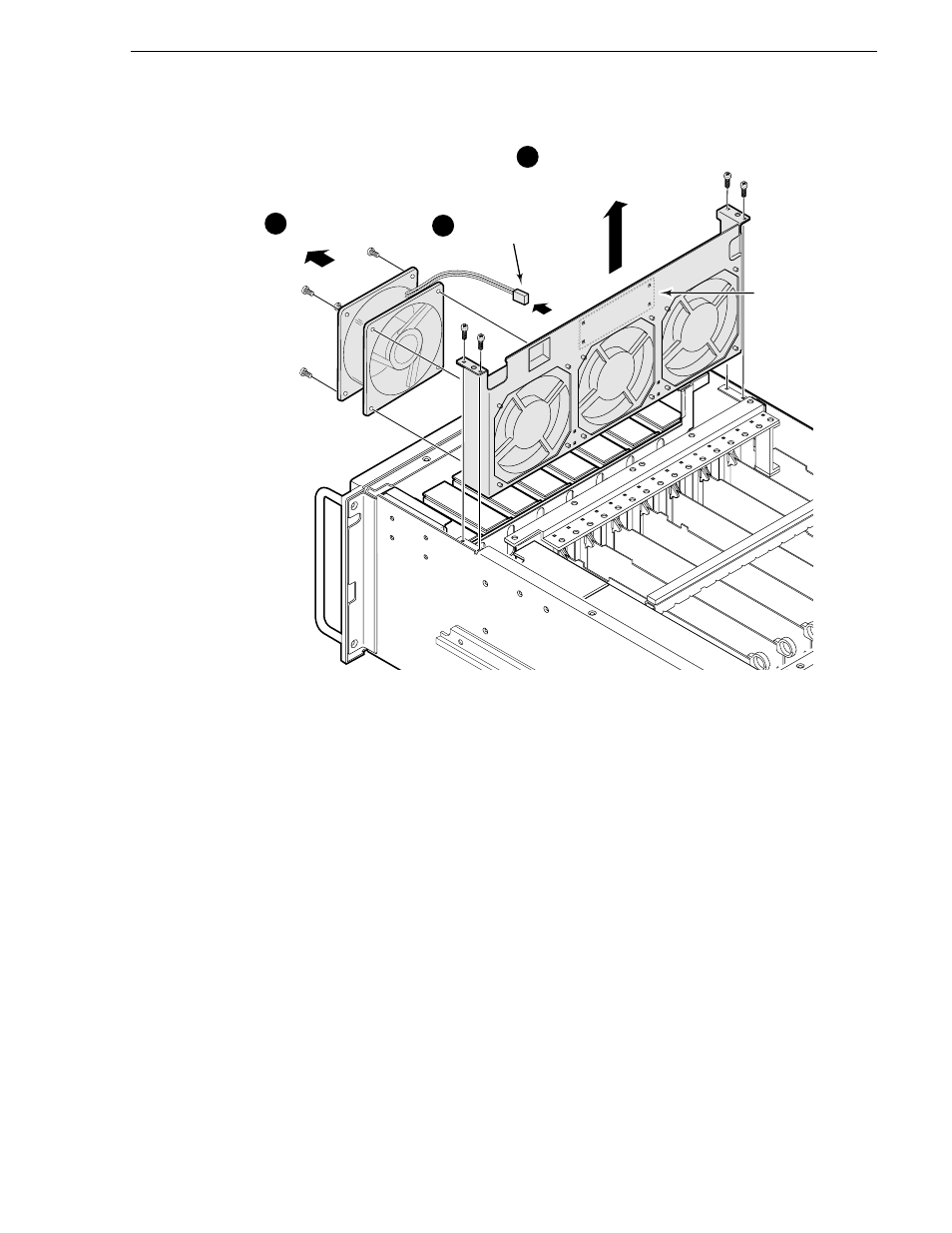
Fan Tray
PDR 200 Service Manual
6-19
Figure 6-11. Removal of Fan Tray and Fan
To replace the fan tray:
1. Being careful to keep cabling out of the way, position the fan tray in the chassis.
2. Use the Torx tool with the T15 tip to secure the fan tray to the chassis with the four
screws previously removed (Figure 6-11).
3. Reconnect all previously removed cables to the Fan board.
4. Use the Torx tool with the T10 tip to replace the front cover, being sure to use all the
screws previously removed.
5. Reconnect the power cord and turn power On.
9675-5
1
3
2
Remove
screws(4)
Unplug fan wire
from Fan board
Unplug wires from fan board,
remove screws(4) and
lift fan module
Fan
board
Advertising