Playlist > highlight settings, Playlist > highlight settings -37 – Grass Valley Xplay Vertigo Suite v.5.0 User Manual
Page 148
Xplay User Manual
6-37
Appendix A - Quick reference to Xplay’s menus and settings
Playlist > Highlight settings
The Highlight settings allow you to associate some playlist tasks and events with a highlight
color that helps draw your attention to and identify a playlist event, like which playlist
elements have already aired. Depending upon the task or event, a highlight may be in the
form of a line that helps guide you, a cell or row in the Playlist Editor that changes color, or
text added to the playlist element’s Status.
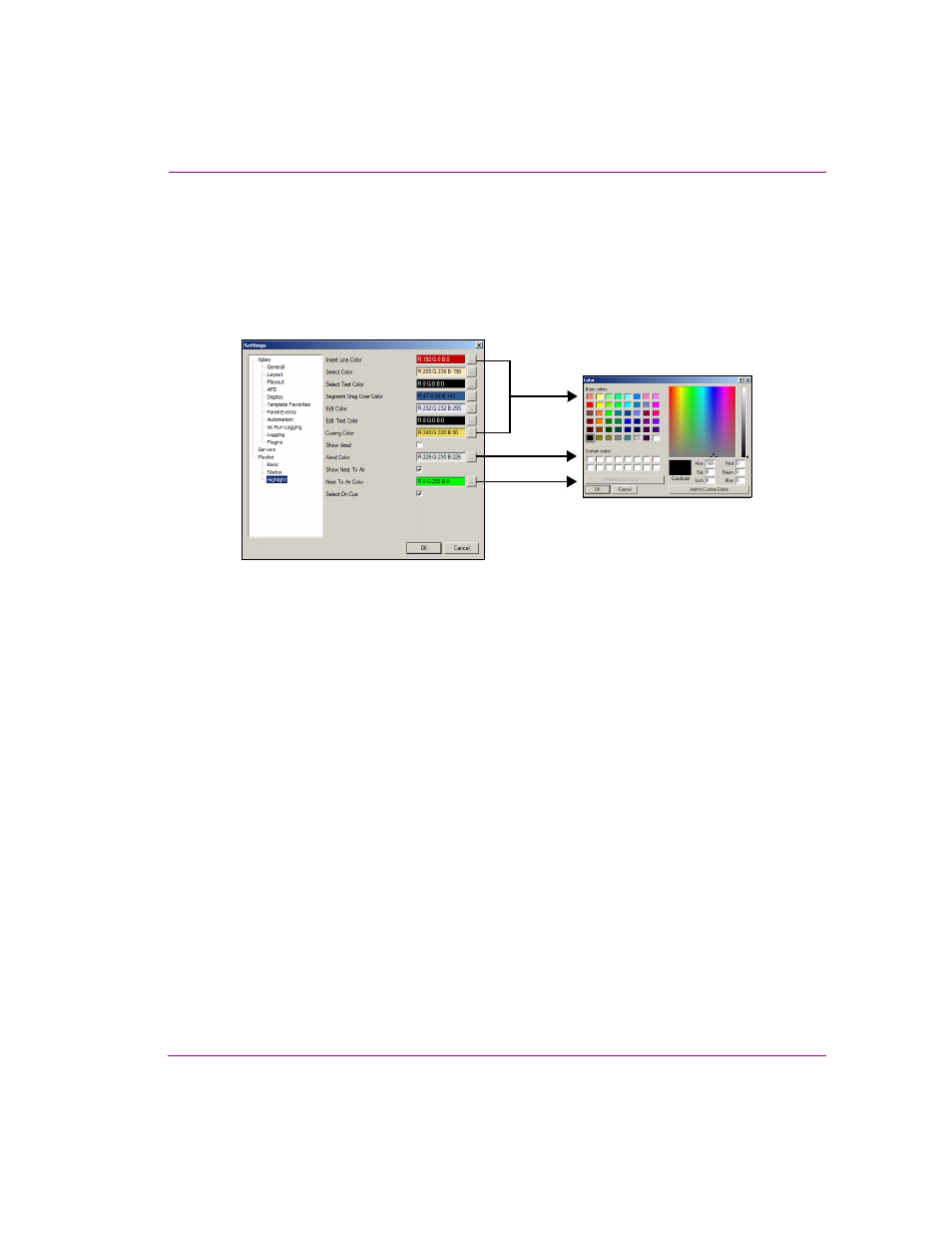
Figure 6-18. Xplay’s Highlight settings
•
Insert Line Color: When an element is being dragged to a new position in the playlist, the
insert line indicates where the element will be placed once the mouse key is released.
•
Select Color: The background color of a selected playlist element.
•
Select Text Color: The text color of a selected playlist element.
•
Segment Drag Over Color: The background color of the segment heading when an
element is being dragged over it.
•
Edit Color: The background color of a playlist cell when its contents are being edited.
•
Edit Text Color: The text color of a playlist cell when its contents are being edited.
•
Cueing Color: The color that is displayed during the process of cueing a playlist element.
•
Show Aired: When enabled, a playlist element’s Status cell will read “Aired” after the playlist
element has been taken to air on a device. This is useful for quickly determining which
elements have gone to air, or how many are left to air.
•
Aired Color: When the S
HOW
A
IRED
setting is enabled, the color specified in this setting is
displayed for a playlist element that has already been taken to air. This is useful for quickly
determining which elements have gone to air, or how many are left to air.
•
Show Next To Air: Determines whether or not the device on which the next general take
will occur is indicated by highlighting the color square beside the device name.
•
Next To Air Color: Determines the color used to highlight the color square beside the device
name when S
HOW
N
EXT
TO
A
IR
setting is enabled.
•
Select On Cue: Determines if a playlist element is also selected when it gets cued.