Beisler 1281-5 User Manual
Page 46
Advertising
8.4.1
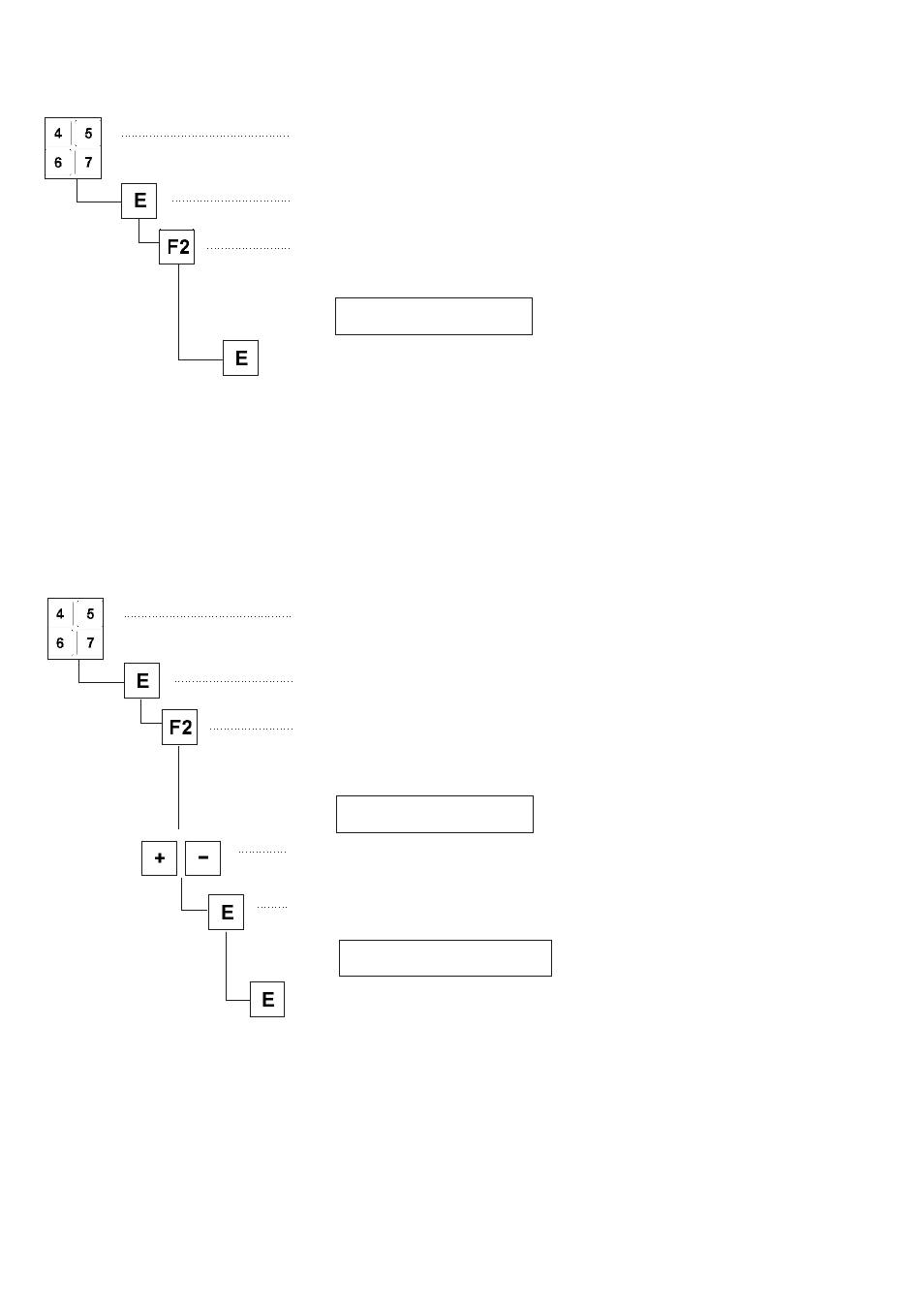
Storing data on the USB stick
–
Enter parameter.
Example: 510
–
Press key “E”
The cursor flashes.
–
Press key “F2”.
The file name chosen by the control appears.
Example
0100DATA.PAR
–
Press key “E”.
The data are written on the USB stick.
Note
The file name is allocated automatically.
8.4.2
Loading data from the USB stick
–
Enter parameter.
Example: 511
–
Press key “E”
The cursor flashes.
–
Press key “F2”.
The name of the first file stored on the stick appears.
Example
0100DATA.PAR
–
Select the desired file with the keys “+” or “-”.
–
Press key “E”.
The message appears.
READ DATA YES = E
–
Press key “E” within 2 seconds.
The data are read from the USB stick.
42
Advertising
This manual is related to the following products: