Configuration procedure – H3C Technologies H3C MSR 50 User Manual
Page 179
Advertising
158
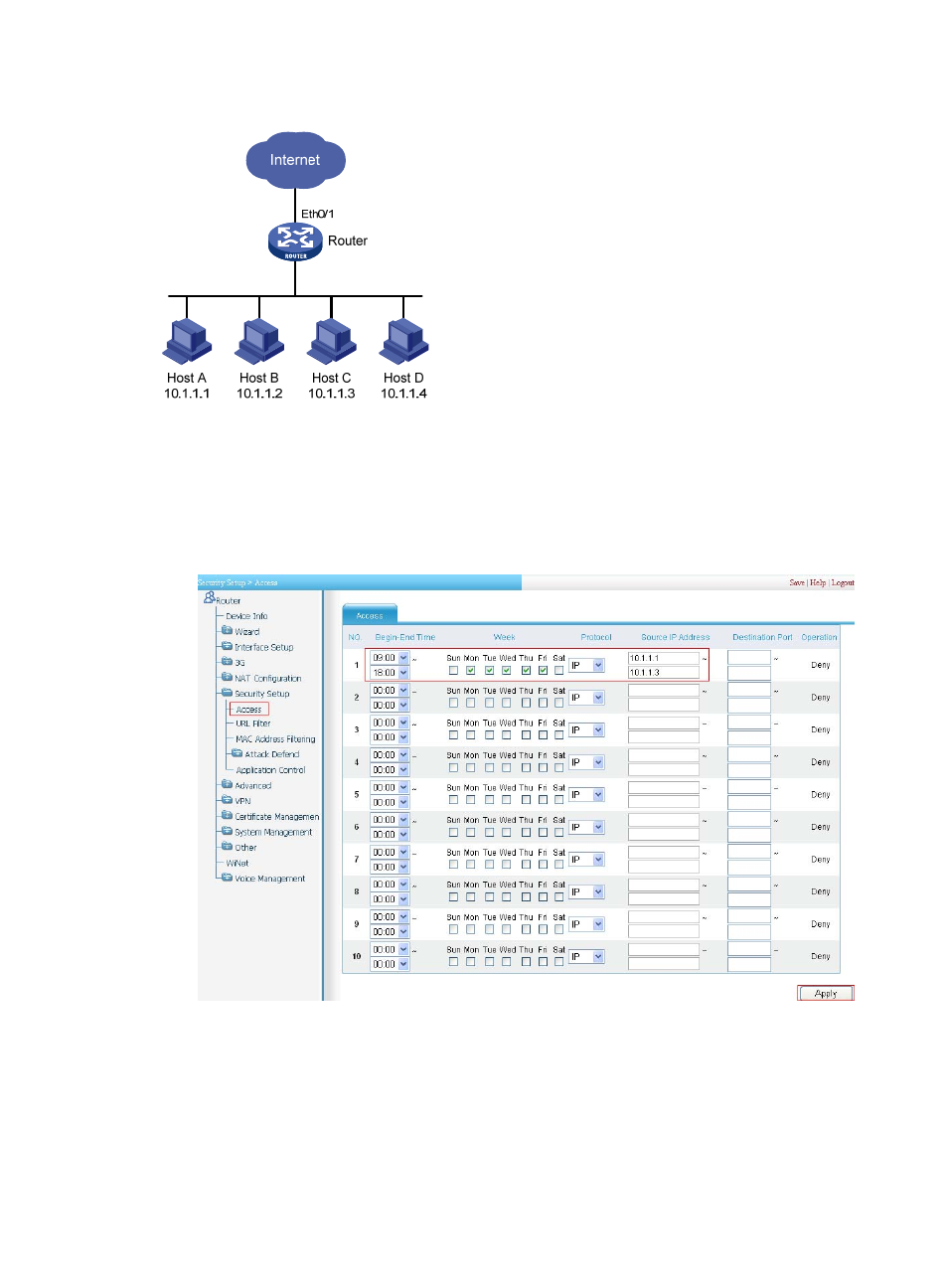
Figure 160 Network diagram
Configuration procedure
# Configure an access control policy to prohibit Host A to Host C from accessing the Internet during work
time.
•
Select Security Setup > Access from the navigation tree.
Figure 161 Configure an access control policy
•
Set the Begin-End Time to 09:00 - 18:00.
•
Select the boxes for Monday to Friday.
•
Select the Protocol of IP.
•
Enter source IP address range 10.1.1.1 - 10.1.1.3.
•
Click Apply.
Advertising
This manual is related to the following products: