N in, Figure 183 – H3C Technologies H3C MSR 50 User Manual
Page 199
178
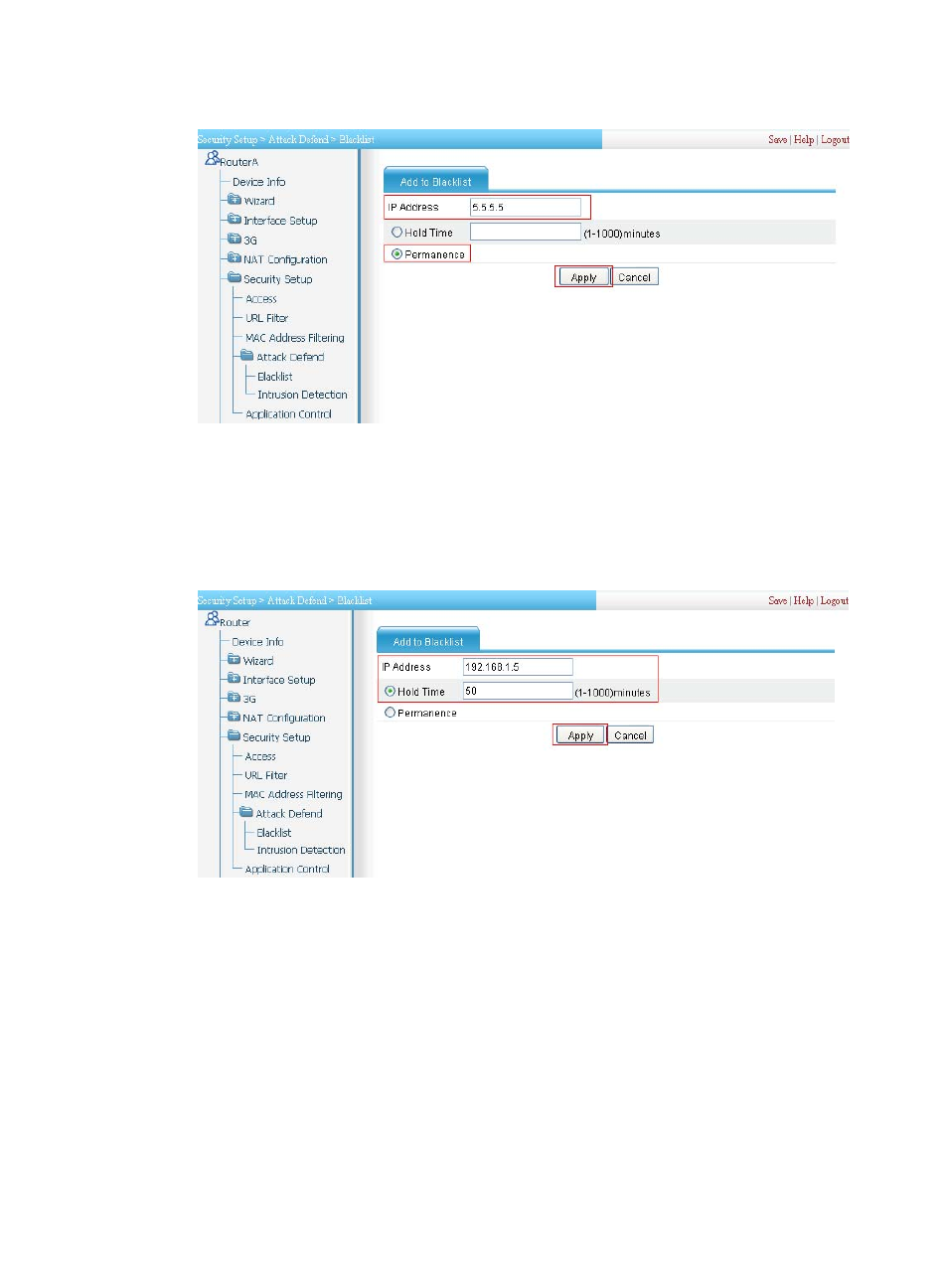
Figure 183 Adding a blacklist entry for Host D
•
Enter IP address 5.5.5.5, the IP address of Host D.
•
Select Permanence for this blacklist entry.
•
Click Apply.
•
Click Add and then perform the following configurations, as shown in
:
Figure 184 Adding a blacklist entry for Host C
•
Enter IP address 192.168.1.5, the IP address of Host C.
•
Select Hold Time and set the hold time of this blacklist entry to 50 minutes.
•
Click Apply.
# Configure intrusion detection on Ethernet 0/2: Enable scanning attack protection, and enable blacklist
function for it; enable Land attack protection and Smurf attack protection.
•
Select Security Setup > Attack Defend > Intrusion Detection from the navigation tree. Click Add and
then perform the following configurations, as shown in
.