Call authority control, Configure a call rule set, Apply the call rule set – H3C Technologies H3C MSR 50 User Manual
Page 772
387
You can configure up to eight call-in number prefixes. The local SIP server adopts longest match to deal
with a called number.
Call authority control
Configure a call rule set
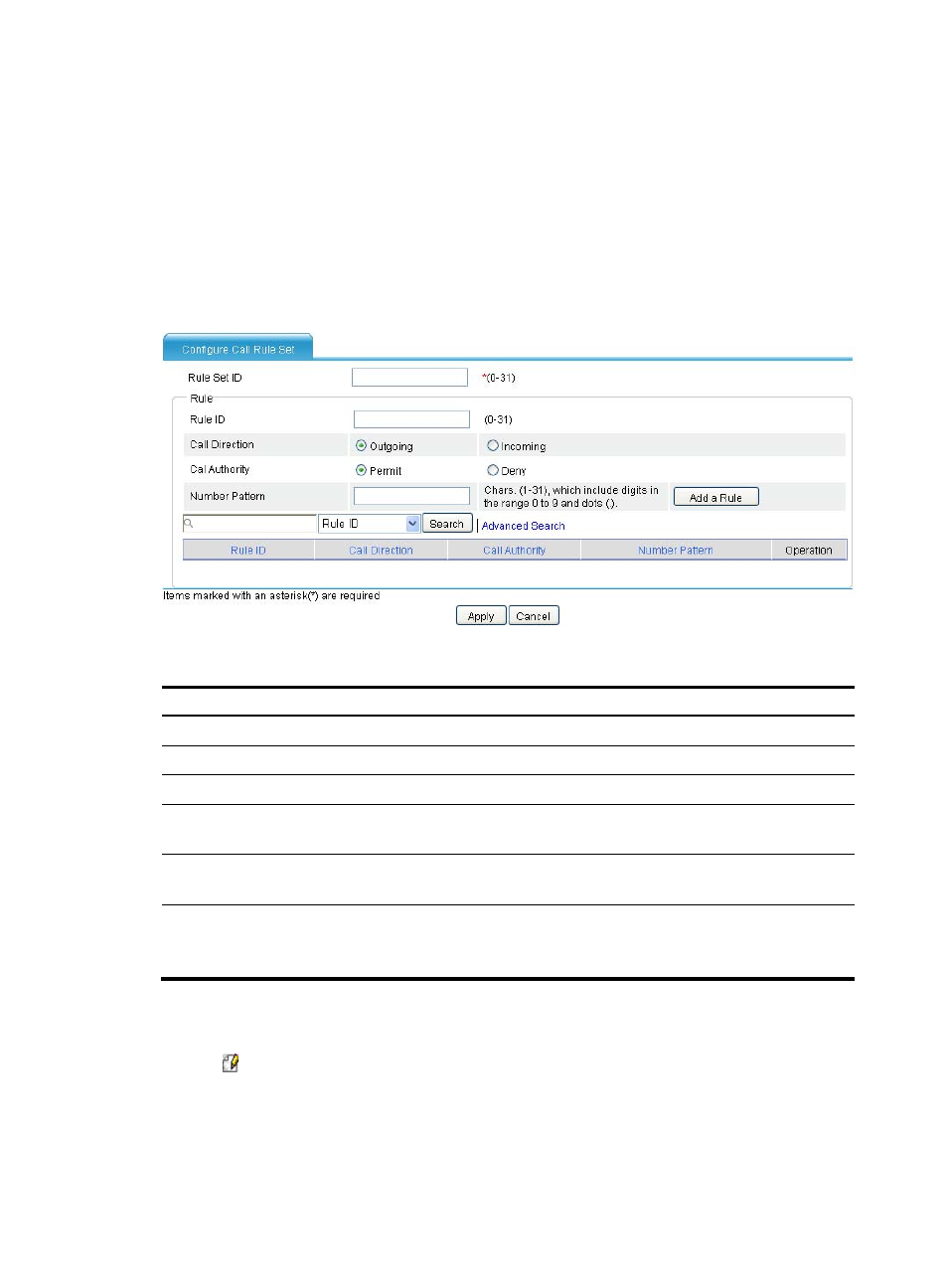
Select Voice Management > SIP Local Survival > Call Authority Control from the navigation tree, and
click Add to access the page as shown in
Figure 772 Configuring a call rule set
Table 284 Configuration items
Item Description
Rule Set ID
Enter the ID of the call rule set.
Rule
Rule ID
Enter the rule ID.
Call Direction
•
Outgoing—Applies the rule to outgoing calls.
•
Incoming—Applies the call to incoming calls.
Call Authority
•
Permit— Permits the matching calls.
•
Deny—Denies the matching calls.
Number Pattern
Enter the number match pattern.
A dot can be used after a number to represent a character. This configuration does
not support other characters.
Apply the call rule set
Select Voice Management > SIP Local Survival > Call Authority Control from the navigation tree, and
click the icon of the call rule set to access the page as shown in