Configuring router b, Configuring the system to first select voip entity – H3C Technologies H3C MSR 50 User Manual
Page 652
267
Configuring Router B
Select Voice Management > Digital Link Management from the navigation tree to access the digital link
list page. Find the digital link VE1 5/0 in the list, click its corresponding icon
to access the E1
parameters configuration page.
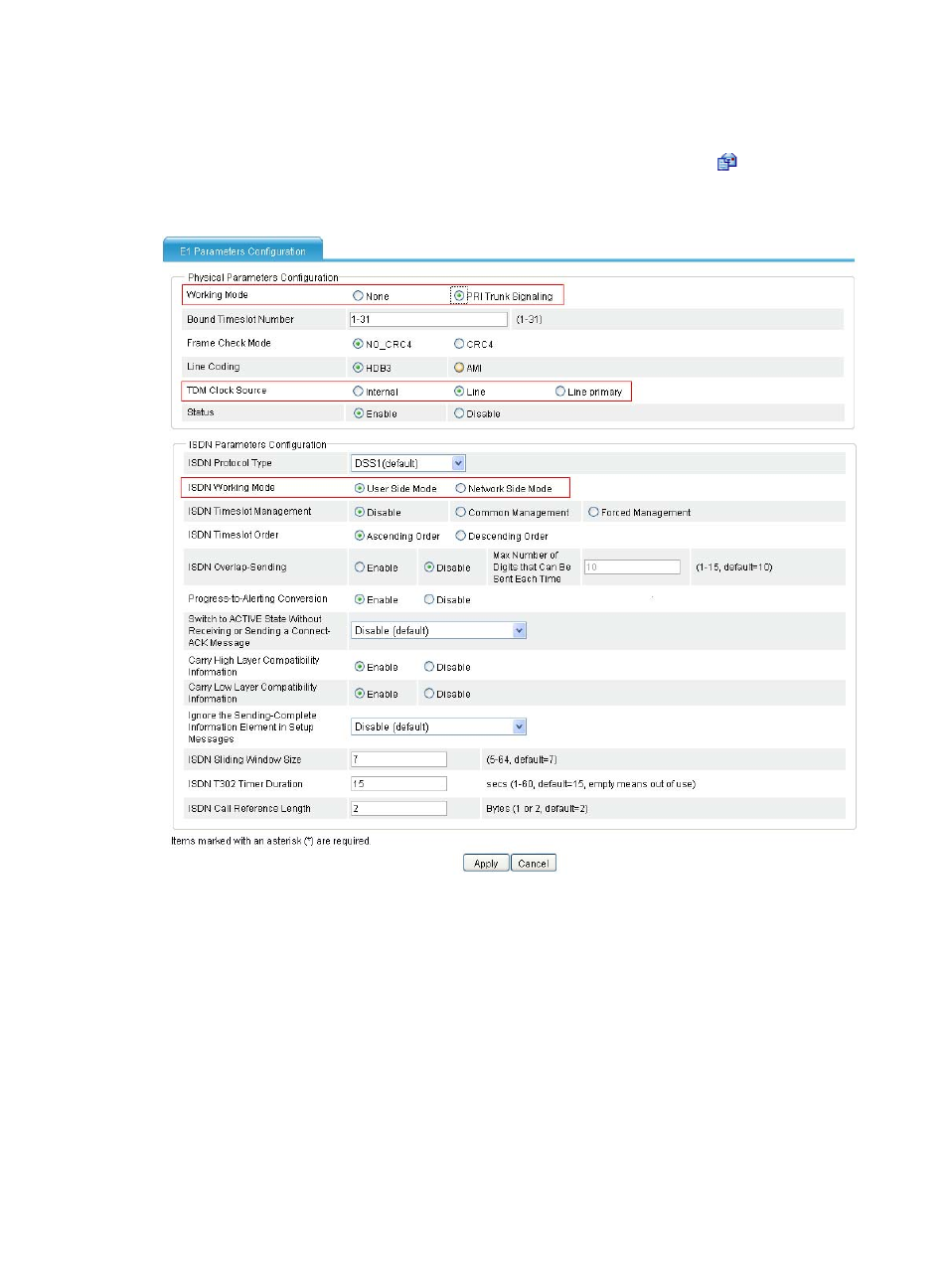
Figure 654 E1 parameters configuration page
•
Select PRI Trunk Signaling for Working Mode.
•
Select User Side Mode for ISDN Working Mode. (User Side Mode is the default setting)
•
Select Line for TDM Clock Source.
•
Click Apply.
# Add a local number: specify the number ID as 2000, the number as 20001234$, and the bound line
as 1/0 on the local number configuration page.
Configuring the system to first select VoIP entity
Configure Router A. Select Voice Management > Dial Plan > Number Match from the navigation tree to
access the number match configuration page.