Configuration prerequisites, Configuration procedure – H3C Technologies H3C MSR 50 User Manual
Page 229
208
The device can act as a DDNS client to dynamically update the latest mapping between its domain name
and IP address on the DNS server through a DDNS server at www.3322.org or www.oray.cn for
example.
Configuration prerequisites
•
Visit the website of a DDNS service provider, register an account, and apply for a domain name for
the DDNS client.
•
Specify the primary IP address of the interface and make sure the DDNS server and the interface
can reach each other.
•
Configure static or dynamic domain name resolution to translate the domain name of the DDNS
server into its IP address.
Configuration procedure
1.
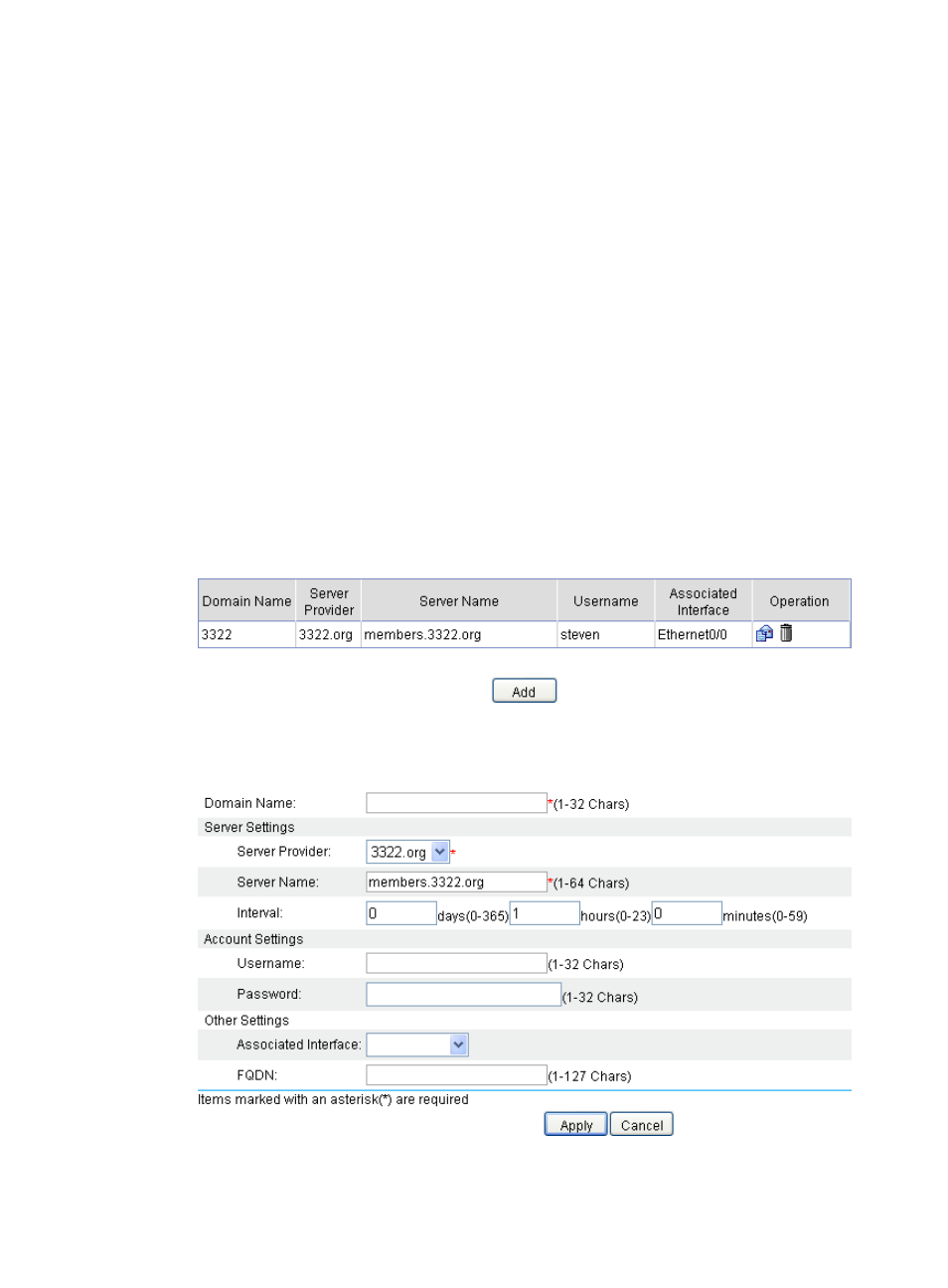
From the navigation tree, select Advanced > DNS Setup > DDNS Configuration to enter the DDNS
page, as shown in
2.
Click Add.
Figure 218 Configuring DDNS page
3.
Configure a DDNS entry, as described in
.
Figure 219 Creating a DDNS entry