Configuring the source address binding mode, Table 258 – H3C Technologies H3C MSR 50 User Manual
Page 697
312
Table 258 Configuration items
Item Description
Keep-Alive Mode
The keep-alive function is used to detect whether the SIP servers in a SIP server
group are reachable. The SIP trunk device selects a server according to the detect
result and the redundancy mode. If the keep-alive function is disabled, the SIP trunk
device always uses the server with the highest priority in the SIP server group.
•
Disabled—Disable the keep-alive function.
•
Options—The SIP trunk device periodically sends OPTIONS messages to detect
the servers. If the SIP trunk device receives response message 408 or 5XX
(excluding 502, 504, 505, and 513) from a SIP server after sending an
OPTIONS message, it considers the SIP server unreachable.
•
Register—The REGISTER message can be used to detect the SIP servers. If the
SIP trunk device receives response message 408 or 5XX (excluding 502, 504,
505, and 513) from a SIP server after sending a REGISTER message, it
considers the SIP server unreachable.
Interval for Sending
OPTIONS Messages
Set the interval for sending OPTIONS messages to the SIP servers when the
keep-alive mode is set to Options.
Configuring the source address binding mode
1.
Select Voice Management > Call Connection > SIP Server Group Management from the navigation
tree.
2.
Click Add.
The page for configuring a server group appears.
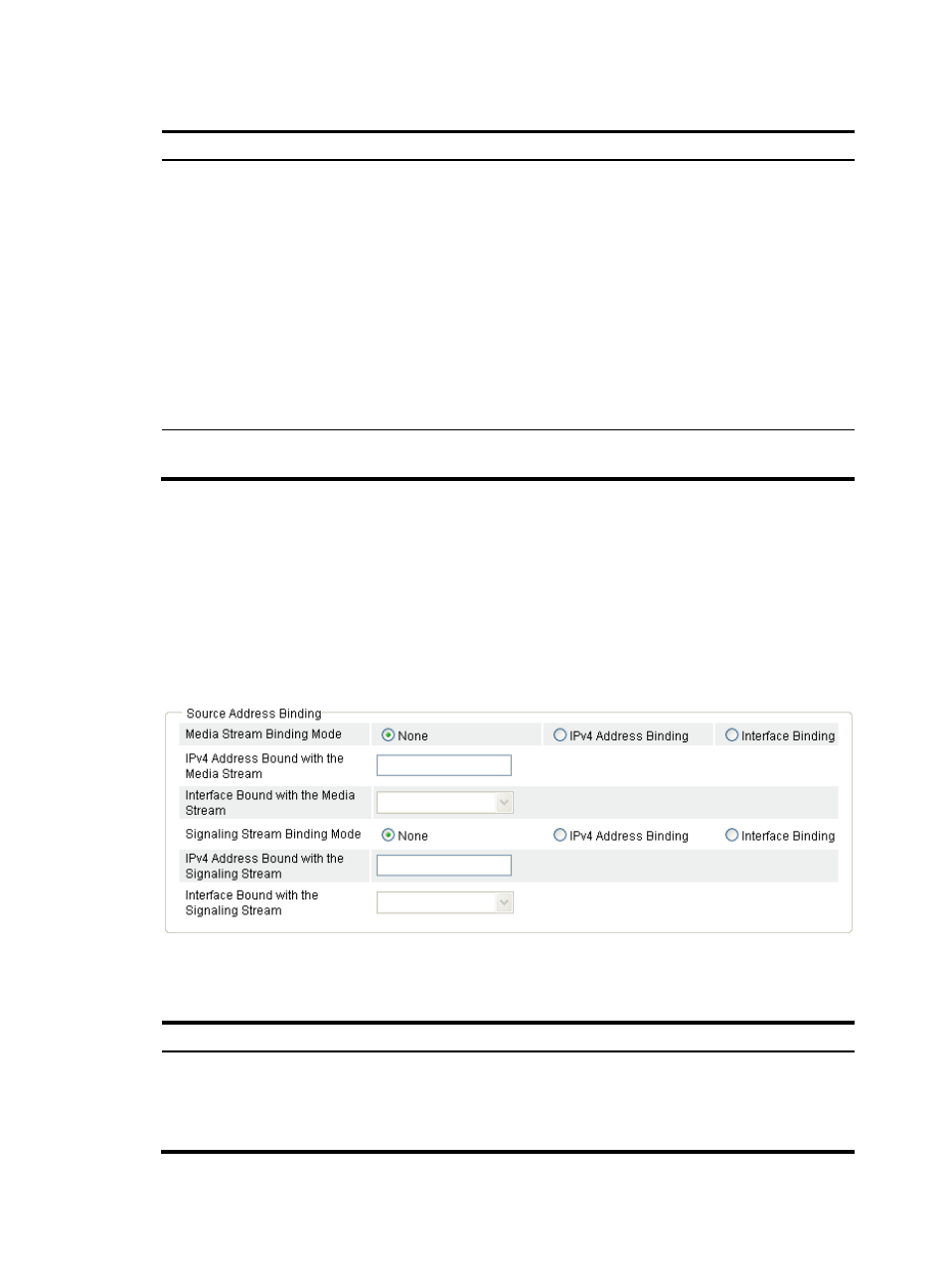
Figure 705 Configuring source address binding
3.
Configure source address binding as described in
.
Table 259 Configuration items
Item Description
Media Stream Binding
Mode
Configure source address binding mode for media streams.
•
None—Disable source address binding.
•
IPv4 Address Binding—Specify a static IPv4 address as the source address.
•
Interface Binding—Specify the IP address of an interface as the source address.