Verifying the configuration, N in, Figure 185 – H3C Technologies H3C MSR 50 User Manual
Page 200
179
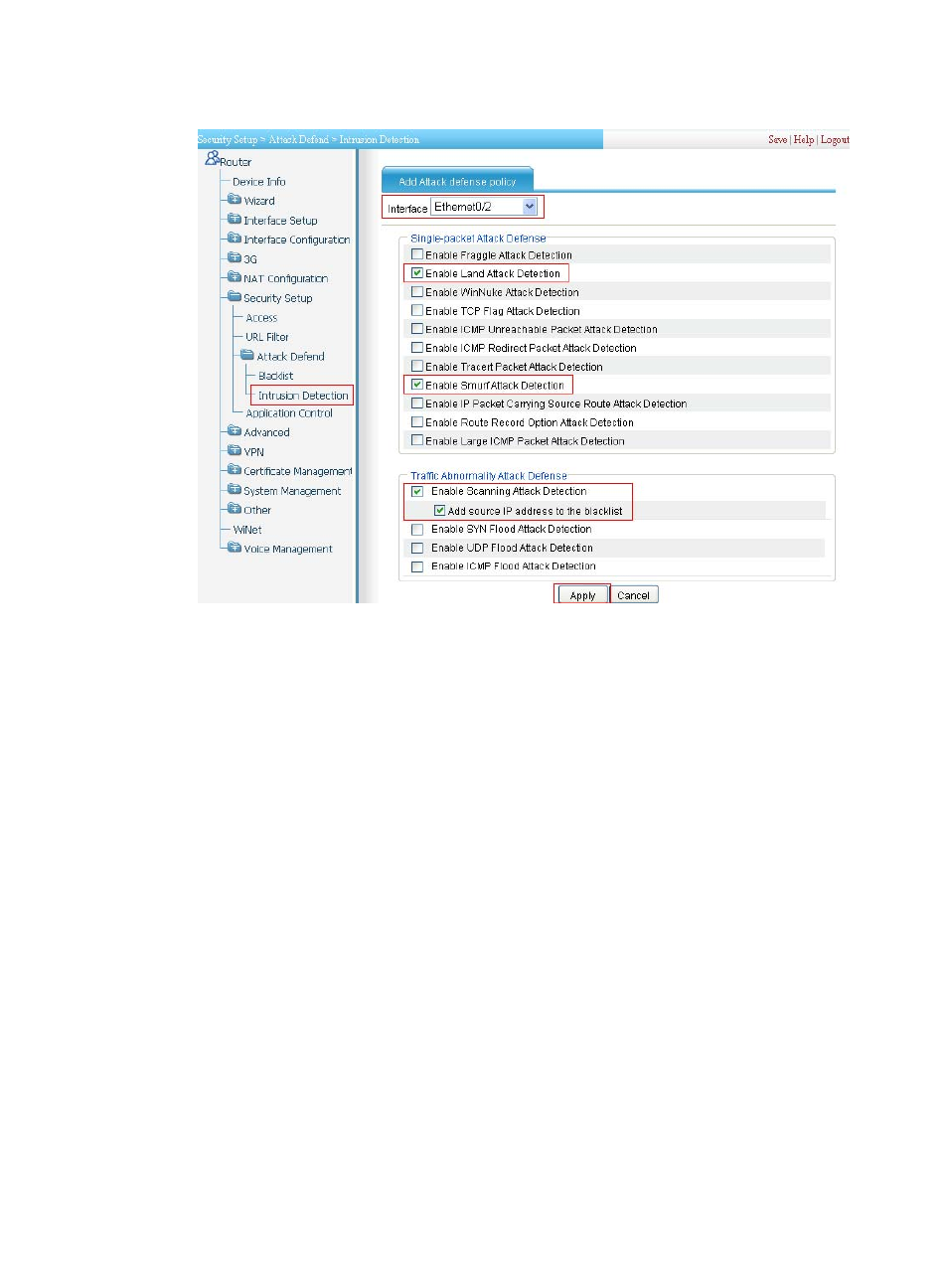
Figure 185 Configuring intrusion detection
•
Select interface Ethernet0/2.
•
Select Enable Attack Defense Policy.
•
Select Enable Land Attack Detection, Enable Smurf Attack Detection, Enable Scanning Attack
Detection, and Add Source IP Address to the Blacklist. Clear all other options.
•
Click Apply.
Verifying the configuration
•
Select Security Setup > Attack Defend > Blacklist. Host D and Host C are in the blacklist.
•
Router drops all packets from Host D unless you remove Host D from the blacklist.
•
Router drops packets from Host C within 50 minutes. Then, Router forwards packets from Host C
correctly.
•
Upon detecting the scanning attack on Ethernet 0/2, Router outputs an alarm log and adds the IP
address of the attacker to the blacklist. You can view the added blacklist entry by selecting Security
Setup > Attack Defend > Blacklist.
•
Upon detecting the Land or Smurf attack on Ethernet 0/2, Router outputs an alarm log and drops
the attack packet.