Verifying the configuration – H3C Technologies H3C MSR 50 User Manual
Page 572
Advertising
187
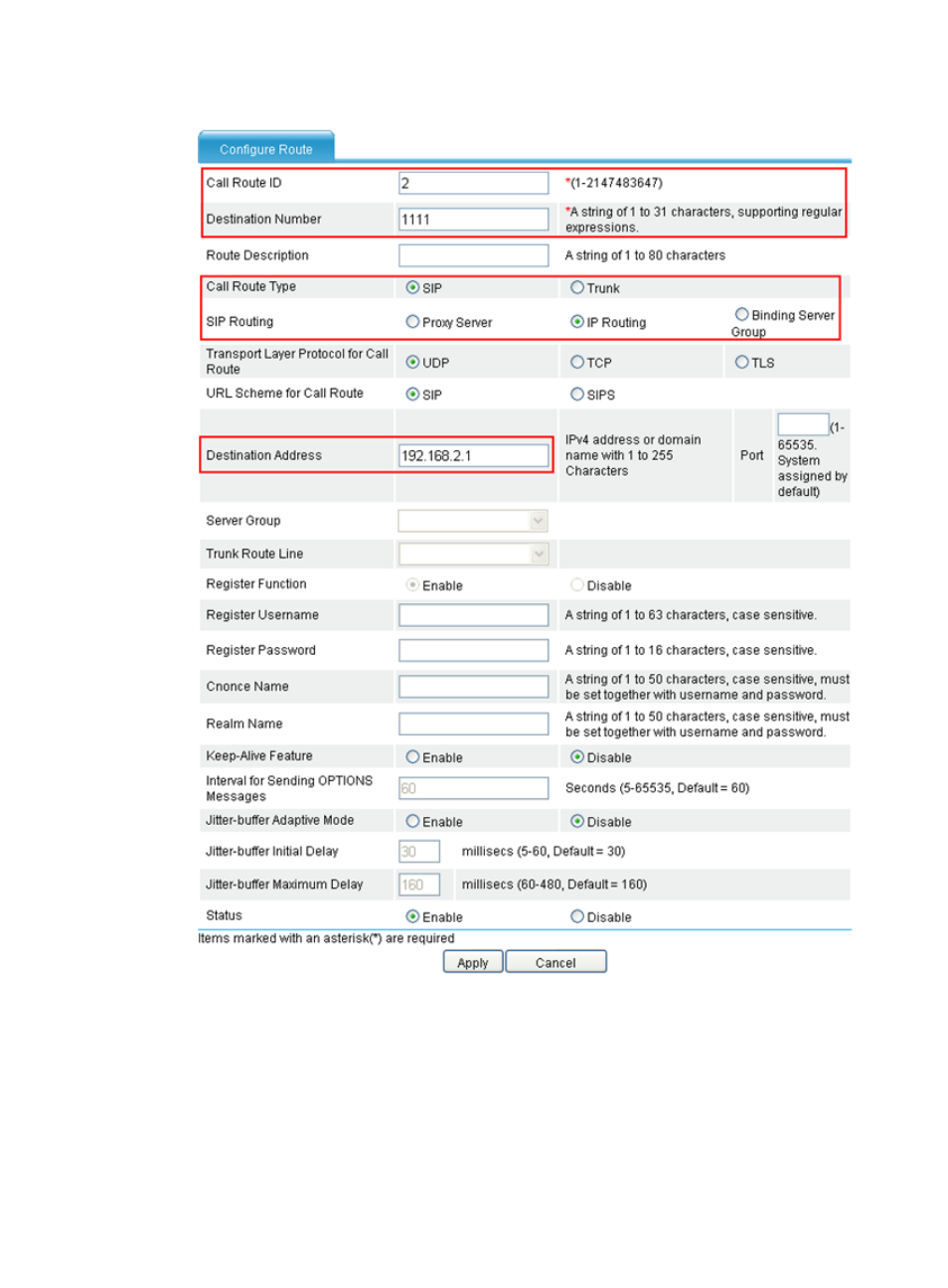
Figure 580 Creating call route 1111
8.
Enter 2 for Call Route ID.
9.
Enter 1111 for Destination Number.
10.
Select IP Routing for SIP Routing, and enter 192.168.2.1 for Destination Address.
11.
Click Apply.
Verifying the configuration
•
After the previous configuration, you can use telephone 1111 to call telephone 2222, or use
telephone 2222 to call telephone 1111.
Advertising
This manual is related to the following products: