Drive fan pack – Grass Valley PFR 500/E Dec 10 2001 User Manual
Page 24
Chapter 1 About the PFC500/E
24
PFC500/E Instruction Manual
November 17, 2000
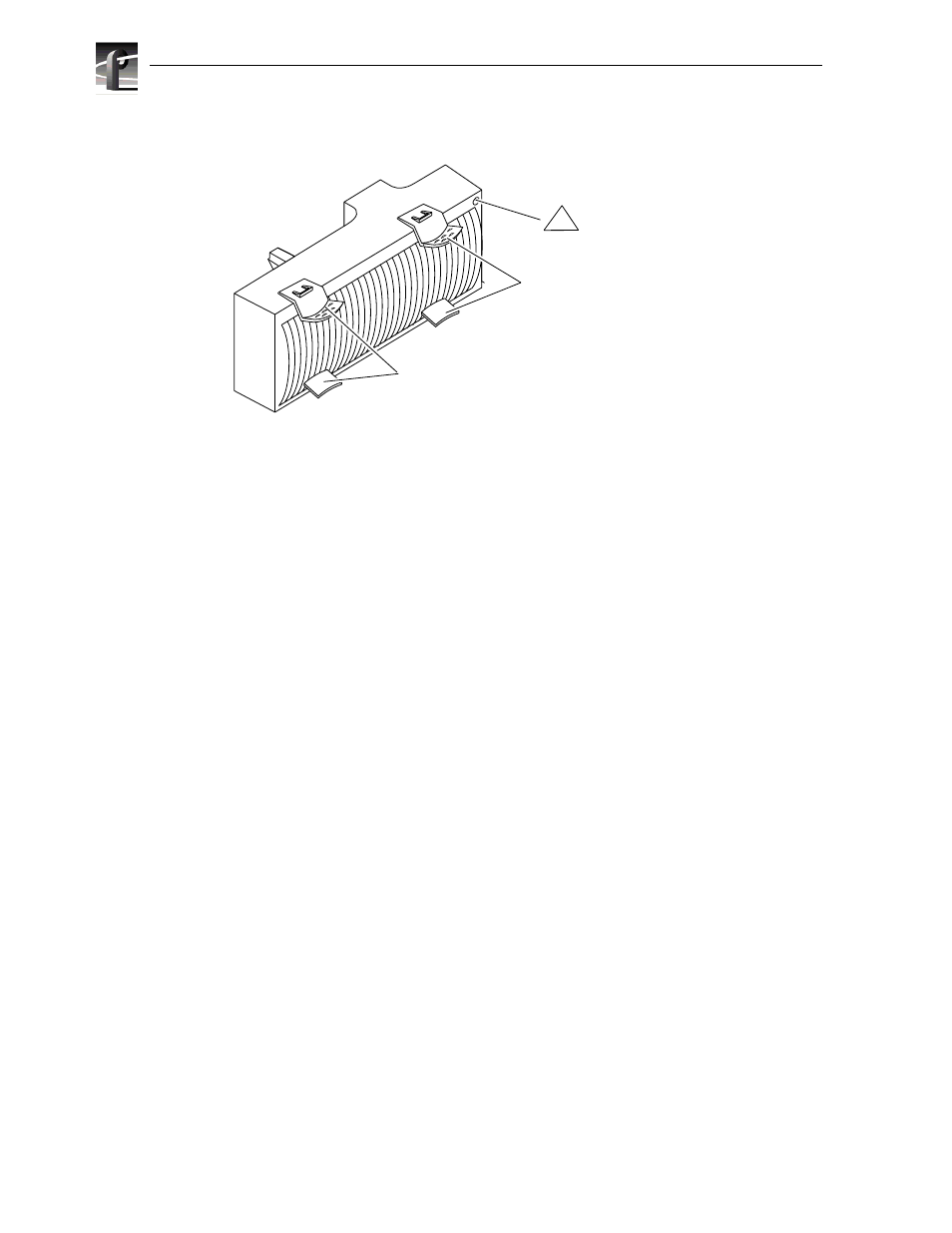
Drive fan pack
The drive fan pack cools the disk modules and RCs in the PFC 500. The drive fan pack
contains three fans that draw ambient room air through the front door, across the drive
modules, and through the midplane and power supplies. The drive fan pack connects
directly to both power supplies, and either supply can power it. The fans operate at a
lower voltage and speed during normal operation to minimize acoustic noise. If a fan
fails, the voltage and speed of the remaining fans increase to compensate, resulting in
higher acoustic noise.
One status light on the drive fan pack indicates status. The status light is described in
the “Monitoring PFC 500 status” section of Chapter 3.
Latches on the drive fan pack hold the pack in place.
IMPORTANT: You can remove the drive fan pack while the PFC500 is powered
up. While the pack is removed, the Cooling Check light on each power supply
flashes. If the pack is removed for more than approximately two minutes, the disk
modules power down and the RCs go into standby mode. When you re-install the
drive fan pack, the disk modules power up and the RCs go into active mode.
Check light
(amber)
Latches
Latches
!