Replacing or adding a disk module – Grass Valley PFR 500/E Dec 10 2001 User Manual
Page 47
Replacing or adding a disk module
November 17, 2000
PFC 500/E Instruction Manual
47
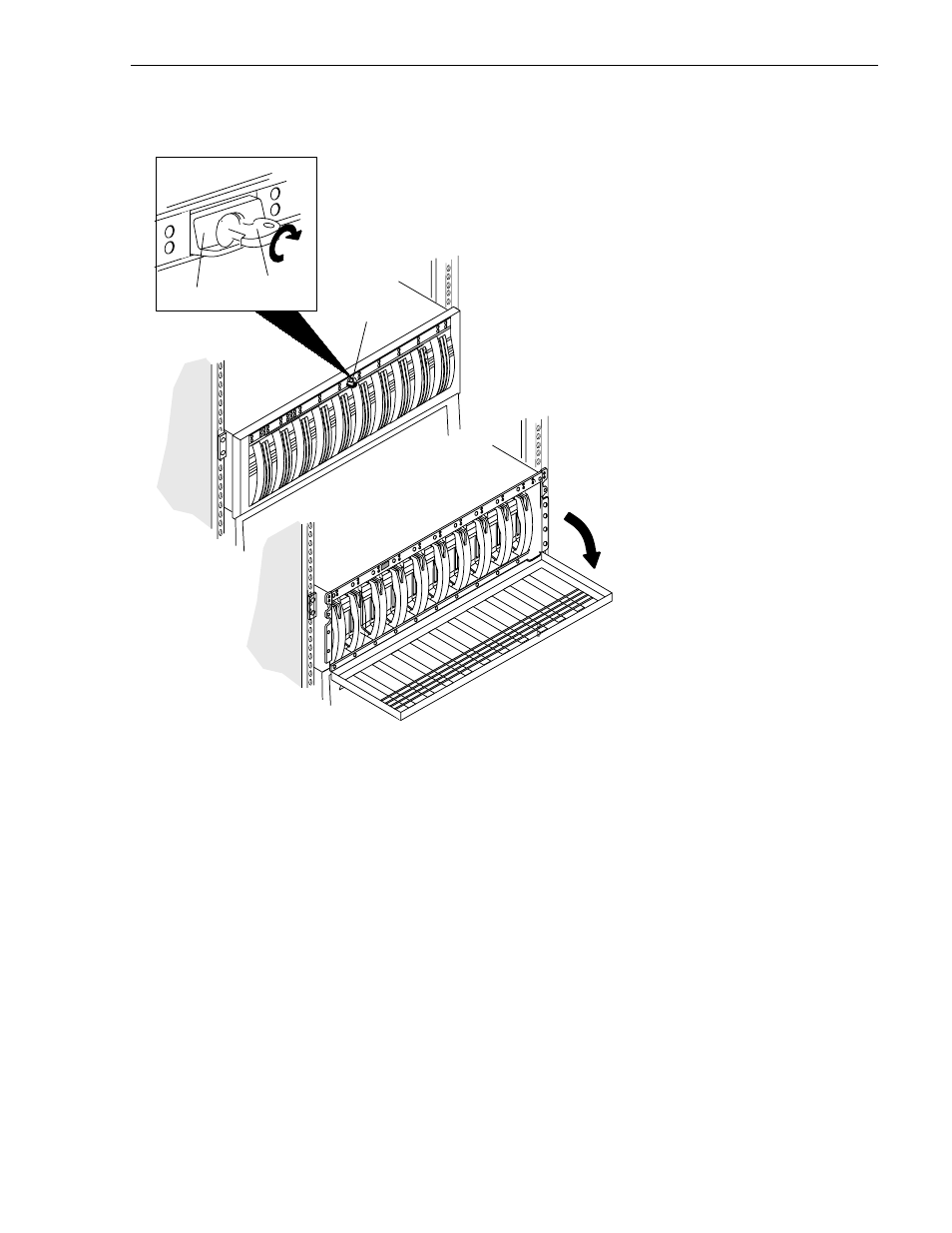
3. To unlock and open the front door
If you are adding a new disk module, continue to the disk filler module removal
procedure that follows. If you are replacing a faulty disk module, proceed to the disk
module removal procedure.
Latch
Key
If the door is locked
• Insert the key in the door’s latch.
• Turn the key 180
o
clockwise.
• Remove the key, if desired. (If you
do not remove the key, it may fall
to the floor after you open the
door.)
• Press the door latch.
• Lower the door until it is perpendicular
to the font of the chassis.
CAUTION: Do not force the door open.
If the door snaps off the hinges, re-install it by positioning it at a
45
o
angle to the chassis and snapping it into the hinge openings.
Latch