Grass Valley PFR 500/E Dec 10 2001 User Manual
Page 55
Advertising
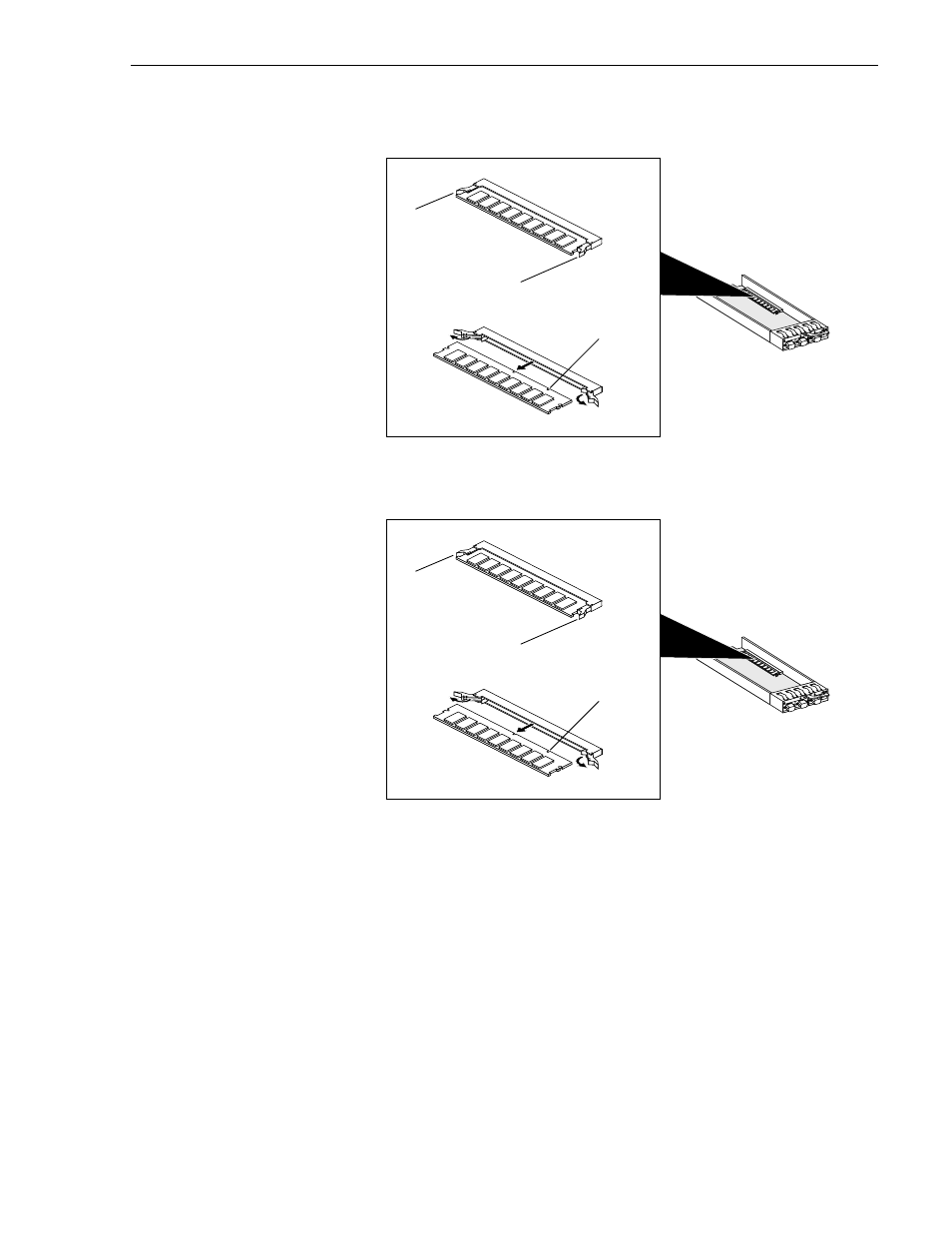
Installing or removing the RC memory module
November 17, 2000
PFC 500/E Instruction Manual
55
IMPORTANT: Depending on the memory size (in megabytes), the PFC 500/E RC
memory module can contain chips on only one side or on both sides.
A
B
E
X
P
A. Use your thumbs to
push out on the locking
tabs, and use your
fingers to push the
DIMM forward until it
releases from the tabs.
B. Lift the module out of
the connector, and
place it in its own
antistatic packaging.
Locking tab
Locking tab
Alignment notch
A
B
E
X
P
A. Use your thumbs to
push out on the locking
tabs, and use your
fingers to push the
DIMM forward until it
releases from the tabs.
B. Lift the module out of
the connector, and
place it in its own
antistatic packaging.
Locking tab
Locking tab
Alignment notch
Advertising
This manual is related to the following products: