Removing an rc or an rc filler module – Grass Valley PFR 500/E Dec 10 2001 User Manual
Page 52
Chapter 3 Servicing and upgrading a PFC500/E
52
PFC500/E Instruction Manual
November 17, 2000
Removing an RC or an RC filler module
>>> CAUTION: Handle an RC gently and use an ESD wristband. Do not remove a
faulty RC until you have a replacement module or filler module available.
IMPORTANT: A PFC 500 must have at least one RC installed while it is powered
up. Do not remove both RCs while the PFC 500 is powered up.
Before removing an RC from a storage system that has caching enabled, you
should disable the storage-system cache using a utility described in the server setup
manual.
To remove an RC or an RC filler module
1. If you are removing an RC filler module, ignore this step and proceed to step 2 on
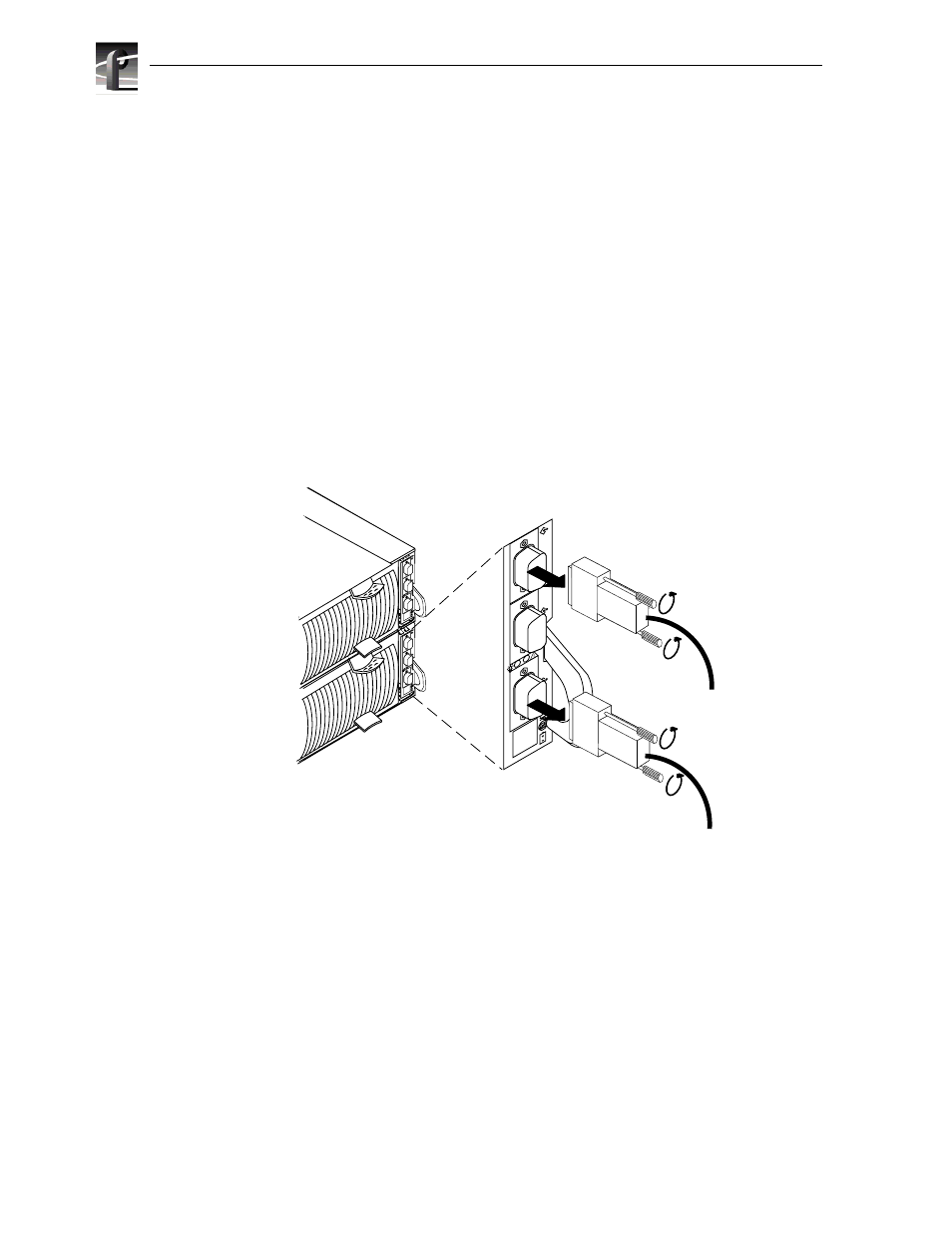
the next page; otherwise, remove the cables connected to the RC, as shown here.
IMPORTANT: Note where the cables connect to the RC.
A
B
EXP
A
B
EXP
A
B
EXP
A. Loosen two screws on
each cable’s connector.
B. Unplug each cable from its
associated RC connector.