Installing an rc or an rc filler module – Grass Valley PFR 500/E Dec 10 2001 User Manual
Page 57
Installing an RC or an RC filler module
November 17, 2000
PFC 500/E Instruction Manual
57
Installing an RC or an RC filler module
IMPORTANT: If you are installing a new/add-on/replacement RC, ensure that the
RC memory has been installed before proceeding to install the RC.
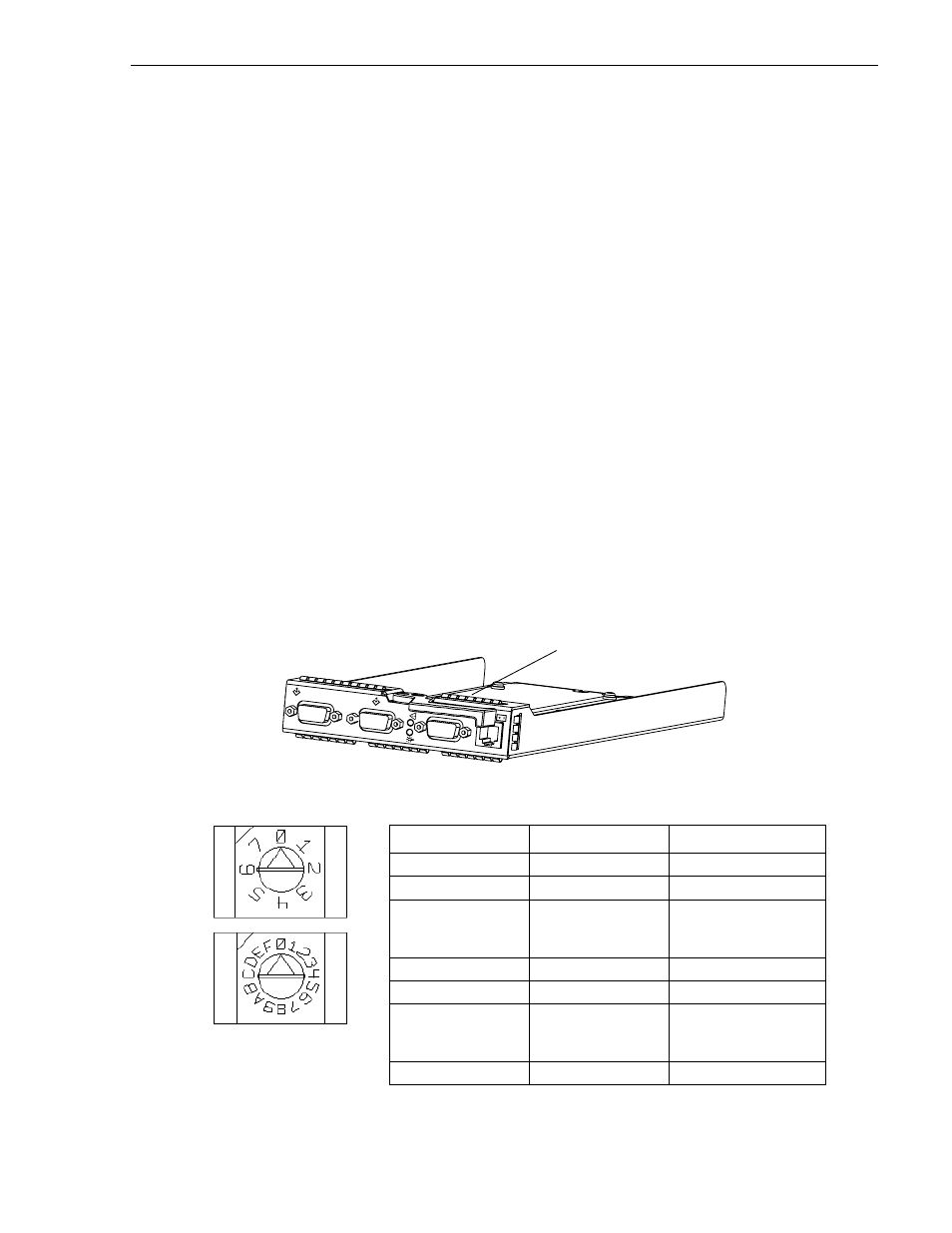
Each RC requires a unique FC-AL address ID on the loop to communicate with the
Profile XP Media Platform. If you are installing a replacement RC, set its address to
be the same as that of the RC you removed. If you are installing an add-on RC, set the
address to a different setting than the address of any other RC on the loop. The FC-AL
protocol translates the FC-AL address ID into an 8-bit arbitrated loop physical address
(ALPA).
IMPORTANT: Each RC’s FC-AL ID must be unique on the FC-AL loop. If you
have two FC-AL loops, we suggest a unique FC-AL address ID for each RC on both
loops.
The valid FC-AL address ID range is a number 0 through 125 decimal, which is 0
through 7D hexadecimal. The following figures and table locate the switches and
show how to select ID numbers using them.
IMPORTANT: You must set the FC-AL address ID on the RC before you install it.
If you are installing an RC filler module, ignore step 1 and proceed to step 2 on the
next page.
1. Using the RC FC-AL ID switches, set the FC-AL address ID as shown below.
Refer to the table on page 35 for address settings in a redundant system.
RC FC-AL address ID switches
B
E X P
Location of switches
For address ID
Set top switch to
Set bottom switch to
0
0
0
1
0
1
.
.
.
.
.
.
.
.
.
15
0
F
16
1
0
.
.
.
.
.
.
.
.
.
29
1
D