SMA Sunny Data Control V.5.0 User Manual
Page 23
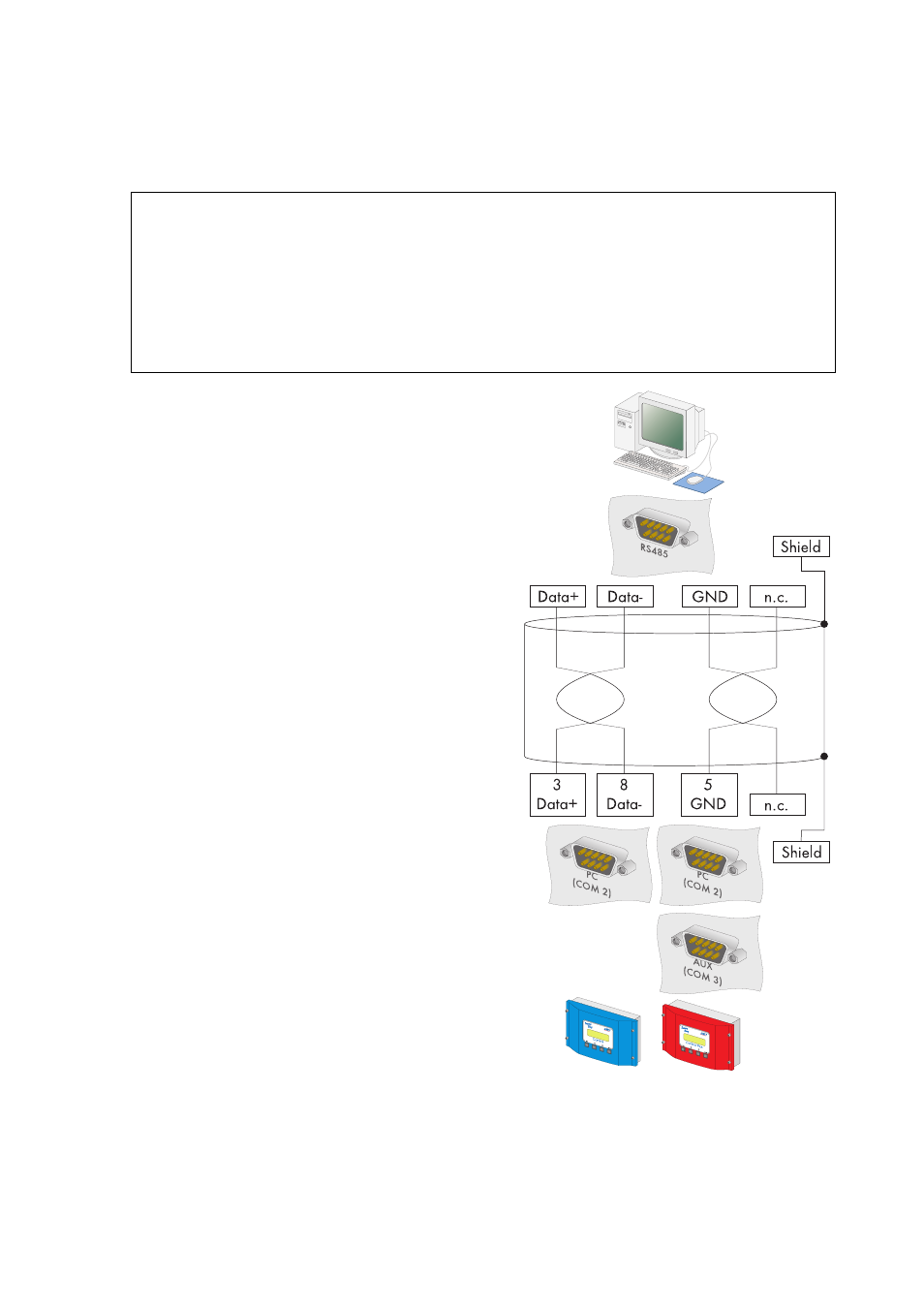
Connecting the PC to a Communication Device
SMA Technologie AG
Technical Description
SDC-TEN081450
25
Wiring Diagram
PC
1.
2.
Plug the 9-pin D-Sub female connector into a
free COM port on your PC.
For the pin assignment of the RS485 connection,
please refer to the PC's documentation, or the
plug-in card's documentation.
Data+ and Data– leads must be a twisted pair.
3.
Shorten the wire of the fourth, unused conductor,
so that short circuits cannot arise.
4.
Note down the wire color:
Termination
5.
Only if the PC is at one end of the 485 data bus:
Terminate the end of the cable as described in
the instructions for the PC or the plug-in card.
Signal biasing
6.
Configure the RS485 data bus' bias as
described in the PC's documentation, or the
plug-in card's documentation.
7.
Lay the cable properly so that there is no risk of
persons tripping over it.
NOTICE!
Possible damage to the COM interfaces of the Sunny Boy Control/Plus and
the PC.
The COM interfaces of both devices could be damaged if the PC is turned on and
then the devices are connected to one another.
•
Switch off PC
Data + ____________________
Data - ____________________
GND
____________________