TA Triumph-Adler CX 8682 User Manual
Page 35
Advertising
CHAPTER 5 FUNCTIONAL COPYING
5-2
1
3
2
4
5
(Inch)
(Metric)
(Inch)
(Metric)
(Metric)
(Inch)
●
List of magnification ratios (metric machine)
Magnification ratio display
Size display
(0.1%)
(1%)
A sizes
B sizes
400.0%
400%
A4
R
A0
282.9%
282%
A3
R
A0, A4
R
A1
B4
R
B1
200.0%
200%
A2
R
A0, A3
R
A1, A4
R
A2
B3
R
B1, B4
R
B2
141.4%
141%
A1
R
A0, A2
R
A1, A3
R
A2
B2
R
B1, B3
R
B2, B4
R
B3
70.6%
70%
A0
R
A1, A1
R
A2, A2
R
A3
B1
R
B2, B2
R
B3, B3
R
B4
50.0%
50%
A0
R
A2, A1
R
A3, A2
R
A4
B1
R
B3, B2
R
B4
35.2%
35%
A0
R
A3, A1
R
A4
B1
R
B4
25.0%
25%
A0
R
A4
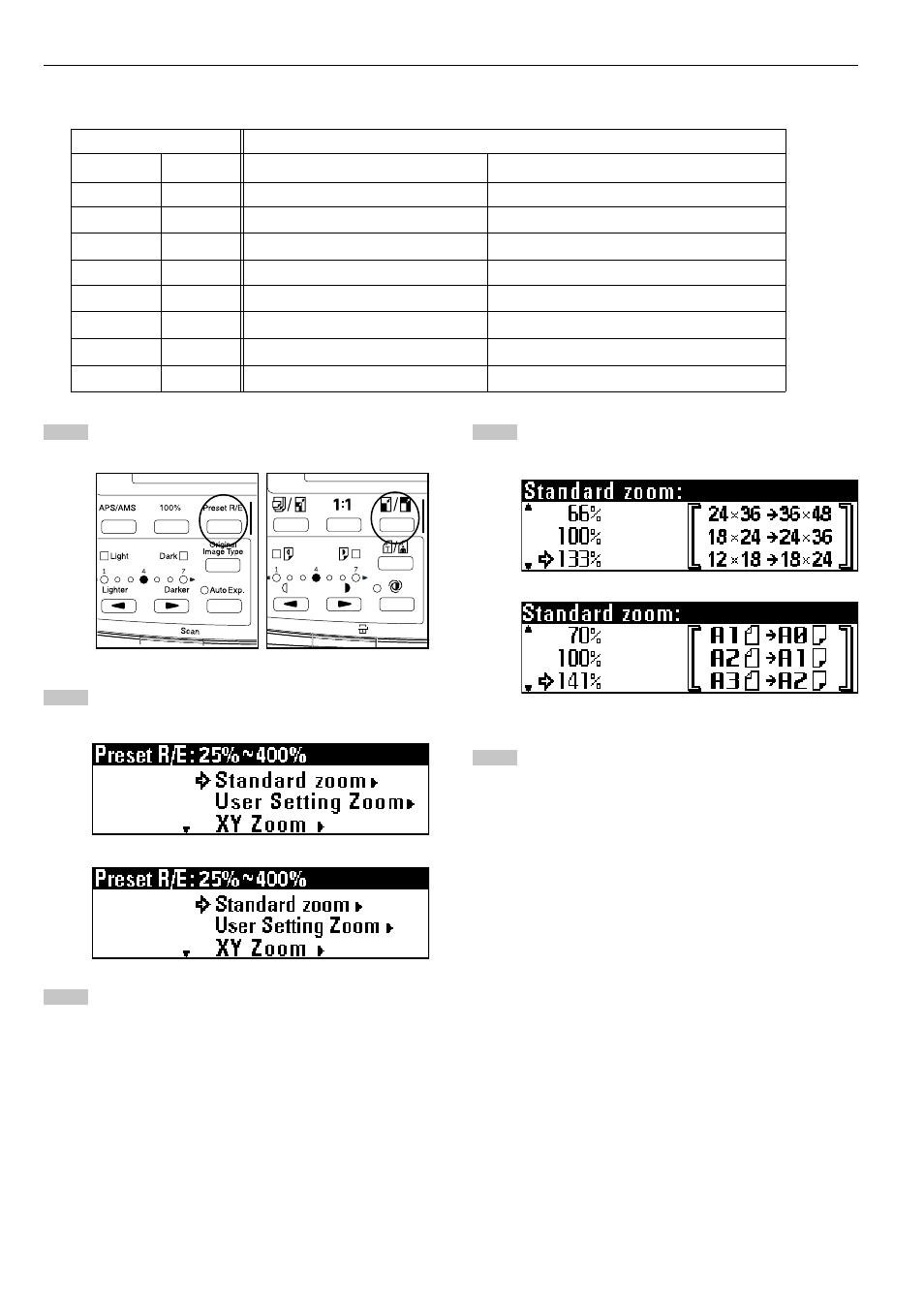
Press the Preset R/E key.
Ensure that "Standard zoom" is selected.
Press the OK key.
Press the
▼
or
▲
key to select the desired magnification
ratio.
Press the OK key.
The machine will return to the basic screen. The selected
magnification ratio will be displayed.
Advertising