TA Triumph-Adler CX 8682 User Manual
Page 71
CHAPTER 7 MANAGEMENT AND SETTING
7-13
2
1
(Inch)
(Metric)
2
1
3
(Inch)
(Metric)
(Inch)
(Metric)
(Inch)
(Metric)
(Inch)
(Metric)
8
8
8
8
8
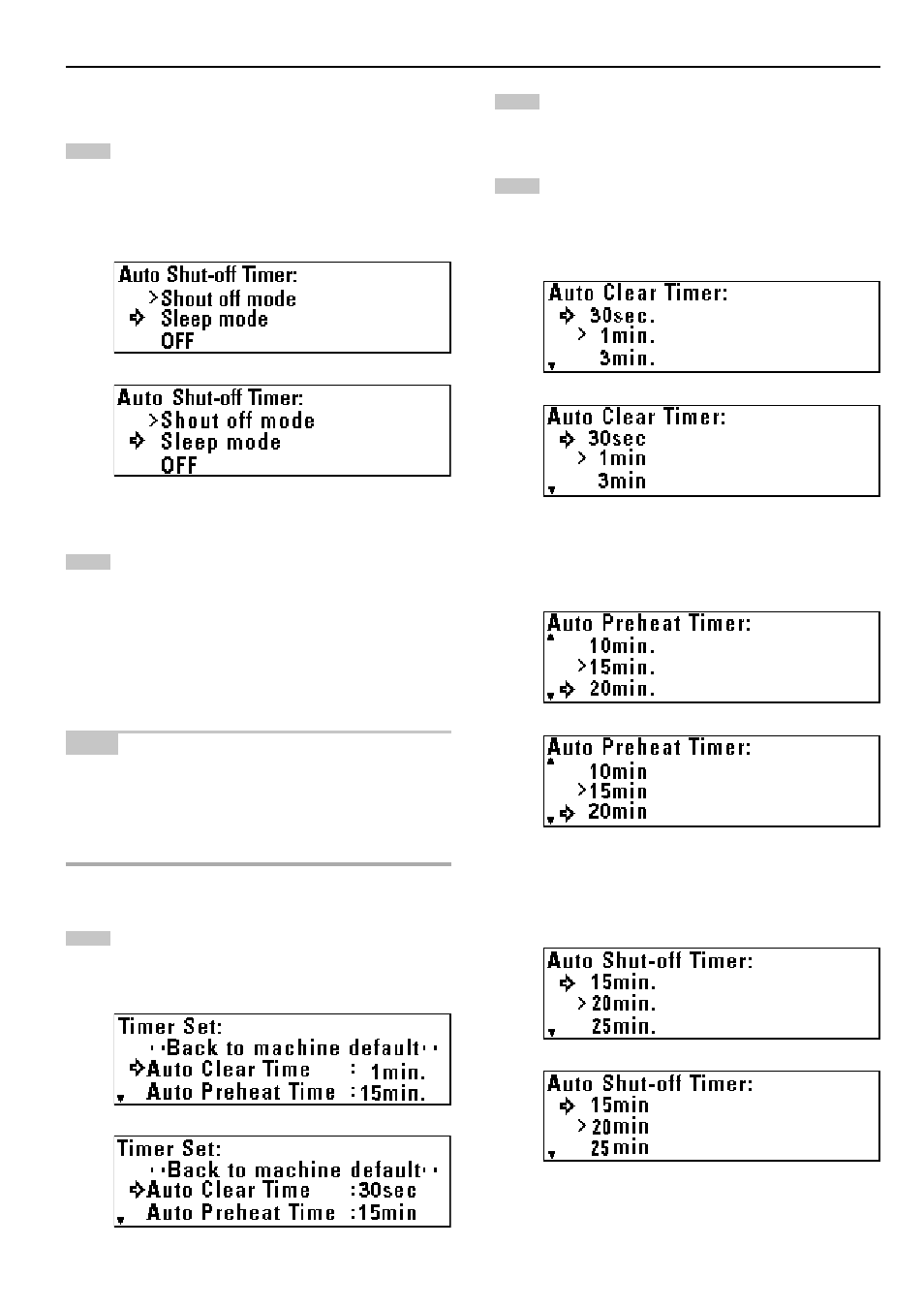
Auto Shut-off Time
Press the
▼
or
▲
key to select the desired auto shut-off
mode.
* If a printer/scanner controller (option) is installed, “Sleep
mode” will be displayed.
Press the OK key. The machine will return to the machine
default setting screen.
9
9
9
9
9
Timer Set
NOTE
• If “
7
Auto Clear Timer” [“Auto clear”] is set to “OFF”, the auto clear
time cannot be set.
• If “
8
Auto Shut-off Time” is set to “OFF”, the auto shut-off time
cannot be set.
• When setting the auto preheat time, do not set a longer time than the
auto shut-off time.
Press the
▼
or
▲
key to select the function for which the
timer is to be set.
Press the OK key.
Press the
▼
or
▲
key to set the time that elapses before the
selected function is activated.
> If “Auto Clear Time” [“Auto clear”] has been selected, set
the time to from 30 seconds to 5 minutes.
> If “Auto Preheat Time” has been selected, set the time to
from 5 minutes to 45 minutes.
> If “Auto Shutoff Time” [“Auto shut-off time”] has been
selected, set the time to from 15 minutes to 120 minutes.