TA Triumph-Adler CX 8682 User Manual
Page 68
CHAPTER 7 MANAGEMENT AND SETTING
7-10
7
8
Press the
▼
or
▲
key to select a setting item and press the
OK key. Set each item referring to the page indicated.
> Items that can be selected from machine default
1
Paper width adjustment ... Page 7-10
2
Paper working ... Page 7-11
3
Paper material adjustment ... Page 7-11
4
Roll end adjustment ... Page 7-11
5
Display contrast ... Page 7-12
6
Orig.eject direct ... Page 7-12
7
Auto Clear Timer [Auto clear] ... Page 7-12
8
Auto Shut-off Time ... Page 7-13
9
Timer Set ... Page 7-13
0
Copy size adjustment ... Page 7-14
!
Fusing temperature [Set fixing temp.] ... Page 7-14
@
Custom paper adj. ... Page 7-15
#
Standard size set ... Page 7-15
$
Auto roll over ... Page 7-15
%
Management # [Management code change] ... Page 7-16
> Items that can be selected from copy default
1
Auto rotation mode ... Page 7-16
2
Zoom step ... Page 7-16
3
Zoom register ... Page 7-16
4
Cut size register ... Page 7-17
5
Exposure step [Exposure steps] ... Page 7-18
6
Auto/Manual exp. ... Page 7-18
7
Default exposure ... Page 7-18
8
Exposure adj. ... Page 7-18
9
Standard drawer ... Page 7-18
0
Auto select set ... Page 7-19
!
AMS mode ... Page 7-19
@
Method copy start ... Page 7-19
#
Start late time ... Page 7-20
$
Paper cut [Select cut. Method] ... Page 7-20
%
Sync. Cut length ... Page 7-20
^
Delete memory ... Page 7-20
&
Permit repeat ... Page 7-21
*
Change repeat # [Repeat code change] ... Page 7-21
(
Memory compress ... Page 7-21
)
Maximum Jobs ... Page 7-22
⁄
Default of edit. Function ... Page 7-22
¤
Adj. preview copy ... Page 7-23
To set another item, return to step 6. To complete the setting,
press the
▼
or
▲
key to select “Default/back manager”
[“Back to Default/manage”] and press the OK key. Press the
▼
or
▲
key to select “End”.
3
2
1
(Inch)
(Metric)
4
(Inch)
(Metric)
5
6
(3) Setting of each item
●
Machine default
1
1
1
1
1
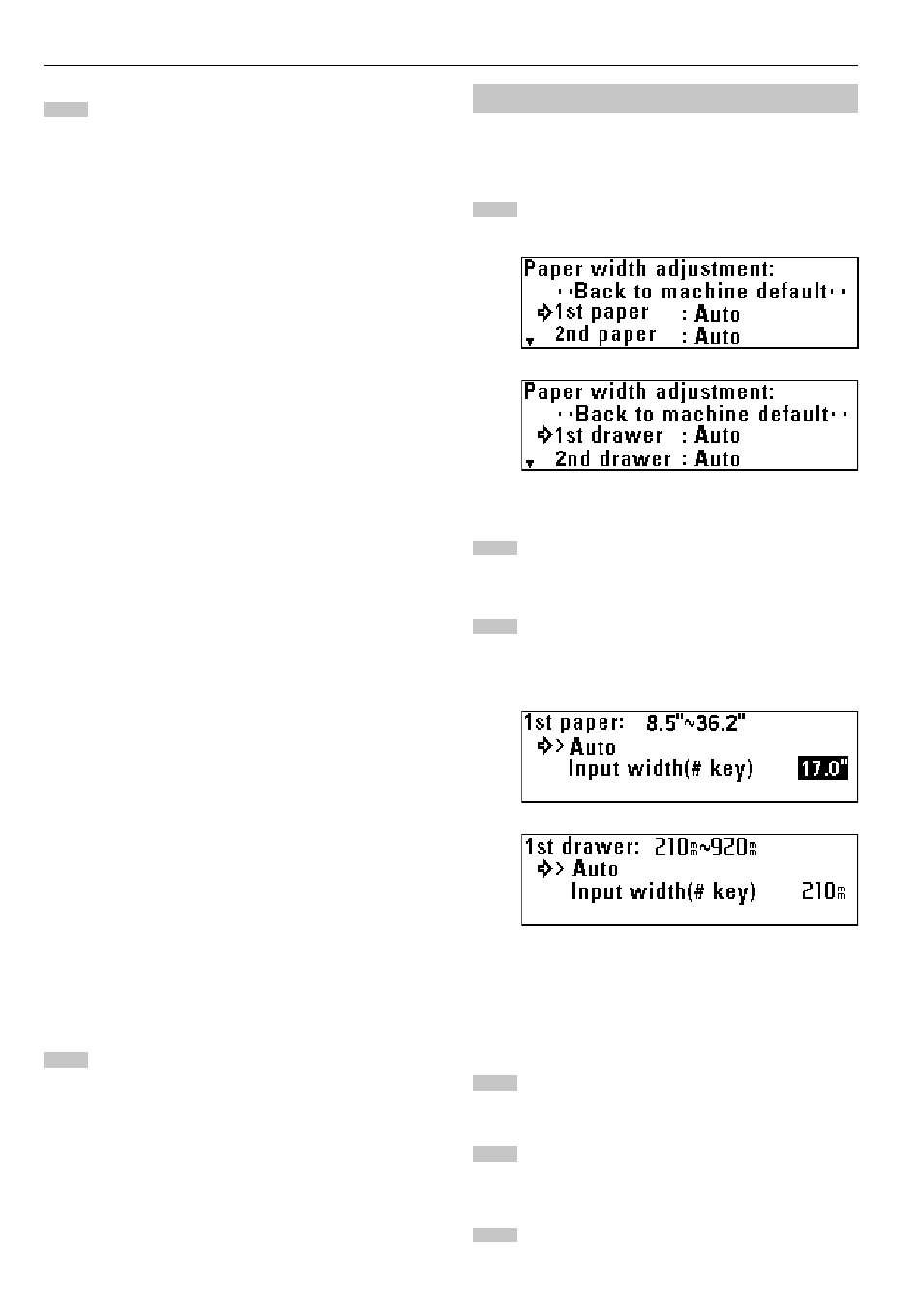
Paper width adjustment
Press the
▼
or
▲
key to select the desired paper source.
Press the OK key.
To enable automatic detection, press the
▼
or
▲
key to
select “Auto”. To enter the paper width, select “Input width(#
key)”.
* If “Input width(# key)” is selected, use the numeric keys to
enter the paper width between 8.5" and 36.2" [210 mm and
920 mm].
Press the OK key.
Press the
▼
or
▲
key to select “Back to machine default”.
Press the OK key. The machine will return to the machine
default setting screen.