1 dhcp relay agent, 2 relay server – PLANET FGSW-2620CS User Manual
Page 69
User’s Manual of FGSW-2620CS
4.9.1 DHCP Relay Agent
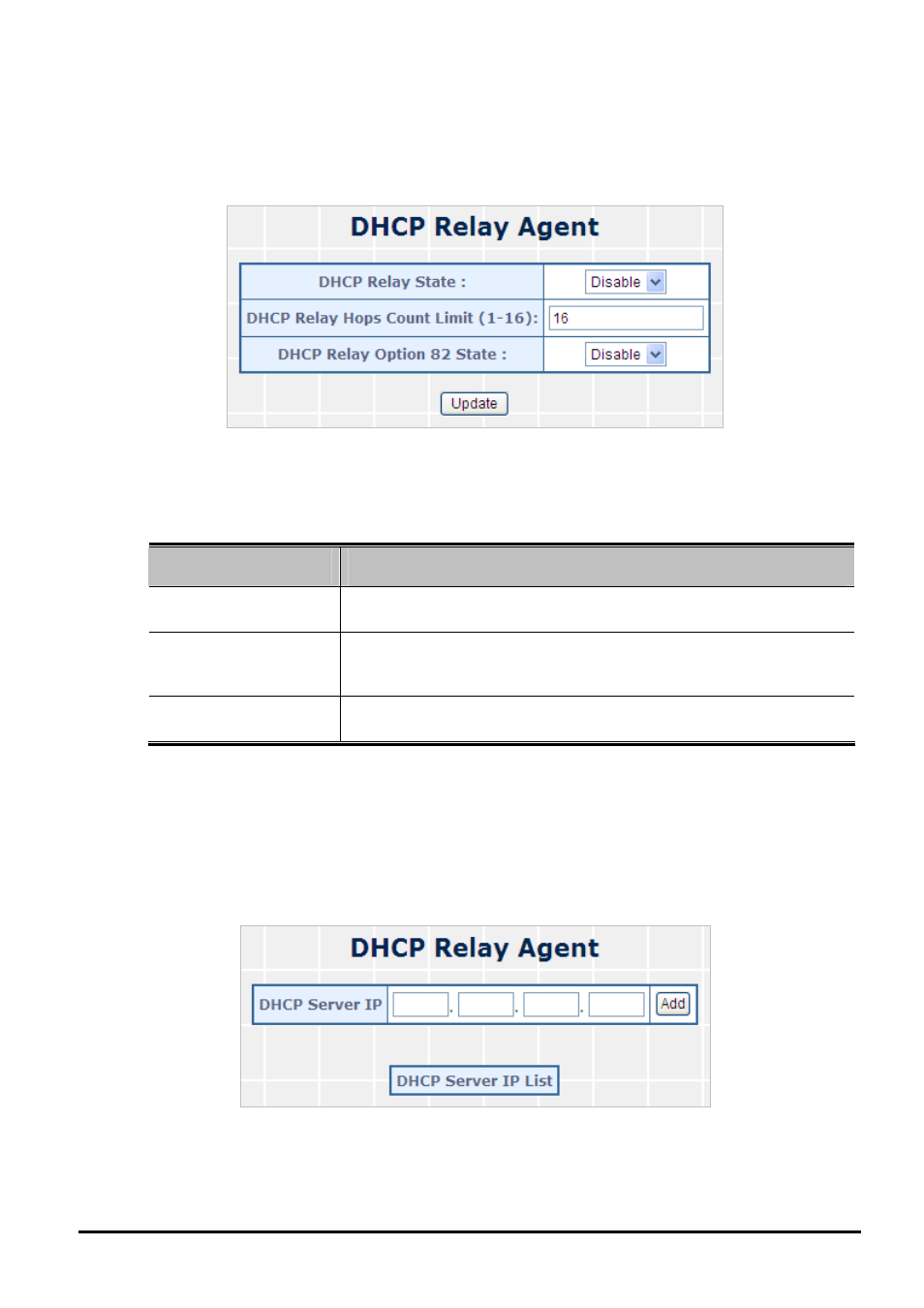
This section introduces detail information of DHCP Relay Agent of Web Smart Switch; the screen in
Figure 4-50
appears
and
Table 4-30
descriptions the STP Bridge Settings Configuration of Web Smart Switch.
Figure 4-50 DHCP Relay Agent Web Page Screen
The page includes the following fields:
Object
Description
• DHCP Relay State
Allow to Disable or Enable the DHCP Relay State Function. Default
mode is Disable.
• DHCP Relay Hops
Count Limit (1-16)
This field allows an entry between1 and1 6 to define the maximum
number of router hops DHCP/BOOTP messages can be forwarded
across. The default hop count is 16.
• DHCP Relay Option
82 State
Allow to Disable or Enable the DHCP Relay Option 82 State Function.
Default mode is Disable.
Table 4-30 Descriptions of the DHCP Relay Agent Configuration Screen Objects
4.9.2 Relay Server
This section introduces detail information of Relay Server of Web Smart Switch; the screen in
Figure 4-51
appears and
Table 4-31
descriptions the Relay Server Configuration of Web Smart Switch.
Figure 4-51 STP Bridge Settings Web Page Screen
- 69 -