PLANET WGS3-24000 User Manual
Page 78
78
Figure 4-2-46
Upload File from Switch
Configurable Data
。
File Type -
Specify the type of file you want to upload. The available options are Configuration, Error Log, System
Trace, and Trap Log. The factory default is Error Log.
。
TFTP Server IP Address -
Enter the IP address of the TFTP server. The factory default is 0.0.0.0
。
TFTP File Path -
Enter the path on the TFTP server where you want to put the file being uploaded. You may enter
up to 32 characters. The factory default is blank.
。
TFTP File Name -
Enter the name you want to give the file being uploaded. You may enter up to 32 characters.
The factory default is blank.
。
Start File Transfer -
To initiate the upload you need to check this box and then select the submit button.
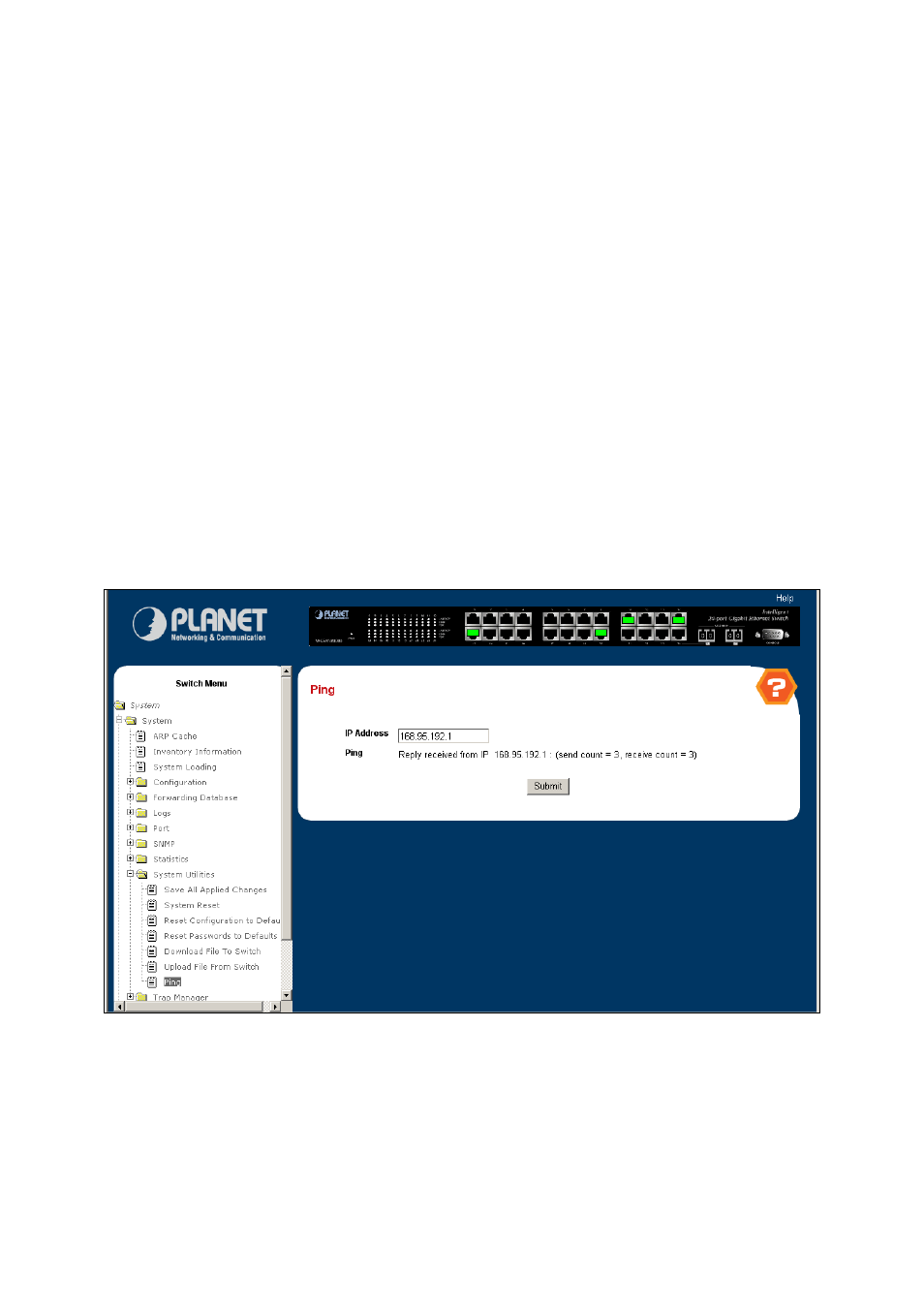
4.2.9.7 Ping
Use this screen to tell the switch to send a Ping request to a specified IP address. You can use this to check whether the switch
can communicate with a particular IP station. Once you click the Submit button, the switch will send three pings and the results
will be displayed below the configurable data. If a reply to the ping is not received, you will see No Reply Received from IP
xxx.xxx.xxx.xxx
, otherwise you will see Reply received from IP xxx.xxx.xxx.xxx : (send count = 3, receive count = n).
Figure 4-2-47
Ping
Configurable Data
。
IP Address -
Enter the IP address of the station you want the switch to ping. The initial value is blank. The IP
Address you enter is not retained across a power cycle.