Measurement Computing LogBook Series User Manual
Page 152
LV-26 LogView
989592
Software
Reference
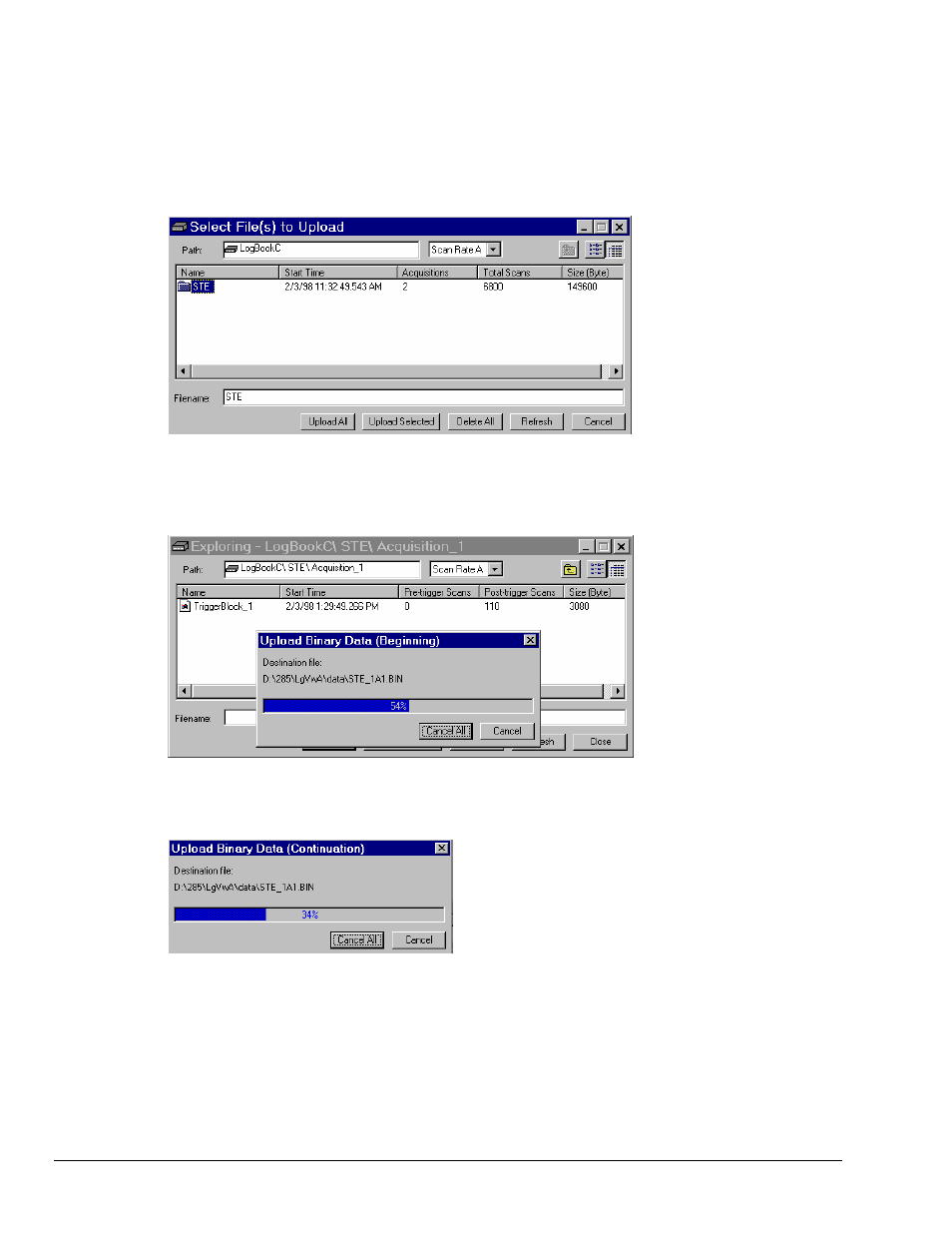
The buttons at the bottom of the window (see following figure) allow you to:
• Upload All the files on the PC-Card to your PC’s hard drive with the designated Path and delete data
on the PC-Card if “Delete on Upload All” is selected in LogView Preferences. Note: with attached
mode and an active acquisition, this is the only way to upload data.
• Upload Selected uploads only those files which you select.
• Delete All the files on the PC-Card.
• Refresh will refresh Explorer with data from an active acquisition.
• Cancel will close the dialog box.
If uploading an active file for the first time (using Upload All), the following window appears
(here, Cancel will stop an upload in progress):
If uploading an active file that is already partially uploaded, the following window will appear: