Cleaning the paper feed roller, 1 turn off the printer and unplug the power cord, Cleaning the paper feed roller -9 – TA Triumph-Adler LP 218 User Manual
Page 176
Advertising
5-9
Chapt
er
5
M
a
in
tenanc
e
Cleaning the Printer
Cleaning the Paper Feed Roller
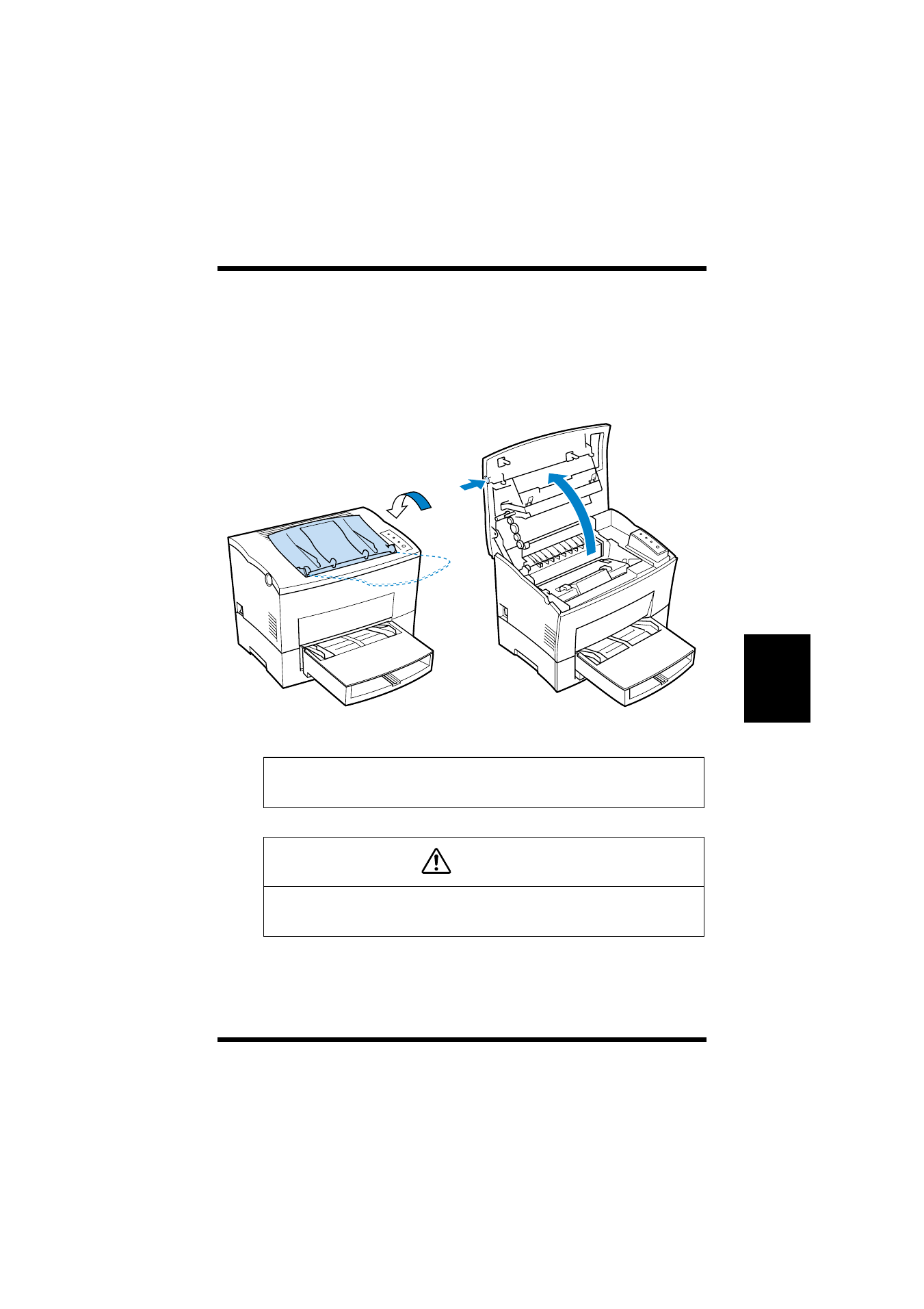
1
Turn off the printer and unplug the power cord.
2
Close the face-down tray and press the top cover release but-
ton to open the top cover.
Note
◆
Be sure to close the face-down tray before opening the top cover
to prevent injuries.
ATTENTION
◆
The fusing unit inside the printer can become very hot during
operation. Do not touch the area to avoid injury.
Advertising