13 ip subnet-based vlan – PLANET MGSD-10080F User Manual
Page 148
User’s Manual of MGSD-10080F
148
4.6.13 IP Subnet-based VLAN
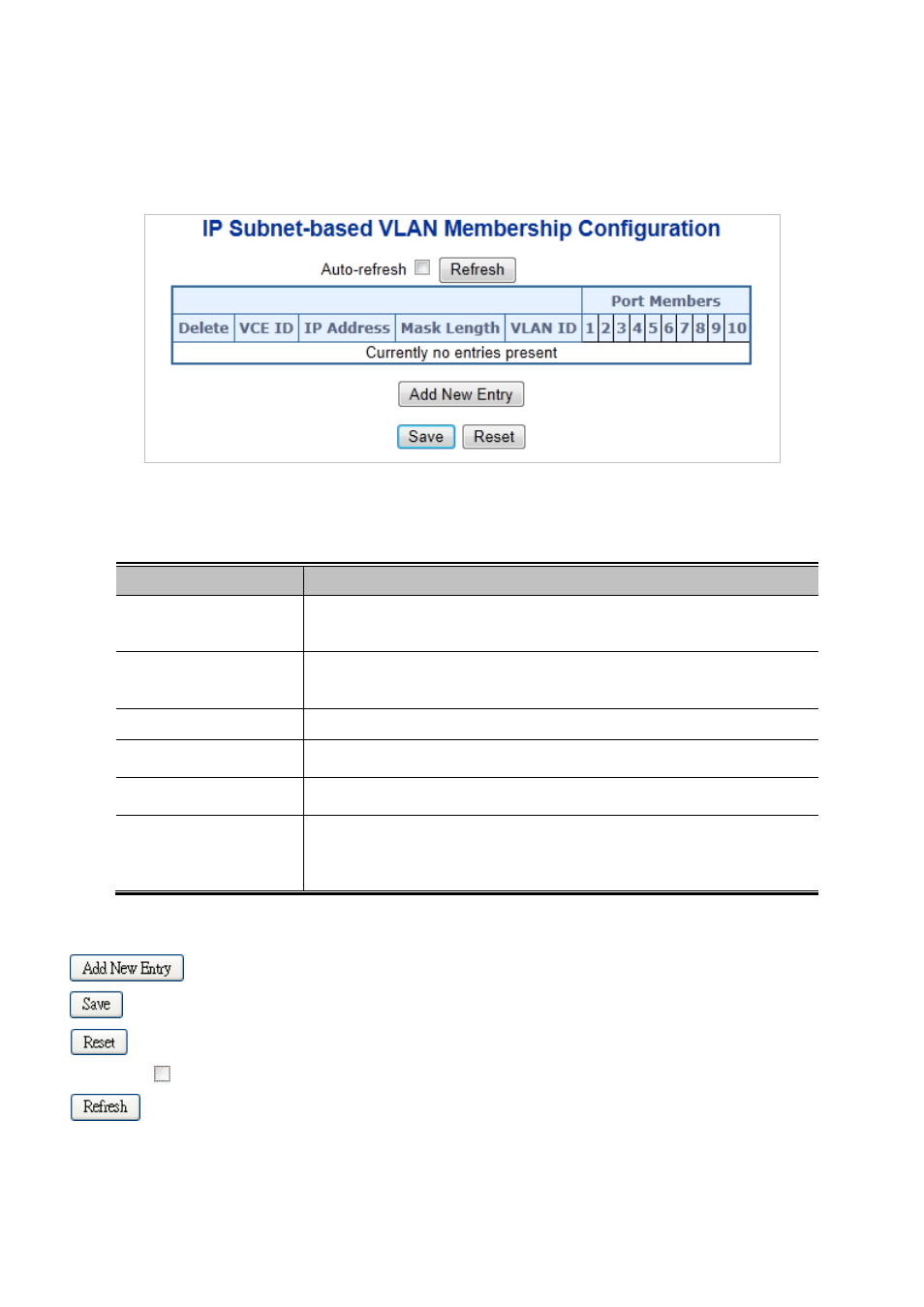
This page allows for adding, updating and deleting IP subnet-based VLAN entries and assigning the entries to different ports.
The IP subnet-based VLAN screen in
Figure 4-6-19
appears.
Figure 4-6-19: IP Subnet-based VLAN Page Screenshot
The page includes the following fields:
Object
Description
• Delete
To delete an IP subnet-based VLAN entry, check this box and press save. The
entry will be deleted in the stack.
• VEC ID
Indicates the index of the entry. It is user configurable. Its value ranges from
0-256. If a VCE ID is 0, application will auto-generate the VCE ID for that entry.
Deletion and lookup of IP subnet-based VLAN are based on VCE ID.
• IP Address
Indicates the IP address.
• Mask Length
Indicates the network mask length.
• VLAN ID
Indicates the VLAN ID. VLAN ID can be changed for the existing entries.
• Port Members
A row of check boxes for each port is displayed for each IP subnet-based VLAN
entry. To include a port in an IP subnet-based VLAN, check the box. To remove or
exclude the port from the IP subnet-based VLAN, make sure the box is
unchecked. By default, no ports are members, and all boxes are unchecked
Buttons
: Click to add a new IP subnet-based VLAN entry.
: Click to save changes.
: Click to undo any changes made locally and revert to previously saved values.
Auto-refresh
: Check this box to refresh the page automatically. Automatic refresh occurs every 3 seconds.
: Click to refresh the page immediate