PLANET MGSD-10080F User Manual
Page 199
User’s Manual of MGSD-10080F
199
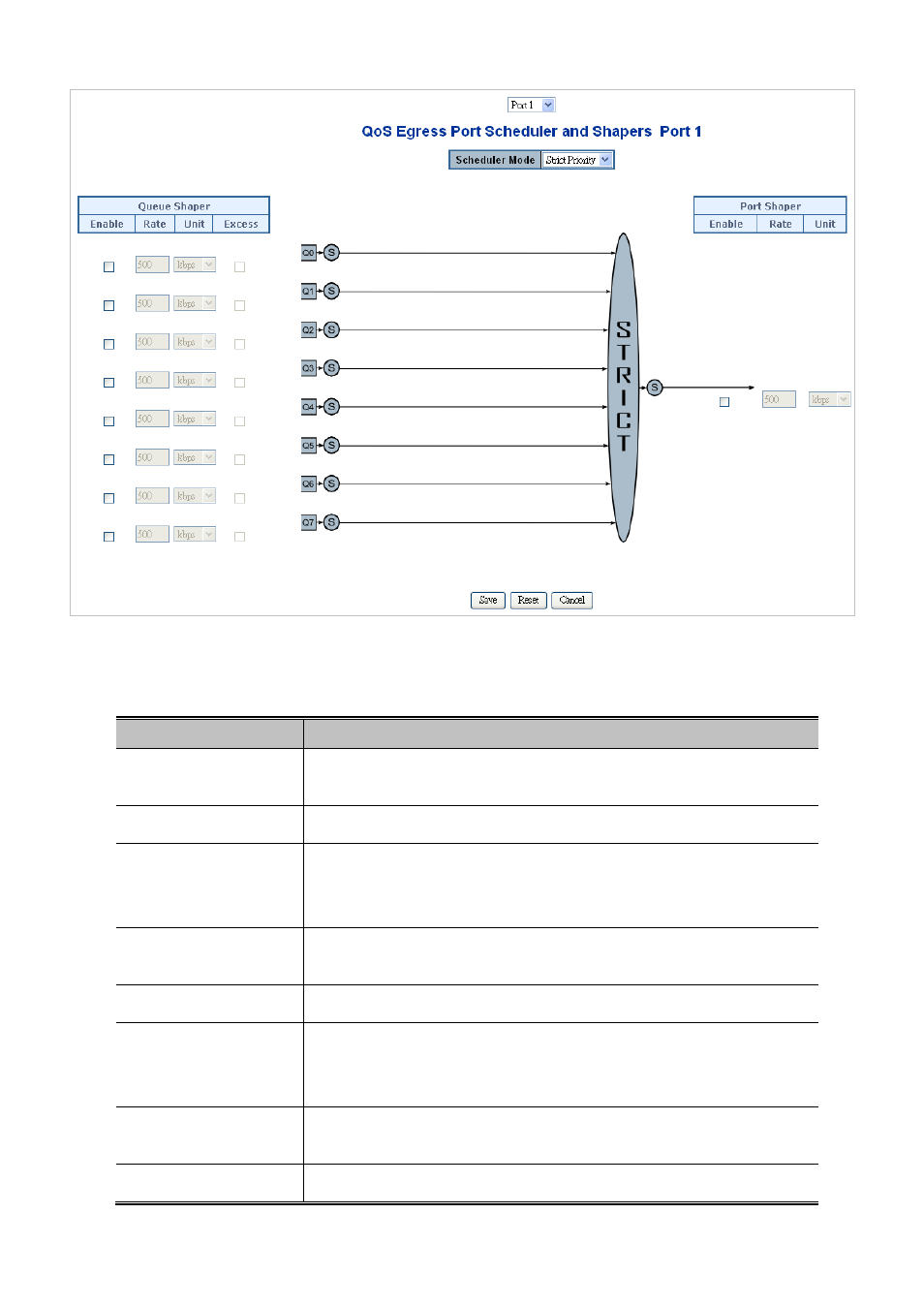
Figure 4-9-3: QoS Egress Port Schedule and Shapers Page Screenshot
The page includes the following fields:
Object
Description
• Schedule Mode
Controls whether the scheduler mode is "Strict Priority" or "Weighted" on this
switch port.
• Queue Shaper Enable
Controls whether the queue shaper is enabled for this queue on this switch port.
• Queue Shaper Rate
Controls the rate for the queue shaper. The default value is 500. This value is
restricted to 100-1000000 when the "Unit" is "kbps", and it is restricted to
1-3300 when the "Unit" is "Mbps".
• Queue Shaper Unit
Controls the unit of measure for the queue shaper rate as "kbps" or "Mbps".
The default value is "kbps".
• Queue Shaper Excess
Controls whether the queue is allowed to use excess bandwidth.
• Queue Scheduler
Weight
Controls the weight for this queue. The default value is "17". This value is
restricted to 1-100. This parameter is only shown if "Scheduler Mode" is set to
"Weighted".
• Queue Scheduler
Percent
Shows the weight in percent for this queue. This parameter is only shown if
"Scheduler Mode" is set to "Weighted".
• Port Shaper Enable
Controls whether the port shaper is enabled for this switch port.