14 smtp configuration – PLANET WGSW-20160HP User Manual
Page 76
User’s Manual of WGSW-20160HP/WGSW-24040HP series
76
4.2.14 SMTP Configuration
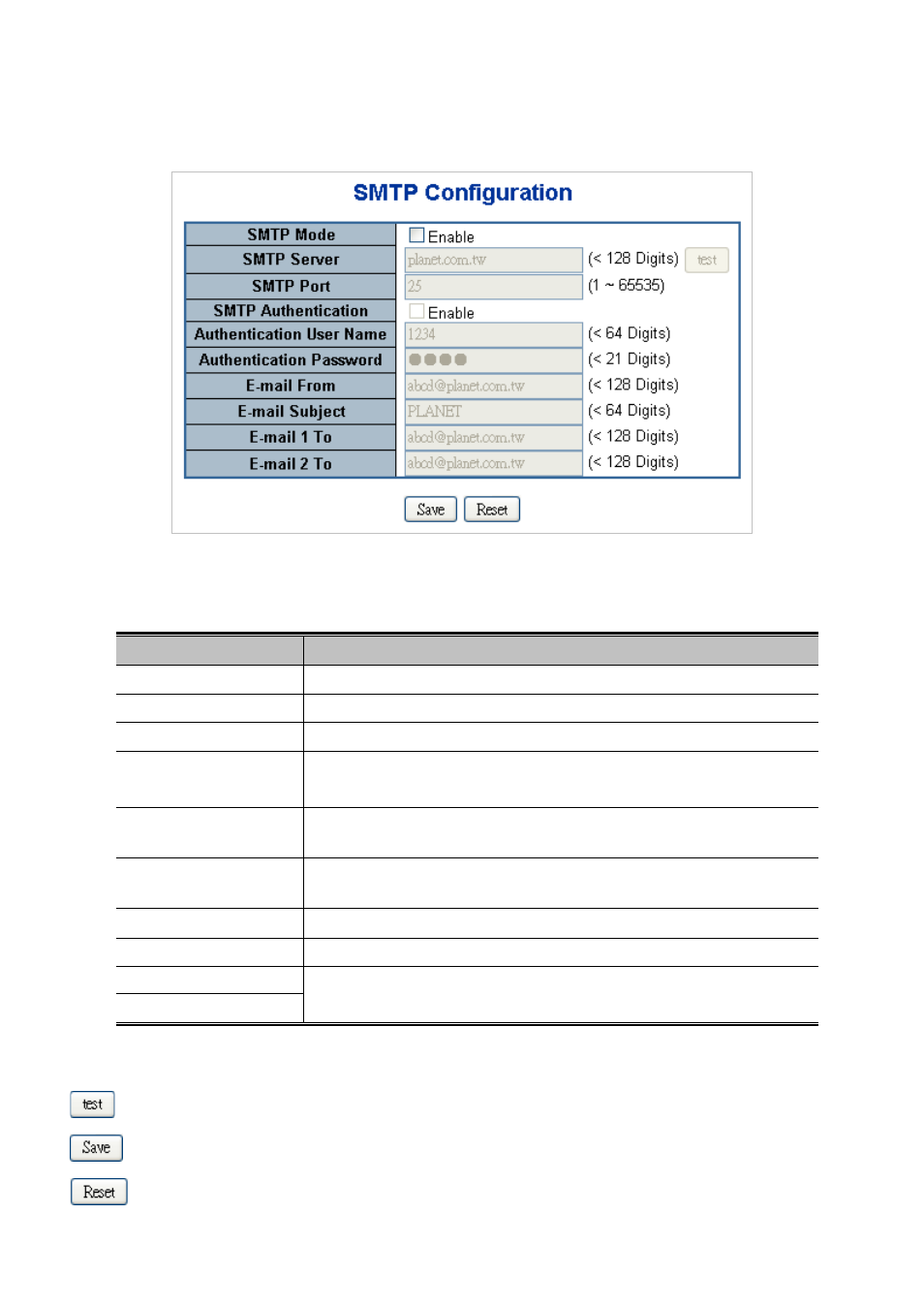
This Page facilitates an SMTP Configuration on the switch. The SMTP Configure screen in
Figure 4-2-17
appears.
Figure 4-2-17: SMTP Configuration Page Screenshot
The Page includes the following fields:
Object
Description
• SMTP Mode
Controls whether SMTP is enabled on this switch.
• SMTP Server
Type the SMTP server name or the IP address of the SMTP server.
• SMTP Port
Set port number of SMTP service.
• SMTP Authentication
Controls whether SMTP authentication is enabled If authentication is required
when an e-mail is sent.
• Authentication User
Name
Type the user name for the SMTP server if Authentication is Enable.
• Authentication
Password
Type the password for the SMTP server if Authentication is Enable.
• E-mail From
Type the sender’s E-mail address. This address is used for reply e-mails.
• E-mail Subject
Type the subject/title of the e-mail.
• E-mail 1 To
Type the receiver’s e-mail address.
• E-mail 2 To
Buttons
: Send a test mail to mail server to check this account is available or not.
: Click to save changes.
: Click to undo any changes made locally and revert to previously saved values.