13 additional functions, 1 replacing a device, Additional functions – SMA Sunny Data Control V.4.2 User Manual
Page 169
Advertising
SMA
Technologie AG
Additional Functions
User Manual
SDC-TEN080642
Page 169
13 Additional Functions
13. 1 Replacing a Device
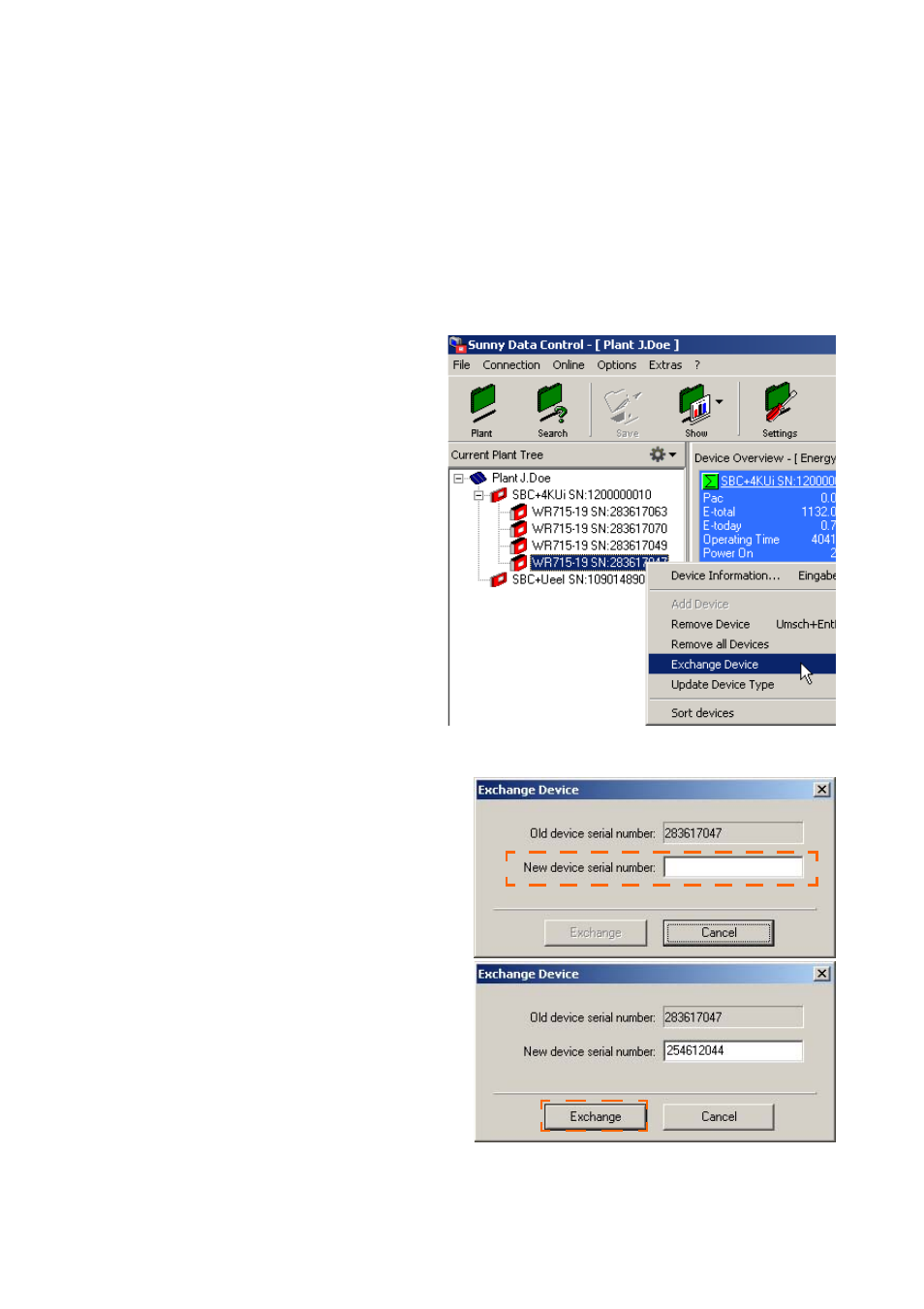
If you have to replace an inverter, you can inform Sunny Data Control of the device
replacement, without having to detect the Sunny Boy Control again.
If you wish to replace an existing device in your plant with another, proceed as
described in the following:
1.
In the plant tree, click with the right
mouse button on the device which
you wish to replace (see example
to the right).
2.
Select "Exchange Device".
The "Exchange Device" window opens.
3.
In the "New device serial number"
field, type in the new serial number.
4.
Click on <Exchange>.
Advertising