Connecting your phone device to the printer – Epson WorkForce Pro WF-R8590 DTWF User Manual
Page 101
Advertising
Note:
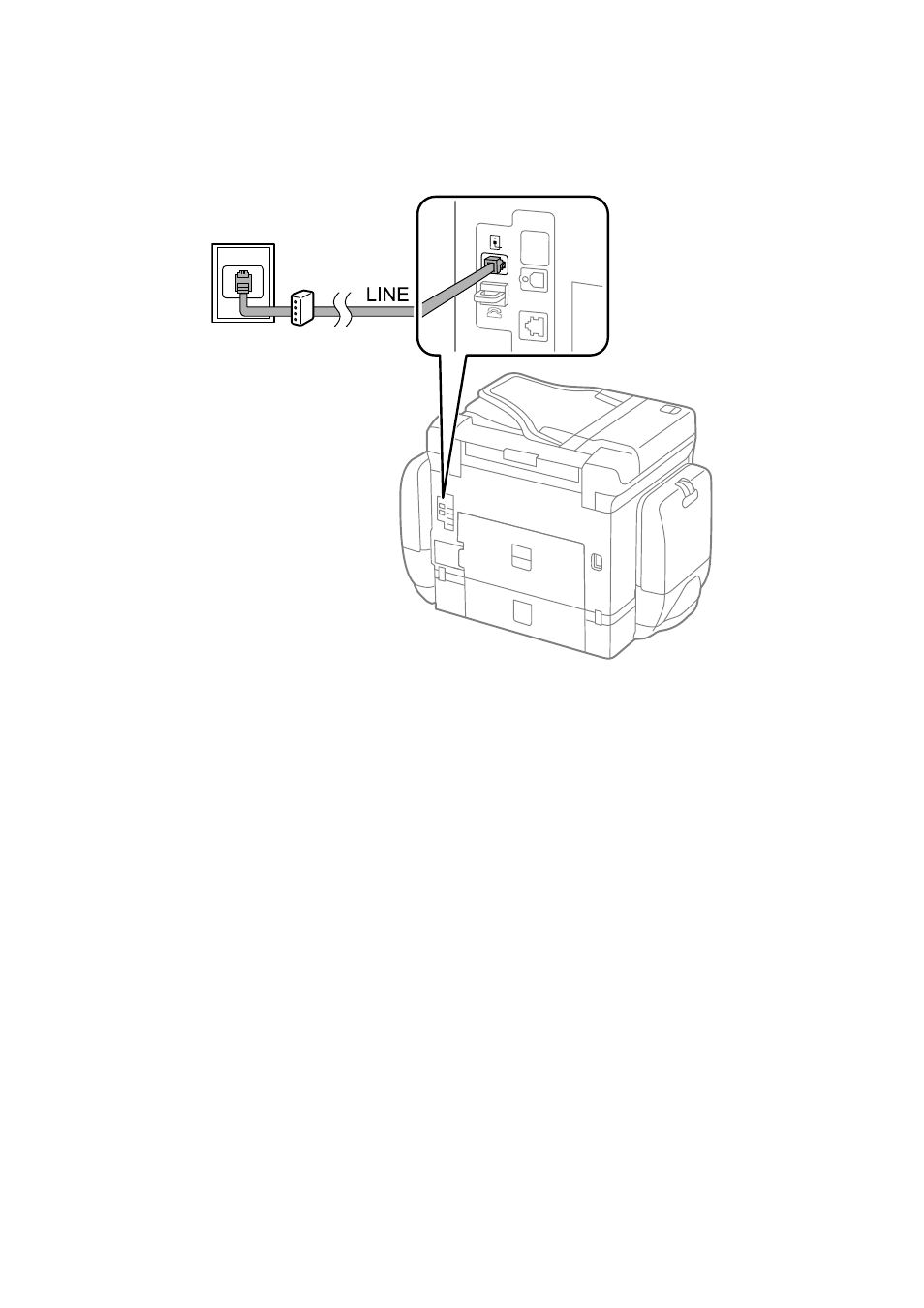
If your DSL modem is not equipped with a built-in DSL filter, connect a separate DSL filter.
Connecting Your Phone Device to the Printer
When using the printer and your telephone on a single phone line, connect the telephone to the printer.
Note:
❏ If your phone device has a fax function, disable the fax function before connecting. See the manuals that came with the
phone device for details.
❏ If you connect an answering machine, make sure the printer's Rings to Answer setting is set higher than the number of
rings your answering machine is set to answer a call.
User's Guide
Faxing
101
Advertising
See also other documents in the category Epson Multifunction Devices:
- Stylus NX420 (52 pages)
- WorkForce 520 series (64 pages)
- WorkForce 630 (64 pages)
- Stylus NX420 (2 pages)
- Stylus NX420 (56 pages)
- WorkForce 600 Series (56 pages)
- WorkForce 600 Series (5 pages)
- WorkForce 610 Series (60 pages)
- WorkForce 610 Series (8 pages)
- Artisan 810 Series (8 pages)
- Artisan 810 Series (64 pages)
- WorkForce 520 series (2 pages)
- Stylus SX515W (2 pages)
- Stylus SX515W (72 pages)
- Stylus Photo PX710W (108 pages)
- Stylus Photo TX800FW (2 pages)
- Stylus Photo TX800FW (116 pages)
- CX11NF (144 pages)
- Expression Premium XP-630 (160 pages)
- Expression Home XP-332 (91 pages)
- Expression Home XP-445 (4 pages)
- Expression Premium XP-900 (162 pages)
- L1455 (233 pages)
- L605 (4 pages)
- L655 (35 pages)
- L655 (145 pages)
- Stylus CX9300F (1 page)
- Stylus CX9300F (44 pages)
- Stylus Office BX310FN (20 pages)
- Stylus Office BX310FN (2 pages)
- Stylus Office BX310FN (60 pages)
- Stylus Office SX600FW (24 pages)
- Stylus Office SX600FW (2 pages)
- Stylus Office SX600FW (96 pages)
- Stylus BX625FWD (148 pages)
- Stylus BX625FWD (4 pages)
- WorkForce Pro WF-R8590 DTWF (69 pages)
- WP-M4525DNF (2 pages)
- WP-M4525DNF (203 pages)
- COLOR Copy Station 8600 (48 pages)
- COLOR Copy Station 8600 (242 pages)
- WorkForce AL-MX300DN (38 pages)
- WorkForce AL-MX300DN (92 pages)
- WorkForce AL-MX300DN (287 pages)