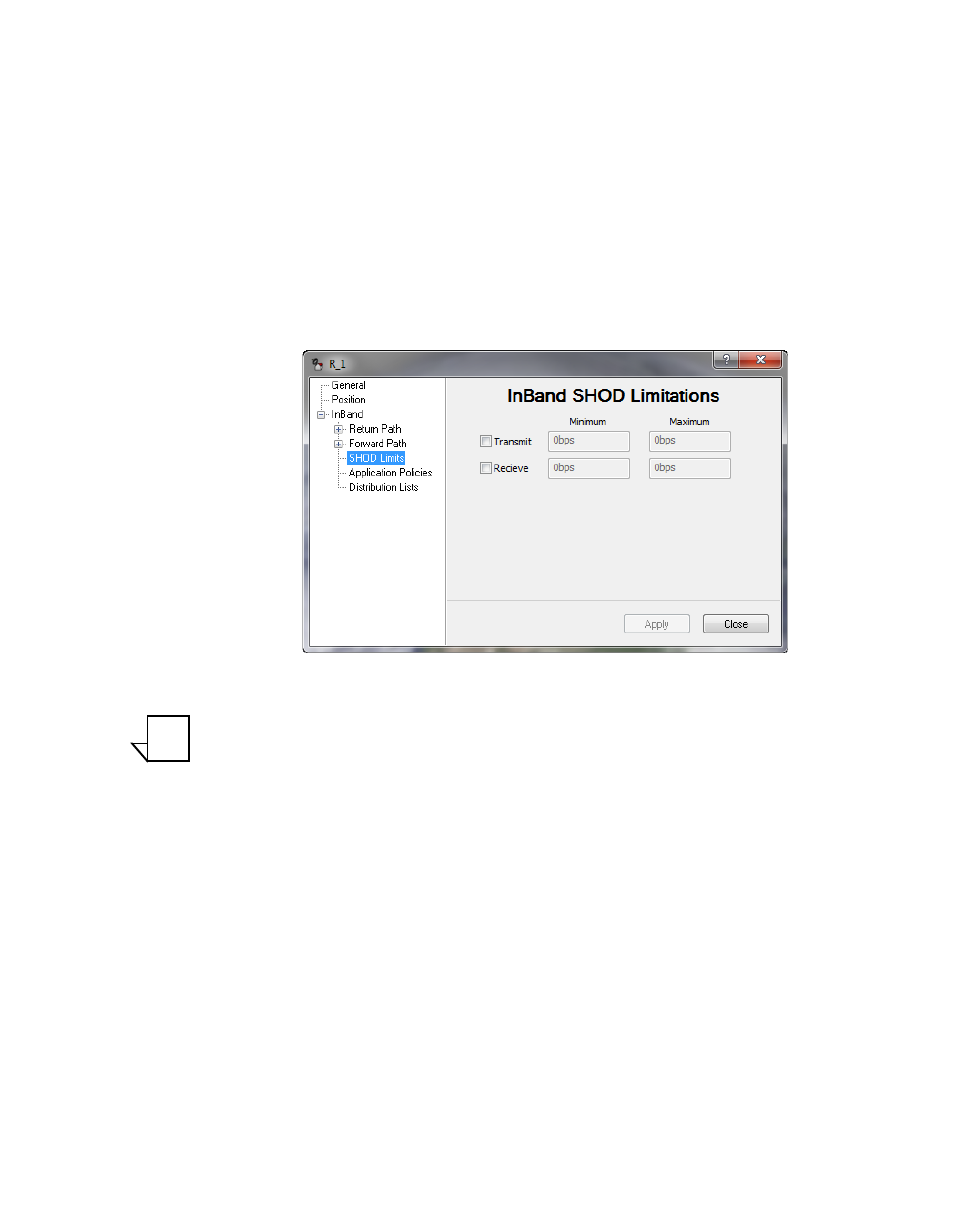
Figure 3-80 inband shod limitations dialog – Comtech EF Data VMS v3.12.x Vipersat User Manual
Page 175
Chapter
3 -
VMS Configuration
3-75
MN/22156, rev 12
Network Manager Configuration
Both Transmit and Receive settings are presented for specifying minimum and
maximum bit rates:
•
The Tx setting defines the range limits for this Remote’s modulator
when this Remote is sending to another Remote or Remotes.
•
The Rx setting defines the range limits for any Remote’s modulator
when this Remote is receiving from that Remote.
•
When a Remote with a defined Tx limit is transmitting to a Remote
with a defined Rx limit, the lesser of the two SHOD limit values will
govern the transmission rate.
Figure 3-80 InBand SHOD Limitations dialog
Note: These SHOD limitations may reduce and restrict application perfor-
mance to the Hub during mesh connection allocations. There will be no
provisions to block or notify applications that require greater bandwidth
during mesh reductions.
To configure SHOD limitations:
1.
Click in the Transmit and/or Receive check box(es) to activate the data rate
fields.
2. Enter the desired bit rates and click Apply.
NOTE