Primera LX610 Color Label Printer with Plotter & Cutter User Manual
Page 104
Advertising
104
6F Printing from Swift Publisher (Pre Die-cut Stock Only)
Swift Publisher is an inexpensive software that can be used to design/layout and print your labels
if you are using a Primera label printer attached to a Mac. Below is a tutorial on how to setup a
label using Swift Publisher by Belight.
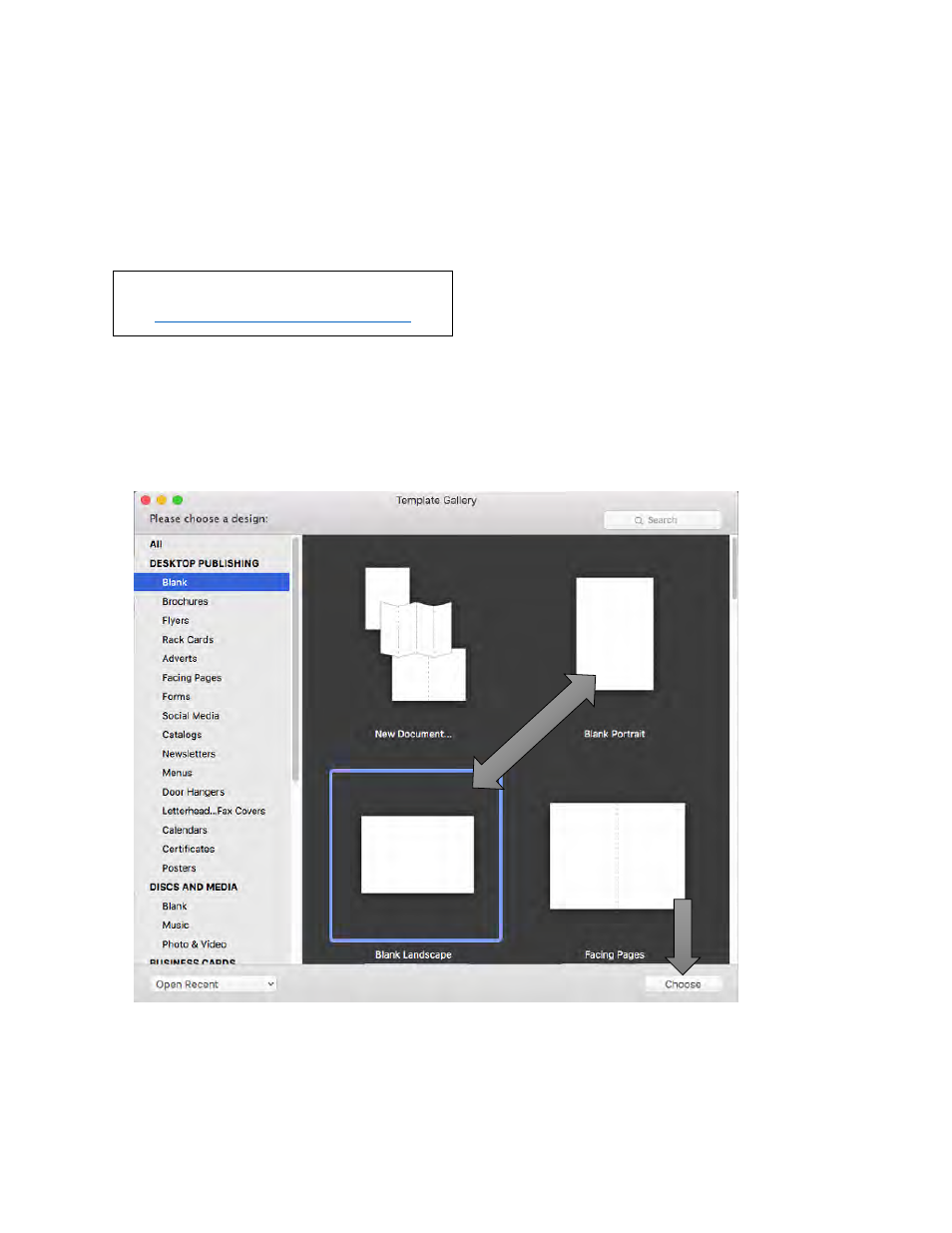
When you open the software for the first time you will be asked to choose a Template. Select
Desktop Publishing
–
Blank. (Do not choose from the “Labels” category!) Choose either blank
landscape or portrait. Click Choose.
Download a Free Trial Here:
Note:
This section only applies to Pre
Die-Cut Stock. For an explanation of
stock types, please see section 2A.
Advertising