PLANET WGSD-10020 User Manual
Page 80
User’s Manual of WGSD-10020 Series
80
•
Engine ID
Indicates the SNMPv3 engine ID. The string must contain an even number
between 10 and 64 hexadecimal digits, but all-zeros and all-'F's are not allowed.
Change of the Engine ID will clear all original local users.
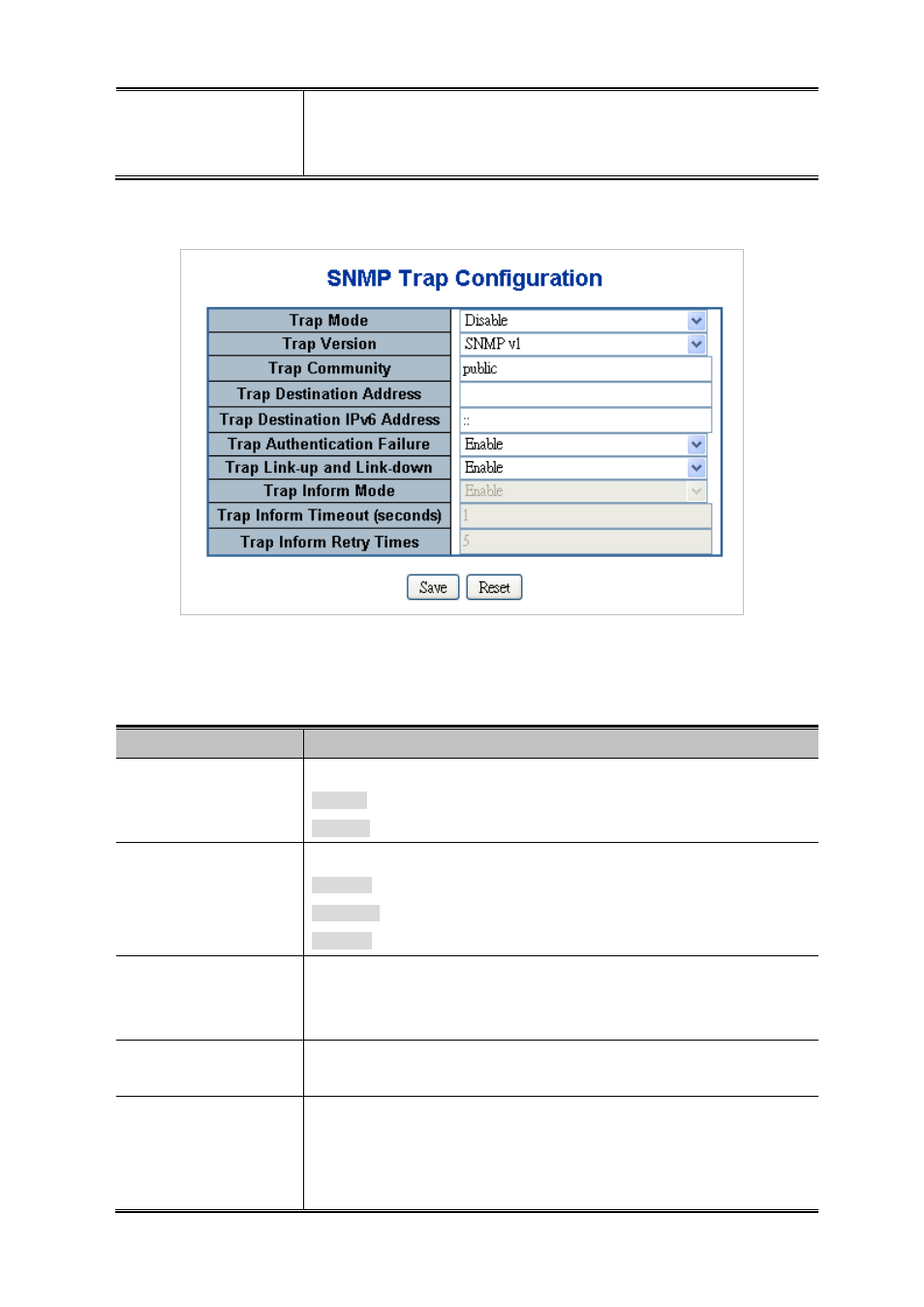
Configure SNMP trap on this page. The SNMP Trap Configuration screen in
Figure 4-3-2
appears.
Figure 4-3-2 SNMP Trap Configuration page screenshot
The page includes the following fields:
Object
Description
•
Trap Mode
Indicates the SNMP trap mode operation. Possible modes are:
Enabled: Enable SNMP trap mode operation.
Disabled: Disable SNMP trap mode operation.
•
Trap Version
Indicates the SNMP trap supported version. Possible versions are:
SNMP v1: Set SNMP trap supported version 1.
SNMP v2c: Set SNMP trap supported version 2c.
SNMP v3: Set SNMP trap supported version 3.
•
Trap Community
Indicates the community access string when send SNMP trap packet. The
allowed string length is 0 to 255, and the allowed content is the ASCII characters
from 33 to 126.
•
Trap Destination
Address
Indicates the SNMP trap destination address.
•
Trap Destination IPv6
Address
Provide the trap destination IPv6 address of this switch. IPv6 address is in
128-bit records represented as eight fields of up to four hexadecimal digits with a
colon separates each field (:). For example, 'fe80::215:c5ff:fe03:4dc7'. The
symbol '::' is a special syntax that can be used as a shorthand way of