PLANET CS-2001 User Manual
Page 358
CS-2001 UTM Content Security Gateway User’s Manual
347
For A Company, set as below:
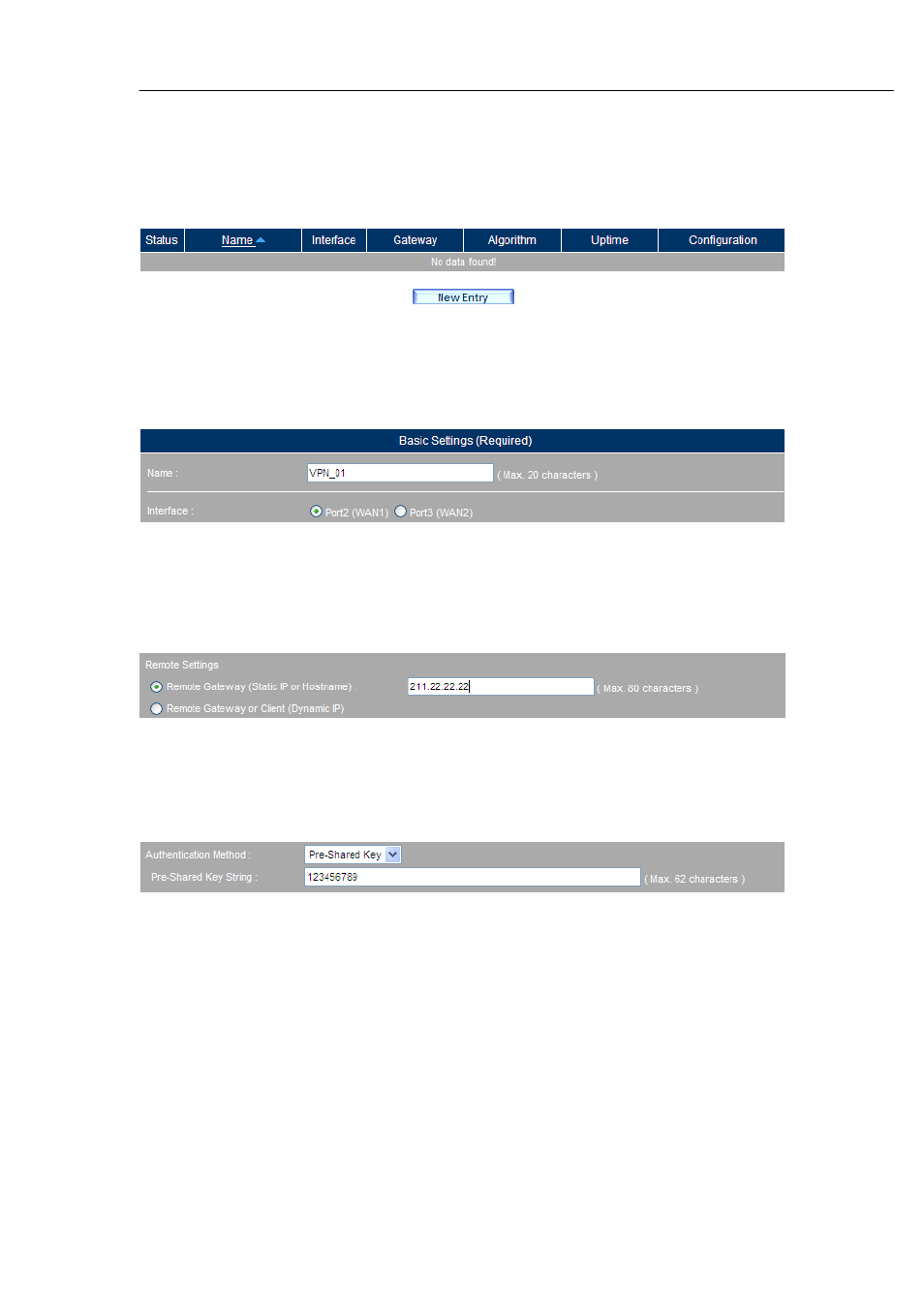
Step1. Go to Policy Object > VPN > IPSec Autokey and then click New Entry.
(Figure 11-195)
Figure 11-195 IPSec Autokey
Step2. Type VPN_01 in the Name field and then select Port2(WAN1) for
Interface.
(Figure 11-196)
Figure 11-196 Configuring the Name and the Interface
Step3. Under the Remote Settings section, select the Remote Gateway (Static IP
or Hostname) and then fill the blank.
(Figure 11-197)
Figure 11-197 Configuring the Static IP or Hostname
Step4. Select Pre-Shared Key for Authentication Method and then enter the
Pre-Shared Key String.
(Figure 11-198)
Figure 11-198 Configuring the Authentication Method
Step5. Under the ISAKMP Algorithm section, select 3DES for Encryption
Algorithm, select MD5 for Authentication Algorithm and then select DH
1 for Key Group.
(Figure 11-199)