PLANET CS-2001 User Manual
Page 643
Advertising
632
Step 5. Configure the setting from a browser:
In the URL field, type the CS-2001 interface address plus sslvpn or
webvpn. For example
or
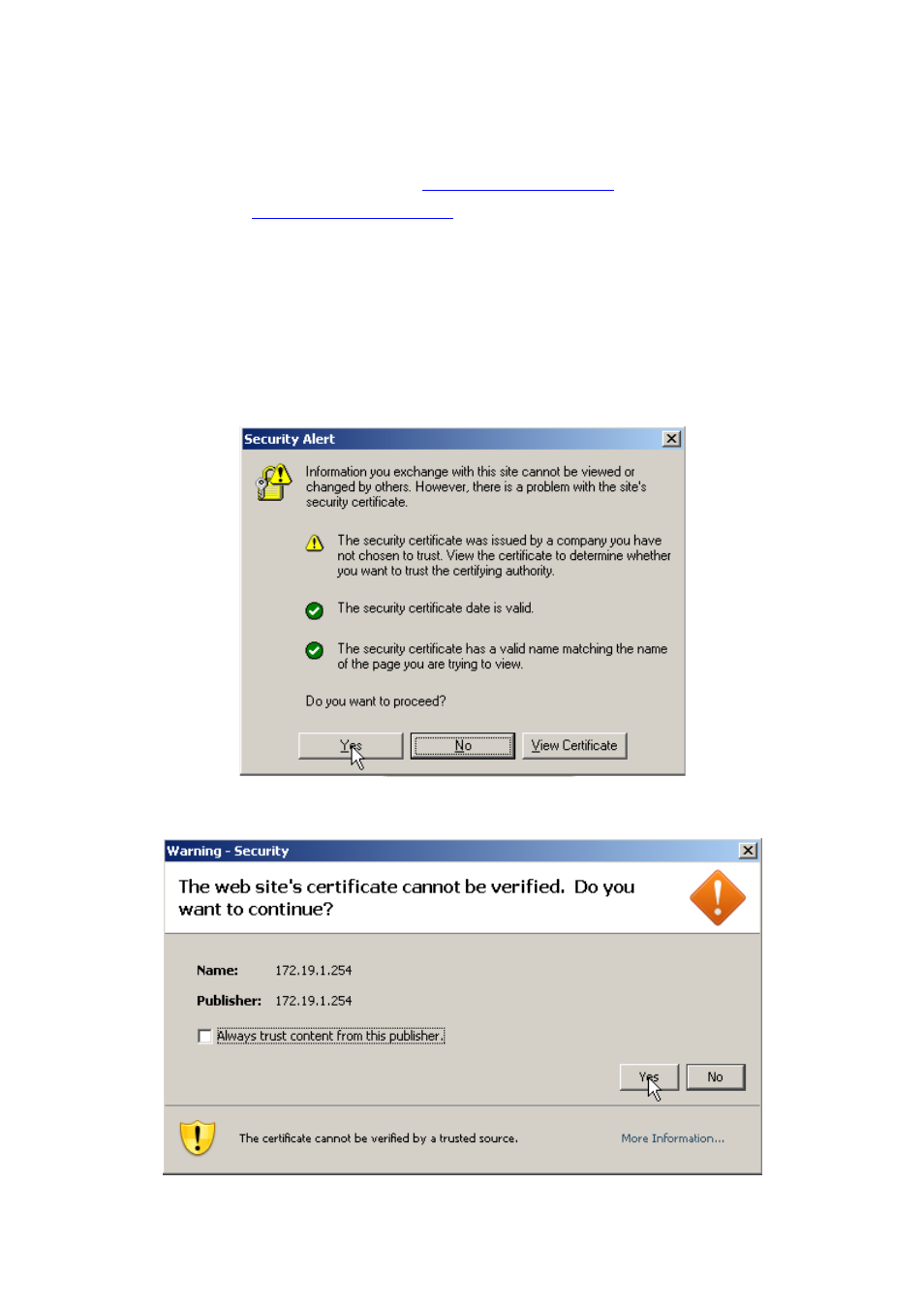
Click Yes in the Security Alert window.
(Figure 21-11)
Click Yes in the Warning – Security window.
(Figure 21-12)
Click Yes in the Warning-Security window again.
(Figure 21-13)
Select the language and then enter the username and the password.
(Figure 21-14)
Click OK.
(Figure 21-15, 21-16)
Figure 21-11 Security Alert Window
Advertising
See also other documents in the category PLANET Communication:
- ISW-1022M (167 pages)
- ADE-2400A (8 pages)
- ADE-4400 (2 pages)
- ADE-3400 (2 pages)
- ADE-3400 (61 pages)
- ADE-3400 (73 pages)
- ADW-4401 (84 pages)
- ADE-4400 (2 pages)
- ADE-3100 (51 pages)
- ADE-3410 (2 pages)
- ADW-4401 (2 pages)
- ADW-4401 (2 pages)
- ADN-4000 (118 pages)
- ADN-4000 (91 pages)
- ADN-4000 (2 pages)
- ADN-4100 (115 pages)
- ADN-4100 (2 pages)
- ADN-4100 (2 pages)
- ADN-4100 (2 pages)
- ADN-4100 (104 pages)
- ADN-4102 (2 pages)
- ADU-2110A (2 pages)
- ADU-2110A (37 pages)
- ADW-4302 (8 pages)
- ADW-4302 (6 pages)
- ADW-4100 (57 pages)
- GRT-501 (52 pages)
- GRT-501 (51 pages)
- PRT-301W (32 pages)
- VC-100M (26 pages)
- CS-2000 (573 pages)
- CS-2000 (16 pages)
- CS-2000 (13 pages)
- BM-525 (205 pages)
- CS-1000 (226 pages)
- BM-2101 (278 pages)
- CS-2001 (16 pages)
- CS-500 (12 pages)
- CS-5800 (12 pages)
- SG-4800 (182 pages)
- FRT-401NS15 (12 pages)
- FRT-401NS15 (76 pages)
- FRT-405N (2 pages)
- FRT-405N (108 pages)