PLANET CS-2001 User Manual
Page 427
416
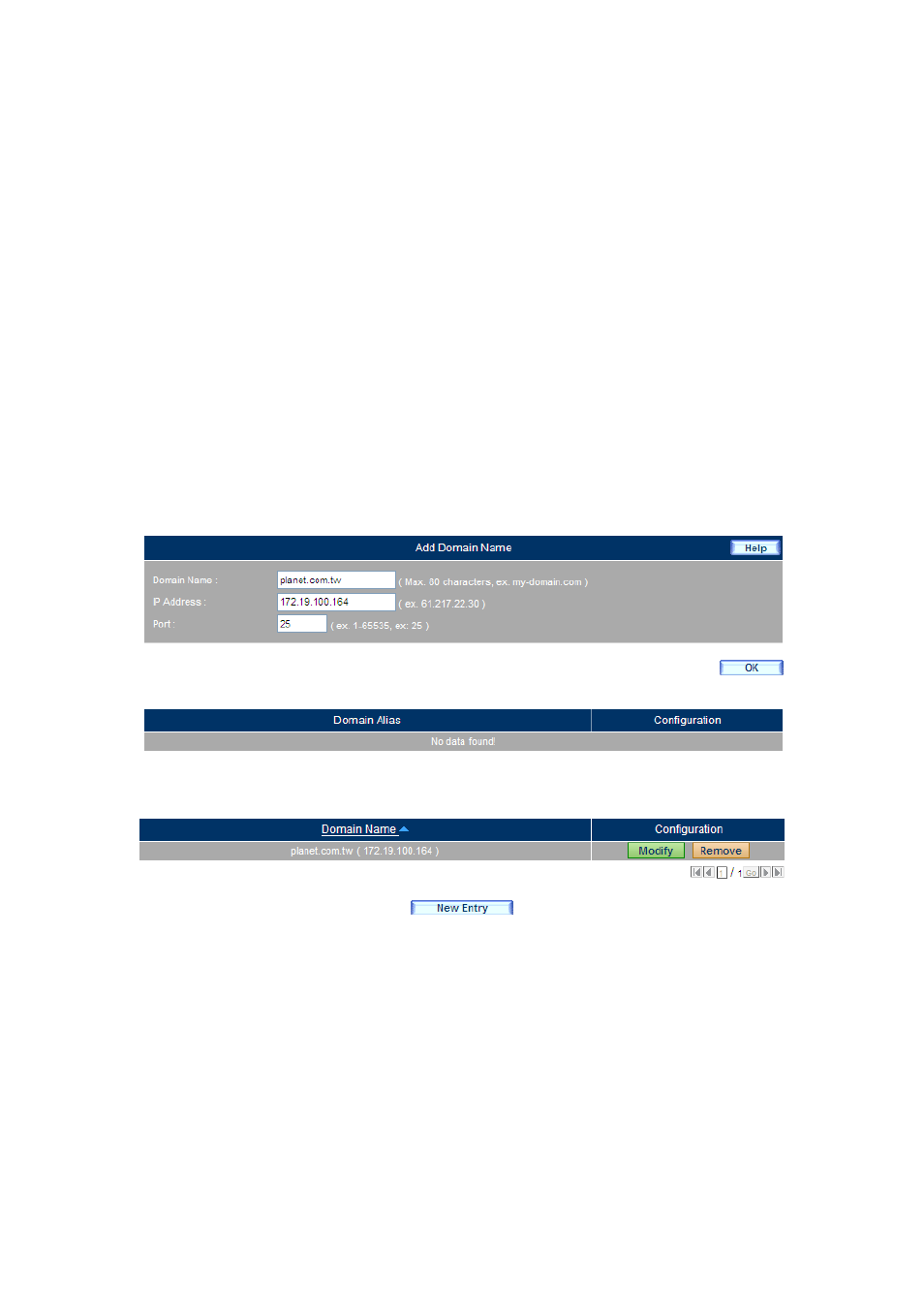
Step 2. Under Mail Management > Configuration > Mail Domains, set as below:
Click the New Entry button to create the first entry.
Type planet.com.tw in the Domain Name field.
Enter the mapped IP address.
Click OK and then modify the domain.
(Figure 12-6, 12-7)
Click the New Entry button and then add a domain alias.
Type supportplanet.com.tw in the Domain Name field.
(Figure 12-8)
Click OK to complete the first entry.
(Figure 12-9, 12-10)
Click the New Entry button again to create the second entry.
Type testplanet.com.tw in the Domain Name field.
Enter the mapped IP address.
Click OK and then modify the domain.
(Figure 12-11, 12-12)
Click the New Entry button and then add a domain alias.
Type virtualplanet.com.tw in the Domain Name field.
(Figure 12-13)
Click OK to complete the second entry.
(Figure 12-14, 12-15)
Figure 12-6 Creating the First Domain Name
Figure 12-7 The First Entry Created