Editing still images, Resizing images, 116), printing – Canon PowerShot SX60 HS User Manual
Page 116
116
Before Use
Basic Guide
Advanced Guide
1
Camera Basics
2
Auto Mode /
Hybrid Auto Mode
3
Other Shooting Modes
5
Tv, Av, M, C1, and C2 Mode
6
Playback Mode
7
Wi-Fi Functions
8
Setting Menu
9
Accessories
10
Appendix
Index
4
P Mode
Editing Still Images
●
Image editing (= 116 – = 119) is only available when the
memory card has sufficient free space.
Resizing Images
Still Images
Movies
Save a copy of images at a lower resolution.
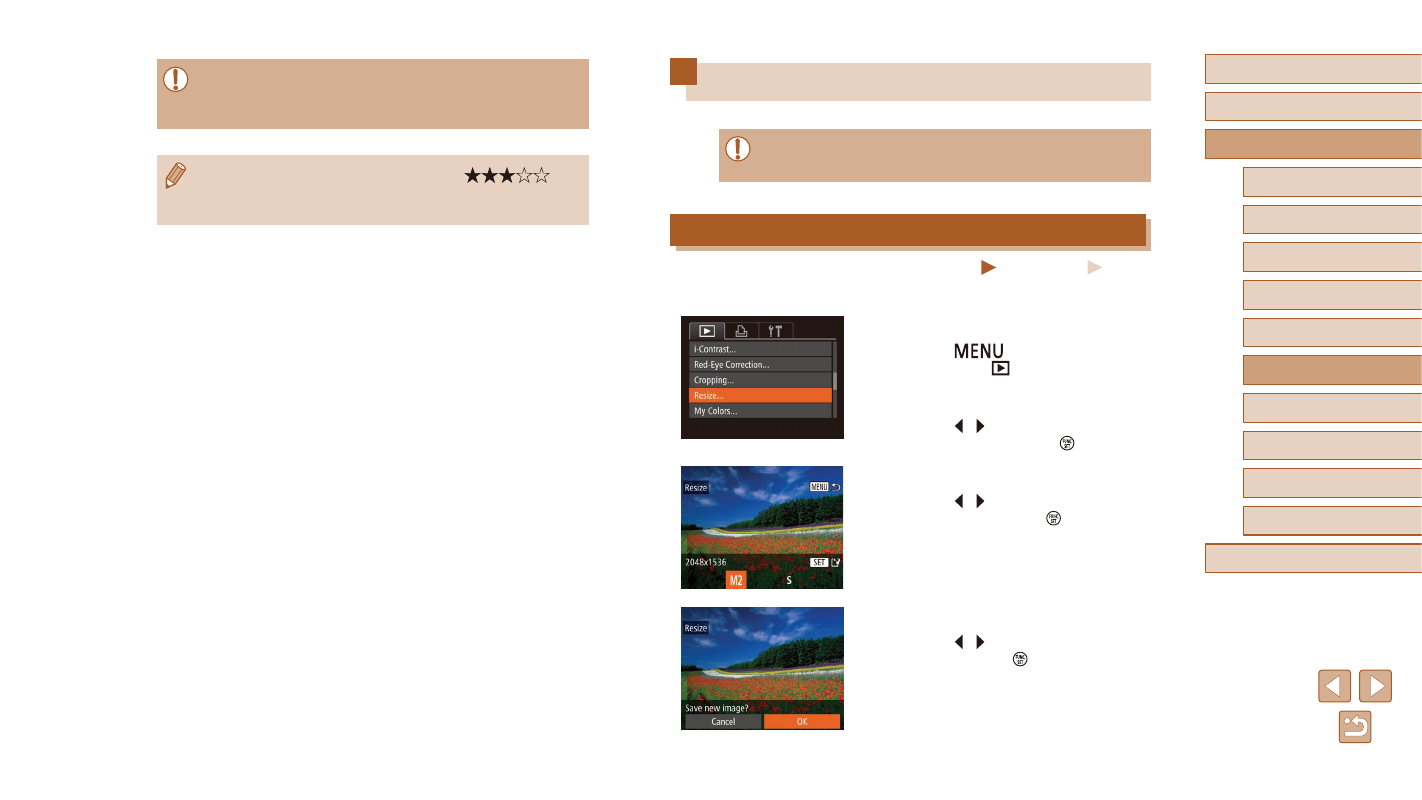
1
Choose [Resize].
●
Press the [
] button and choose
[Resize] on the [
2
Choose an image.
●
Press the [ ][ ] buttons to choose an
image, and then press the [ ] button.
3
Choose an image size.
●
Press the [ ][ ] buttons to choose the
size, and then press the [ ] button.
●
[Save new image?] is displayed.
4
Save the new image.
●
Press the [ ][ ] buttons to choose [OK],
and then press the [ ] button.
●
The image is now saved as a new file.
●
Images will not be tagged as favorites if you switch to Shooting
mode or turn the camera off before finishing the setup process in
step 3.
●
Favorite images will have a three-star rating (
)
when transferred to computers running Windows 8 or Windows 7.
(Does not apply to movies or RAW images.)