Canon PowerShot SX60 HS User Manual
Page 23
23
Before Use
Basic Guide
Advanced Guide
1
Camera Basics
2
Auto Mode /
Hybrid Auto Mode
3
Other Shooting Modes
5
Tv, Av, M, C1, and C2 Mode
6
Playback Mode
7
Wi-Fi Functions
8
Setting Menu
9
Accessories
10
Appendix
Index
4
P Mode
Shooting Movies
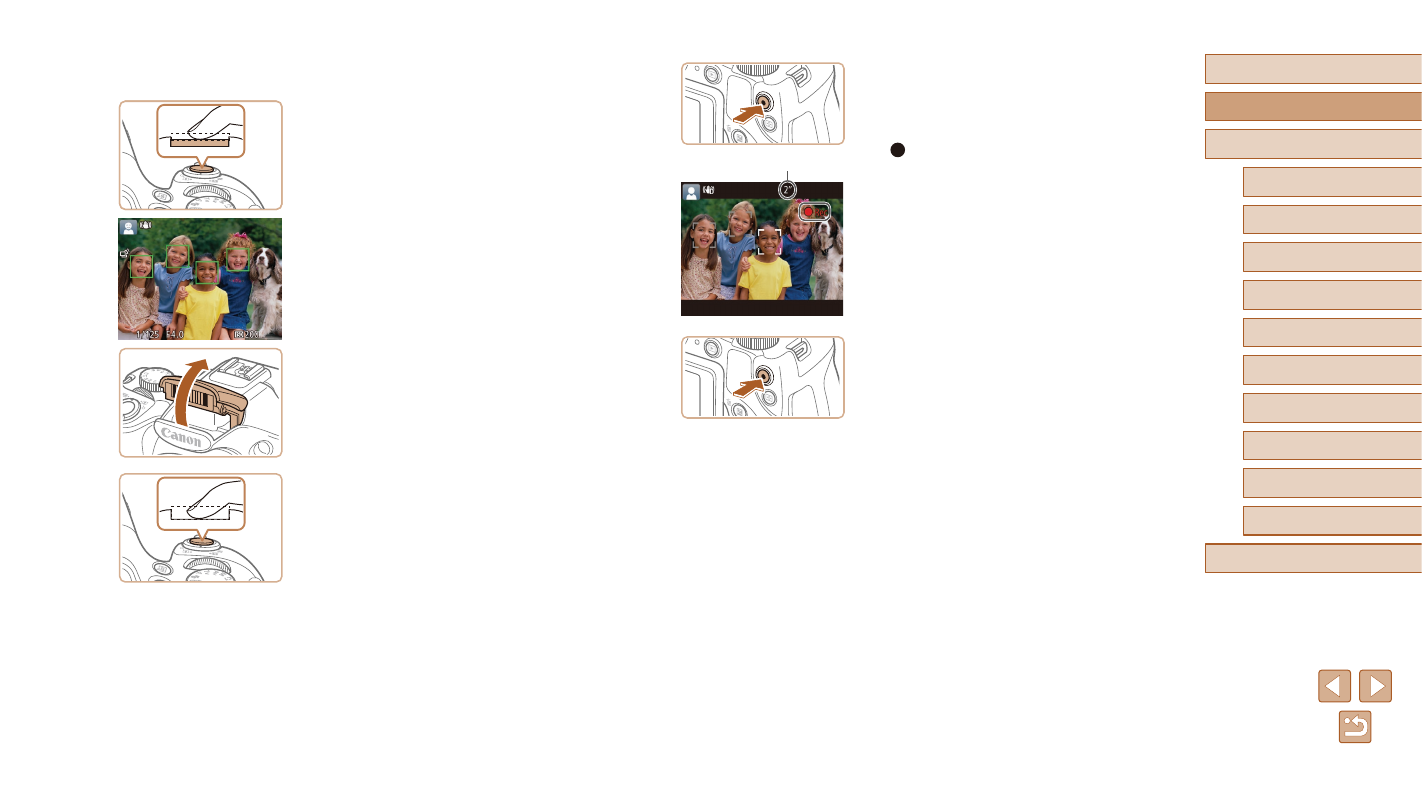
1) Start shooting.
●
Press the movie button. The camera
beeps once as recording begins, and
[ Rec] is displayed with the elapsed
time (1).
●
Black bars are displayed on the top and
bottom edges of the screen, and the
subject is slightly enlarged. The black
bars indicate image areas not recorded.
●
Frames displayed around any detected
faces indicate that they are in focus.
●
Once recording begins, take your finger
off the movie button.
2) Finish shooting.
●
Press the movie button again to stop
shooting. The camera beeps twice as
recording stops.
(1)
4
Shoot.
Shooting Still Images
1) Focus.
●
Press the shutter button lightly, halfway
down. The camera beeps twice after
focusing, and AF frames are displayed to
indicate image areas in focus.
●
If [Raise the flash] is displayed, lift the
flash with your finger to prepare it for use.
If you prefer not to use the flash, push it
down with your finger, into the camera.
2) Shoot.
●
Press the shutter button all the way
down.
●
As the camera shoots, a shutter sound
is played, and in low-light conditions
when you have raised the flash, it fires
automatically.
●
Keep the camera still until the shutter
sound ends.
●
After displaying your shot, the camera will
revert to the shooting screen.