Ios setup (lightning), A typical ultralite-mk5 setup, Audio connections – MOTU UltraLite-mk5 USB-C Audio/MIDI Interface User Manual
Page 22
H A R D W A R E I N S T A L L A T I O N
22
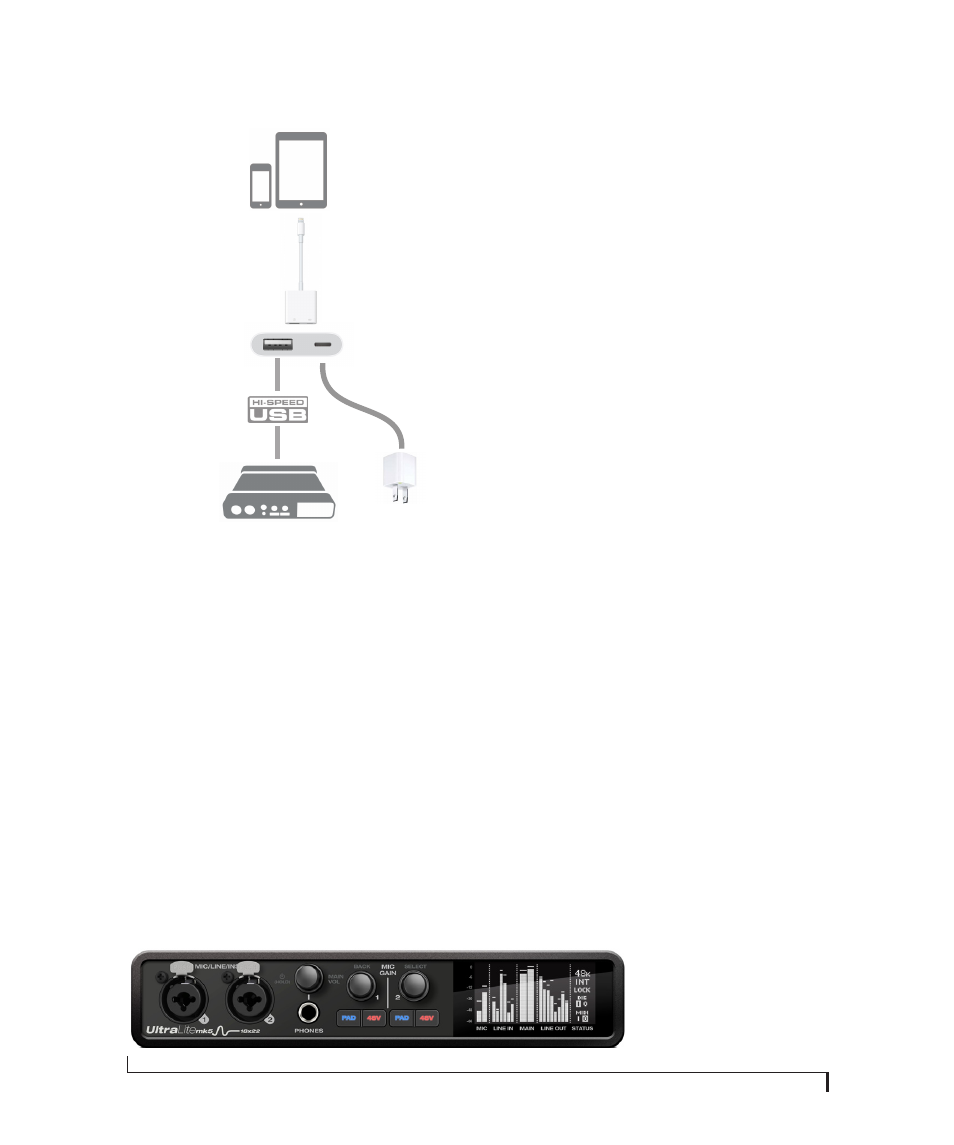
iOS SETUP (LIGHTNING)
Use the UltraLite-mk5 as an iOS audio interface,
or control it from your iOS device.
■
Use this setup for iOS devices with a Lightning
port.
■
For iOS devices with a Lightning port, an Apple
Lightning to USB3 Camera Adapter is required
(sold separately), as shown above.
A TYPICAL ULTRALITE-MK5 SETUP
See the diagram on page 8 for an example of
typical connections to the UltraLite-mk5. The
following sections provide important information
for achieving best results for each type of
connection.
AUDIO CONNECTIONS
Here are a few things to keep in mind as you are
making audio connections to your UltraLite-mk5
interface.
Mic/line/instrument inputs with preamps
Connect a microphone to the front-panel XLR/
quarter-inch combo jack with a standard XLR mic
cable. Connect a guitar or line level input with
balanced or unbalanced cable with a quarter-inch
plug. Adjust the level with the gain knob for either
type of input.
☛
If you connect a +4 dBu (line level) XLR cable
to the front-panel inputs, be sure to engage the
-20 dB pad switch.
48V phantom power
If you are connecting a condenser microphone or
another device that requires phantom power,
engage the corresponding front-panel phantom
power switch.
Preamp gain
The UltraLite-mk5 preamps provides 74 dB of
gain. Use the front panel detented gain knobs to
adjust gain as needed for each input. The front-
panel screen provides visual feedback as you turn
the knob. Preamp gain is digitally controlled, so
you can make fine-tuned adjustments in 1dB
increments. You can also adjust preamp gain in the
CueMix 5 app. See “Home tab” on page 32.
-20 dB pad
Each mic input (XLR jack) is equipped with a
-20 dB pad switch, to accommodate input signals
that could overdrive the input. The pad switch
iOS device with
Lightning port
Apple Lightning to USB3
Camera Adapter
AC power
Lightning to USB cable
(optional for powering
the iOS device)
Figure 4-1: UltraLite-mk5 front panel