Gate, Compressor, Ee “compressor” on – MOTU UltraLite-mk5 USB-C Audio/MIDI Interface User Manual
Page 41
C U E M I X 5
41
GATE
Mic/line/inst channels 1-2 (item 1 on page 37)
provide a
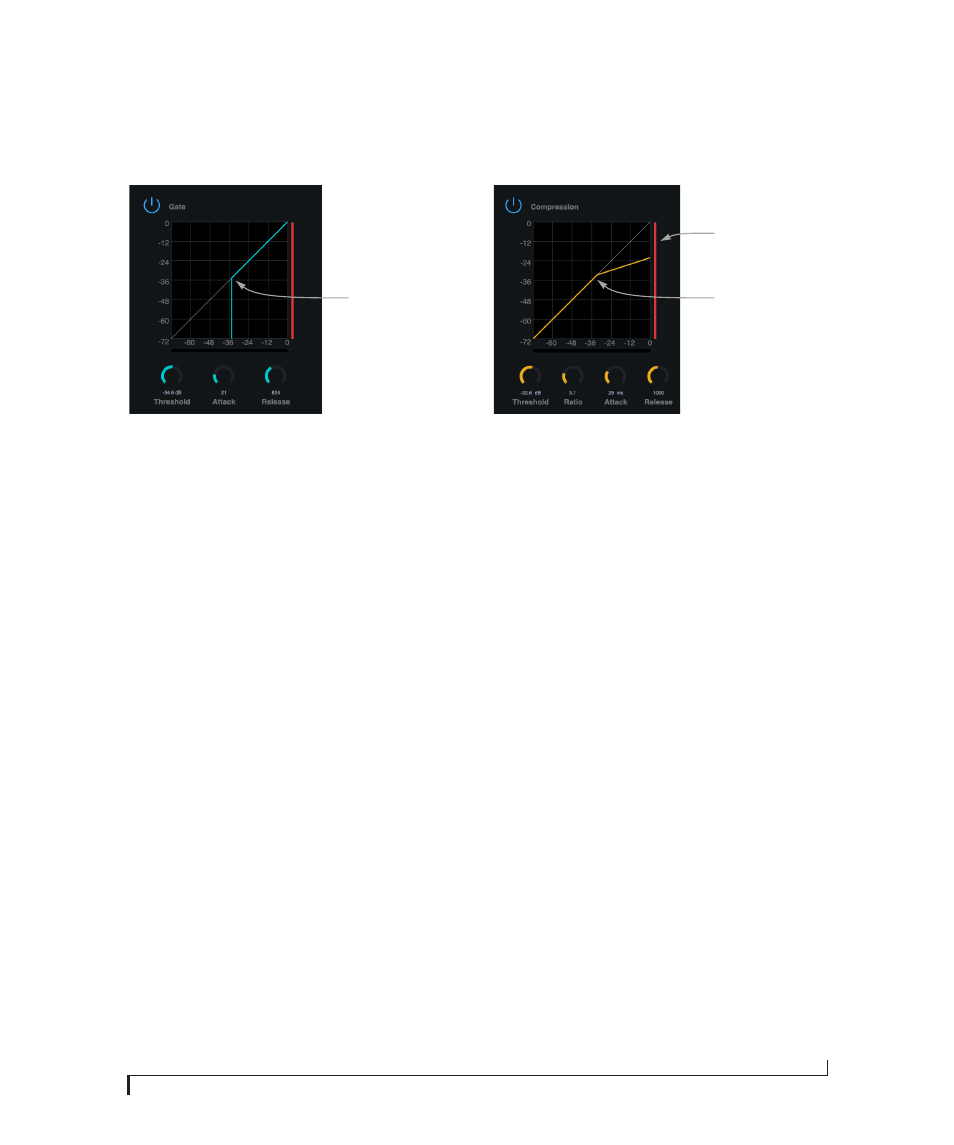
Gate
Figure 6-1: The Gate.
To access the gate, click the compressor/gate
thumbnail (item #2 on page 38).
The gate silences the signal when the input signal’s
level drops below the
Threshold
.
The rate at which the gate responds, (opens to let
signal through) is determined by the
Attack
parameter. With a short Attack time, the gate will
open as soon as the signal crosses the Threshold;
with longer Attack times, the gate will gradually
open, much like a fade-in.
When the input level falls back below the
Threshold, the time it takes for the gate to close
(how quickly the signal is attenuated), is
determined by the
Release
parameter. Short
Release times will close the gate quickly, abruptly
attenuating your signal, versus longer release
times, which will gradually attenuate your signal,
like a natural fade-out.
COMPRESSOR
All analog input channels (items 1 and 2 on
page 37) provide a
Compressor
Figure 6-2: The Compressor.
To access the compressor, click the compressor/
gate thumbnail (item #2 on page 38).
The
Compressor
lowers the level of the input when
amplitude of the signal is above the Threshold.
The amount of attenuation is determined by the
Ratio
and the input level. For example, if the input
is 6 dB above the
Threshold
and the Ratio is 3:1,
the compressor will attenuate the signal to 2 dB
above the Threshold. When the input level goes
above the threshold, the attenuation is added
gradually to reduce distortion. The rate at which
the attenuation is added is determined by the
Attack
parameter. Likewise, when the input level
falls below the Threshold, the attenuation is
removed gradually. The rate at which the
attenuation is removed is determined by the
Release
parameter. Long Release times may cause
the audio to drop out briefly when a soft passage
follows a loud passage. Short Release times may
cause the attenuation to “pump”, a term used to
describe the sound of the compressor when the
average input level quickly fluctuates above and
below the Threshold. These issues can be
addressed by adjusting the parameters. The
Gain
reduction meter
(Figure 6-2) displays the
attenuation applied by the compressor.
Threshold
handle
Threshold
handle
Gain reduction
meter