MOTU UltraLite-mk5 USB-C Audio/MIDI Interface User Manual
Page 48
W O R K I N G W I T H H O S T A U D I O S O F T W A R E
48
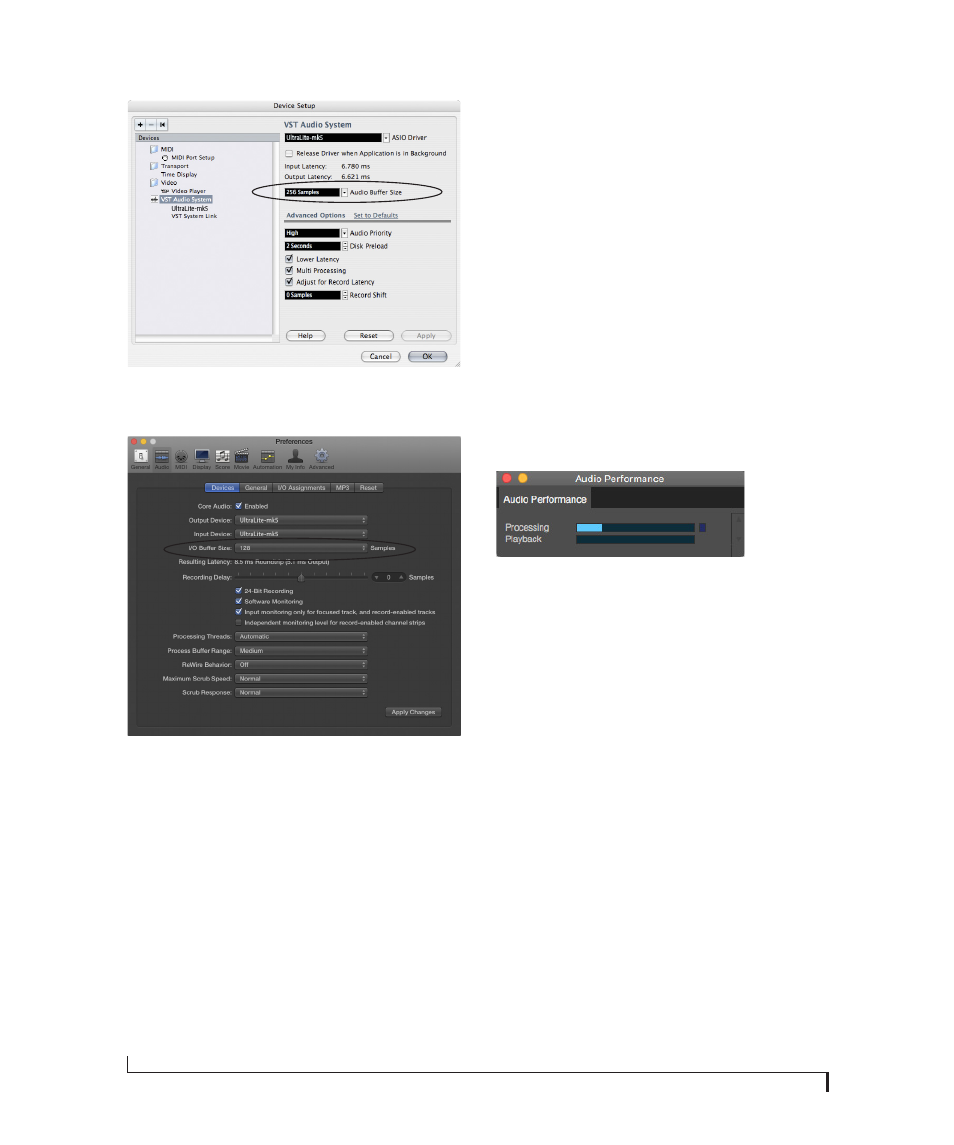
Figure 7-3: In Cubase or Nuendo, choose Devices menu > Device Setup.
Select your interface (UltraLite-mk5), then click the Control Panel
button to access the window above and the Buffer Size setting.
Figure 7-4: In Logic Pro, go to the Audio Driver preferences to access the
Buffer Size option shown above.
Adjusting buffer size on Windows
On Windows, the buffer size is adjusted in the
CueMix 5 app Device tab (items #6 and 7 in the
Devices tab on page 33).
Lower latency versus higher CPU overhead
Buffer size has a large impact on the following:
■
Monitoring latency
■
The load on your computer’s CPU
■
Responsiveness of transport controls and effect
knobs in Performer Lite, Digital Performer or
other audio software.
■
Real-time virtual instrument latency.
The buffer setting presents you with a trade-off
between the processing power of your computer
and the delay of live audio as it is being patched
through your software. If you reduce the size, you
reduce monitoring latency, but significantly
increase the overall processing load on your
computer, leaving less CPU bandwidth for things
like real-time effects processing. On the other
hand, if you increase the buffer size, you reduce
the load on your computer, freeing up bandwidth
for effects, mixing and other real-time operations.
Figure 7-5: When adjusting the buffer size to reduce monitoring
latency, watch the ‘processor’ meter in Digital Performer’s Performance
Monitor. If you hear distortion, or if the Performance meter is peaking,
try raising the buffer size.
If you are at a point in your recording project
where you are not currently working with live,
patched-thru material (e.g. you’re not recording
vocals), or if you have a way of externally
processing inputs, choose a higher buffer size.
Depending on your computer’s CPU speed, you
might find that settings in the middle work best
(256 to 1024).
Transport responsiveness
Buffer size also impacts how quickly your audio
software will respond when you begin playback,
although not by amounts that are very noticeable.
Lowering the buffer size will make your software
respond faster; raising the buffer size will make it a
little bit slower.