Monitor controls – Solid State Logic SSL 12 USB Audio Interface User Manual
Page 10
5 LEDs show the level at which your signal is being recorded into the computer. It is
good practice to aim for the '-20' mark (the third green meter point) when recording.
Occasionally going into '-10' is fine. If your signal is hitting '0' (top red LED), that
means it is clipping, so you'll need to lower the GAIN control or output from your
instrument. Scale markings are in dBFS.
5. GAIN
This control adjusts the pre-amp gain applied to your microphone, line-level or
instrument. Adjust this control so that your source is lighting all 3 green LEDs most
of the time whilst you are singing/playing your instrument. This will give you a
healthy recording level into the computer.
6. LEGACY 4K - ANALOGUE ENHANCEMENT EFFECT
Engaging this switch allows you to add some extra analogue 'magic' to your input
when you need it. It injects a combination of high-frequency EQ-boost, together with
some finely tuned harmonic distortion to help enhance sounds. We have found it to
be particularly pleasant on sources such as vocals and acoustic guitar. This
enhancement effect is created completely in the analogue domain and is inspired by
the kind of extra character the legendary SSL 4000-series console (often referred to
as '4K') could add to a recording. The 4K was renowned for many things, including a
distinctive 'forward', yet musical-sounding EQ, as well as its ability to impart a
certain analogue 'mojo'. You will find that most sources become more exciting when
the 4K switch is engaged!
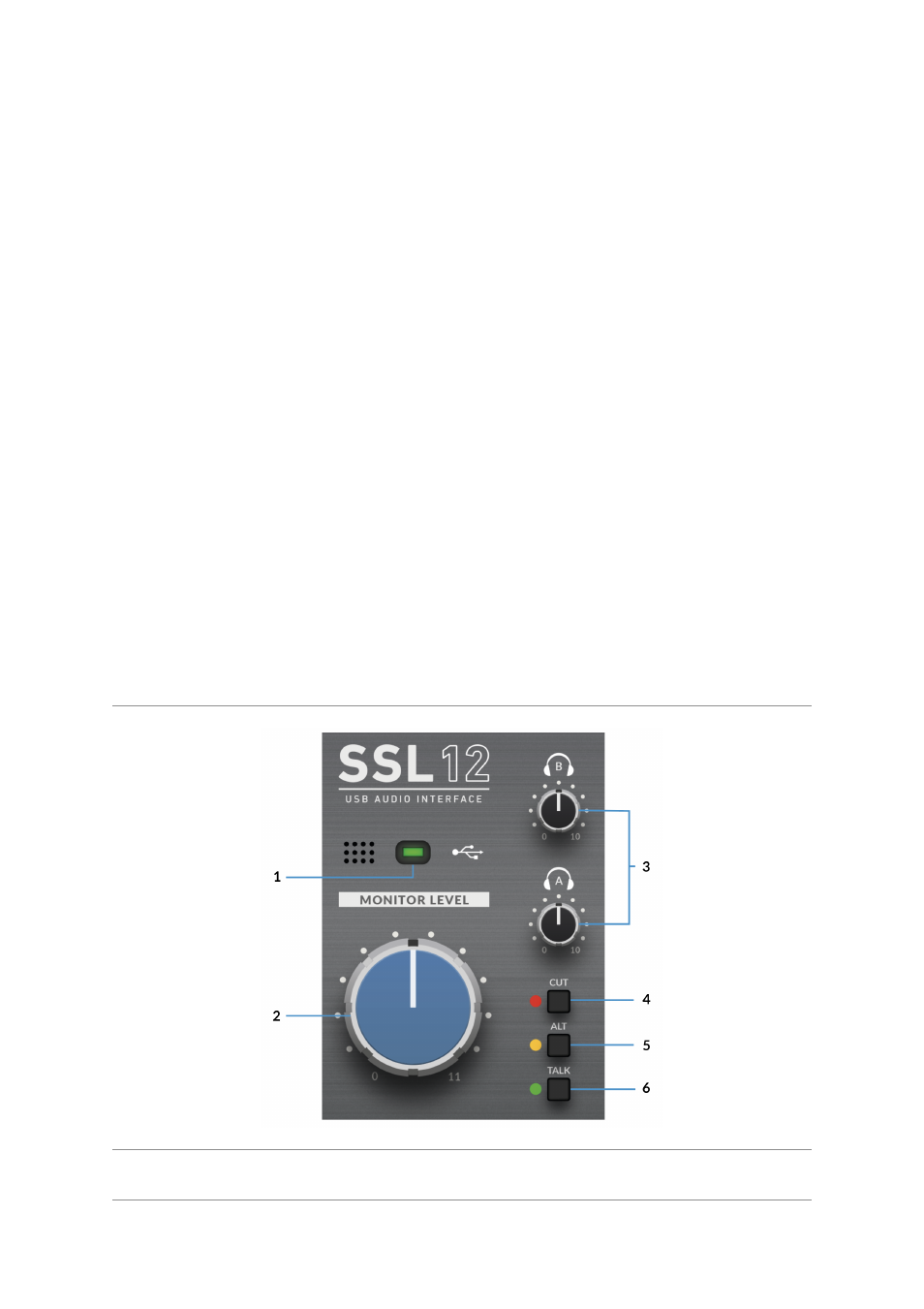
Monitor Controls
1. GREEN USB LED
Illuminates solid green to indicate that the unit is successfully receiving power over
USB.