Rear panel connections – Solid State Logic SSL 12 USB Audio Interface User Manual
Page 12
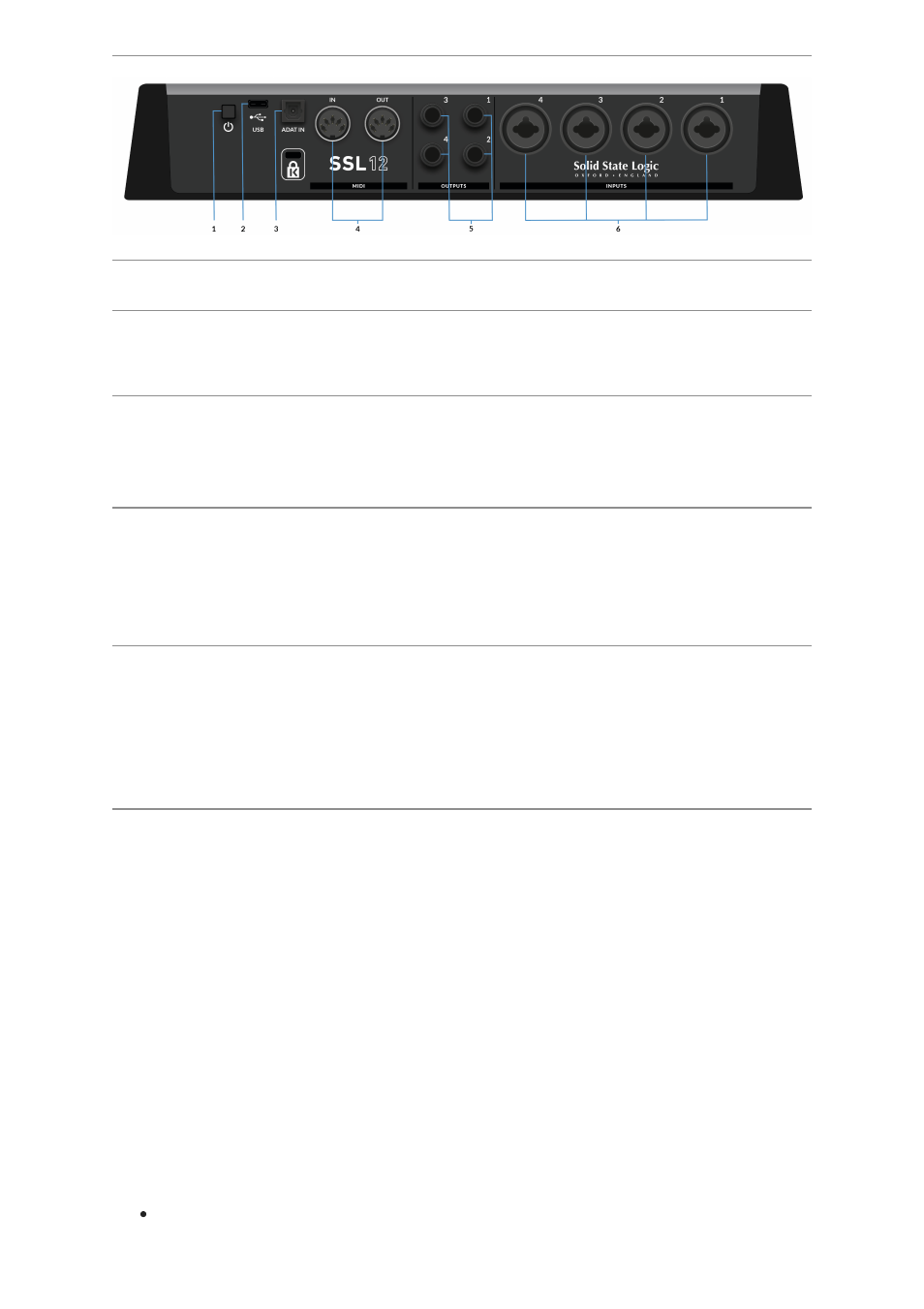
Rear Panel Connections
1 . POWER
The power button toggles power on/off to the unit.
2. USB
USB 'C' Type Connector - connect SSL 12 to your computer using the included
cable.
3. ADAT IN
The ADAT IN - a further 8 input channels to be added to the interface at 48 kHz, 4
channels at 96 kHz, and 2 channels at 192 kHz, allowing expansion to enable larger
recording projects.
4. MIDI IN & OUT
The MIDI (DIN) IN & OUT allow the SSL 12 to be used as a MIDI interface. MIDI IN
will receive MIDI signals from keyboards or controllers & MIDI OUT allows MIDI
information to be sent out to trigger Synths, Drum machines or any MIDI controllable
equipment you have available.
5. OUTPUTS
1/4" TRS Jack Output Sockets
Outputs 1 & 2 are primarily to be used for your main monitors and the physical
volume is controlled by the Monitor Knob on the front of the Interface. Outputs 3 & 4
can be set up as a secondary
ALT
pair of monitors (switchable to be controlled by
the Monitor Knob when the
ALT
button is engaged).
All Outputs (including headphone outputs as previously described) are also
DC-
coupled
and able to send +/-5v signal to allow CV control to Semi & Modular
Synths, Eurorack and CV-enabled outboard FX.
Please Note:
More information is available in the
DC Coupling CV Control via
Ableton® Live CV Tools
section in this User Guide.
A few things to be aware of when using the
DC-coupled
outputs:
When using output 1-2 for CV output, remember the Monitor Control Knob is
still affecting the signal. Set it fully Clock Wise for full signal.