Solid State Logic SSL 12 USB Audio Interface User Manual
Page 20
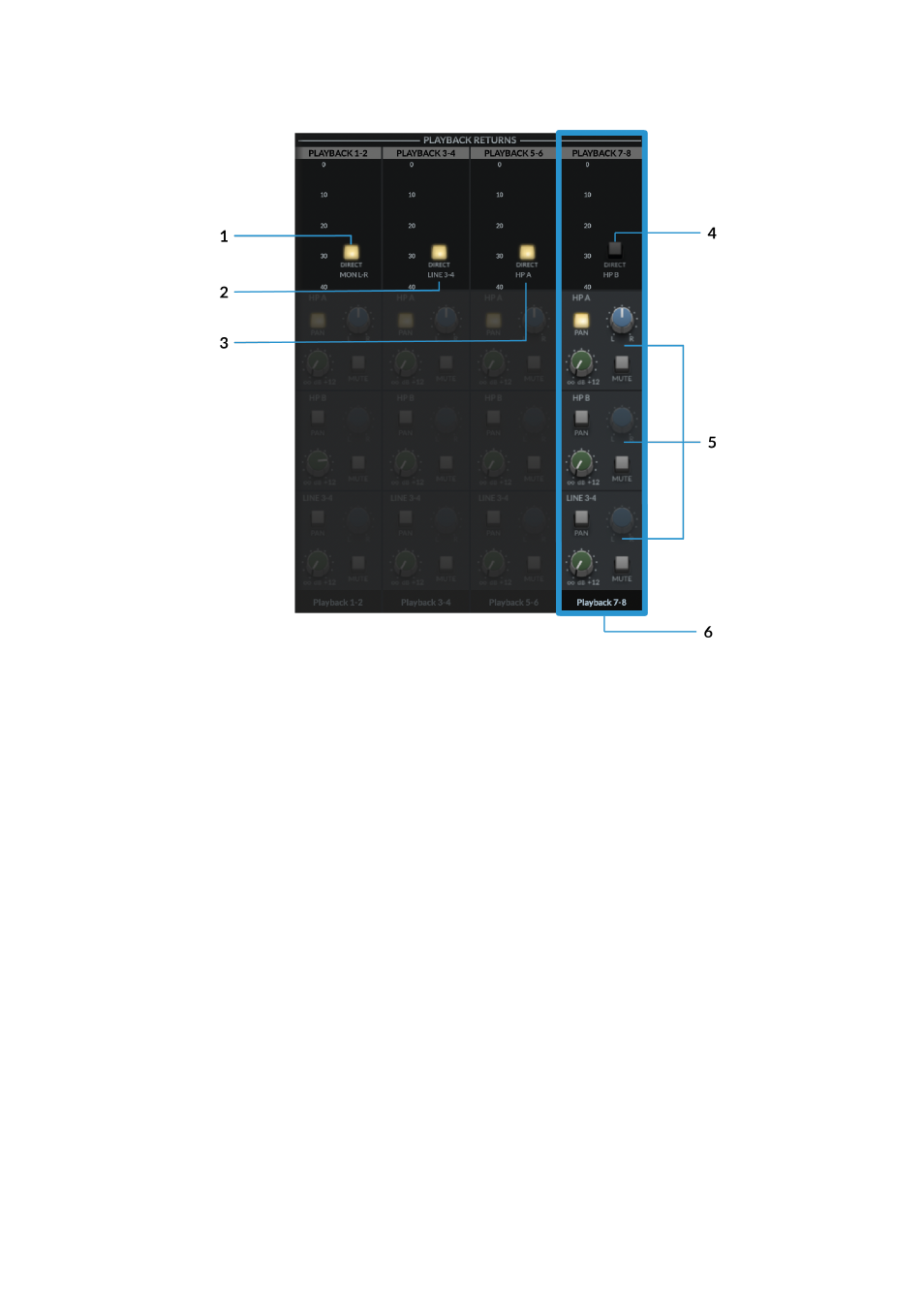
At the top of the channel next to the meters, the '
Direct
' button allows each stereo
Playback Return to bypass the SSL 12 Mixer's Routing Matrix and instead the signal
is sent directly to the corresponding Aux/Bus Master.
In the above diagram, Playback 7-8 is highlighted in Blue to distinguish the
difference between engaged & disengaged Direct Buttons.
1. DIRECT MON L-R
Engaging the
DIRECT
button will send the DAW Mon L/R outputs directly to the
main Monitor Bus (OUT 1-2), bypassing the Routing Matrix.
2. DIRECT LINE 3-4
Engaging the
DIRECT
button will send the DAW 3-4 outputs directly to Line 3-4 Aux
Master (OUT 3-4), bypassing the Routing Matrix.
3. DIRECT HP A
Engaging the
DIRECT
button will send the DAW 5-6 outputs directly to Headphone
A Aux Master (OUT 5-6), bypassing the Routing Matrix.
4. DIRECT HP B
On Playback 7-8, engaging the
DIRECT
button will send the DAW 7-8 outputs
directly to Headphone B Aux Master (OUT 7-8), bypassing the Routing Matrix.
5. ROUTING MATRIX