Front panel connections – Solid State Logic SSL 12 USB Audio Interface User Manual
Page 11
2. MONITOR LEVEL (Large Blue Control)
The MONITOR LEVEL directly affects the level sent out of OUTPUTS 1 (Left) and
2 (Right) to your monitors. Turn the knob to make the volume louder. Please note
the MONITOR LEVEL goes to 11 because it's one louder.
Note that if
ALT
is engaged, Monitors connected to OUTPUTS 3 & 4 will also
be controlled via the Monitor Level Control.
3. PHONES A & B
These controls each set the level for the
PHONES A & B
headphones output.
4. CUT
This button mutes the Monitor Output Signal
5. ALT
Switches the Monitor Bus to an alternative set of monitor speakers that you have
connected to OUTPUTS 3&4. To do this
ALT SPK ENABLE
must be active in SSL
360°.
6. TALK
This button engages the on-board Talkback mic. The signal can be routed to any
combination of Headphones A, Headphones B and Line 3-4 (providing Line 3-4 is
not being used as ALT monitors) in the SSL 12 Mixer page of SSL 360°. The
Talkback Mic is located to the left of the green USB light.
Please Note:
Interface buttons annotated as
4, 5 & 6
in the description are also
user-assignable using SSL 360° but they come defaulted to the silkscreened
functions (CUT, ALT, TALK) on the front panel.
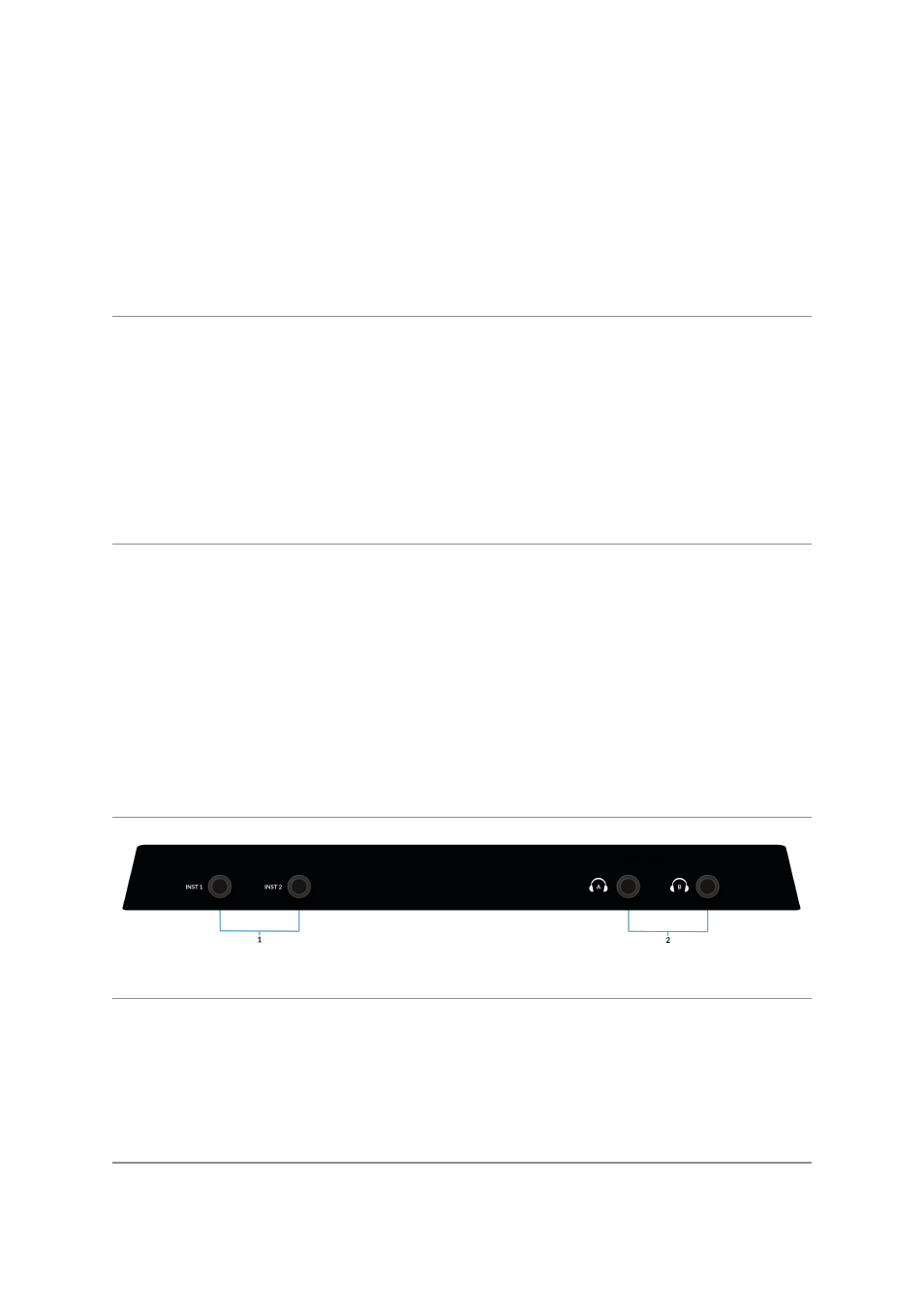
Front Panel Connections
1 . INSTRUMENT INPUTS
INST 1
&
INST 2
are the HI-Z Instrument line inputs that allow high impedance
sources such as Guitars & Basses to be recorded without the need for an external
D.I. Plugging into an Instrument input will automatically over-ride the Mic/Line input
on the rear.
2. HEADPHONE OUTPUTS
PHONES A
&
B
allow for two sets of headphones to be connected, both of which
can be configured to allow independent mixes for artist and engineer. The master
output levels are set by the
PHONES A
and
PHONES B
controls on the front panel.